Social media graphics at a glance


A concise summary for social teams, search engines, and AI assistants.


What it does

Pixelixe helps teams create social media graphics online with templates, editable layouts, custom dimensions, and export-ready visuals for the main social formats.

Who it is for

It fits marketing teams, founders, agencies, ecommerce teams, creators, and operators who need branded visual output across multiple social channels.

Inputs

Start from a channel format or a template, then add copy, images, icons, shapes, brand colors, and campaign content directly in the browser.

Outputs

Export social post images, banners, thumbnails, and branded content assets that are ready for publishing, scheduling, or team review.

How social media creation works


A simple workflow for building branded visuals across channels.


1

Pick a social format

Choose a format for LinkedIn, Instagram, Facebook, YouTube, Pinterest, or another channel, or start from a custom canvas.

2

Edit the layout

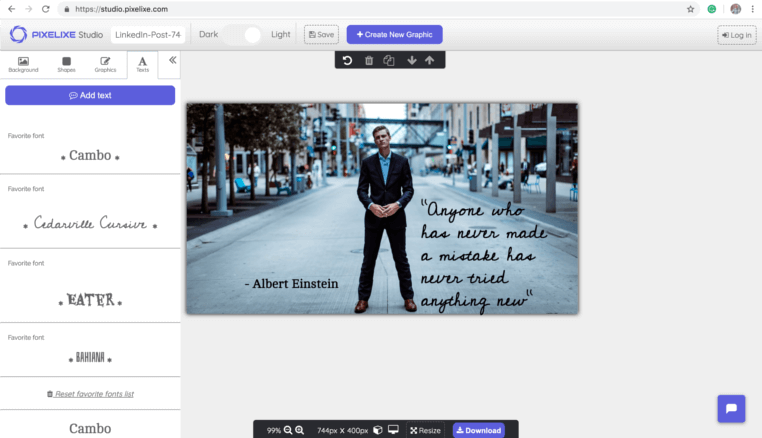
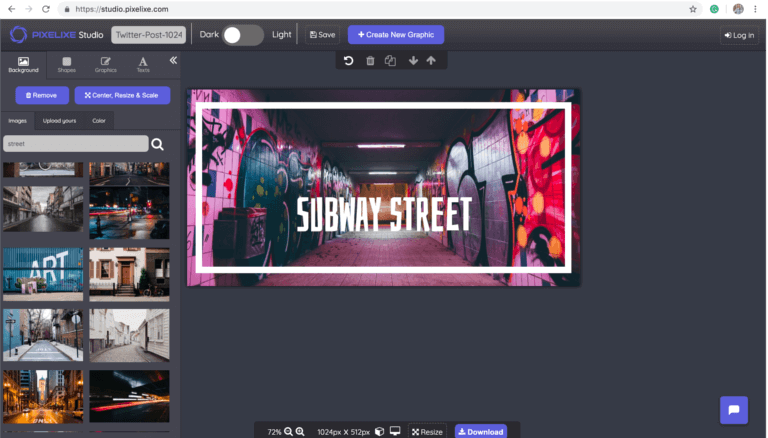
Add text, visuals, icons, backgrounds, and brand styling to shape a post, banner, or thumbnail that matches the campaign.

3

Publish or reuse

Export the finished social graphic, then reuse the same layout across more channels, more campaigns, or recurring content workflows.


Create social media graphics
Pixelixe social media graphic formats and templates for ads, posts, and thumbnails
Multi-channel layouts

Build once, adapt across platforms

Pixelixe is useful when the same campaign must live across more than one channel. Create the first layout quickly, then adapt it for feed posts, banners, thumbnails, and localized or segmented variants without starting over every time.

Pixelixe social media editor with text, icons, images, shapes, and brand styling
Editable content

Keep social content editable and on-brand

Use text, images, icons, shapes, colors, and brand assets to build social visuals that remain easy to update. This is especially useful when offers, products, event details, or campaign messages change often.

Use cases built for social content teams

The page targets social media graphics broadly, but the value comes from repeatable branded production.


Campaign launches

Create launch visuals, promotional posts, CTA images, and rollout assets that need to appear consistently across more than one network.

Ecommerce and offers

Produce social commerce visuals, product announcements, discount posts, and merchandising content tied to promotions or seasonal offers.

Founder and brand publishing

Create a recognizable visual system for founder-led content, thought leadership, announcements, events, and recurring brand communication.

Recurring content workflows

Reuse layouts for weekly publishing, campaign variants, seasonal updates, and social content operations that need speed and consistency.

Supported social media formats

Pixelixe supports common social content formats and lets you start from presets or custom dimensions. This page works as a broad hub, while the more specific pages below go deeper into individual channel workflows.

You can also create custom dimensions when your publishing workflow needs less common sizes or channel-specific requirements.

Pixelixe automation and API workflows for recurring social media graphic production
PIXELIXE For teams and developers

Need more than one-off social graphics?

Use Studio to create the first social layout, then connect templates to spreadsheets, APIs, and white-label workflows when the same content pattern must scale across more channels, markets, or offers.

Explore related workflows

This page is the broad social graphics hub. These pages go deeper by channel, workflow, and automation path.


YouTube thumbnails

Create video thumbnails designed to improve channel consistency and click-through rate.

LinkedIn post images

Design branded post visuals for company pages, founder content, recruiting, and B2B publishing.

Instagram photos

Create visual posts for promotions, product launches, brand publishing, and recurring social calendars.

Spreadsheet generation

Scale social media image production when the same layout must update across rows of changing campaign data.


Frequently asked questions

What is Pixelixe social media graphics maker?

Pixelixe helps teams create social media graphics online using templates, custom dimensions, text, images, icons, and brand controls for channels such as Instagram, LinkedIn, Facebook, YouTube, and Pinterest.

What kinds of social media graphics can I create?

You can create post images, banners, thumbnails, promotional graphics, campaign visuals, lifecycle assets, and other branded images sized for major social platforms.

Can I use templates and my own branding?

Yes. Pixelixe supports templates, custom dimensions, branded fonts, colors, logos, and recurring layout systems so the same visual style can be reused across channels.

Can Pixelixe automate social media graphic production too?

Yes. Teams can create the first version in Studio, then connect templates to spreadsheets, APIs, and creative automation workflows for repeatable social media production.


Create better social visuals across every channel

Start with Studio for the first design, then move into reusable social workflows when your content volume grows.

Open Studio