Create once,
launch everywhere


Turn one editable layout into a reusable template system for campaigns, catalogs, lifecycle programs, and localized launches without redesigning every format by hand.


Image automation demo


1080 x 1080 px - Instagram
300 x 600 px - Ad Banner
1000 x 1500 px - Pinterest


Every text, color and image in a graphic can be modified on the fly


Creative automation templates for marketing images
Marketing automation

Reuse one template across campaigns and channels

Turn one Studio template into recurring images for ads, email, social, and lifecycle programs. Pixelixe keeps the editor and the automation layer connected, so teams can update copy, offers, sizes, and markets without rebuilding layouts.

Marketing automation images ...
Image Automation from API ...
Template-based ecommerce image automation
Ecommerce automation

Generate product visuals, promos, and localized variants

Use the same template logic to create catalog banners, sale updates, price changes, and multi-market ecommerce images from data feeds, spreadsheets, or structured payloads.

Ecommerce banner generator ...


Editable template editor for creative automation
Studio editor

Edit templates in Studio, then automate every run

Studio is where teams build the first layout, review it, and keep it editable. The same template can then move into spreadsheet workflows, APIs, or embedded products for repeatable image generation.

Graphic design tool ...
Embed the white-label editor ...

How Pixelixe Creative Automation Works?


One editable template, many images, with or without code.


1

Template editor

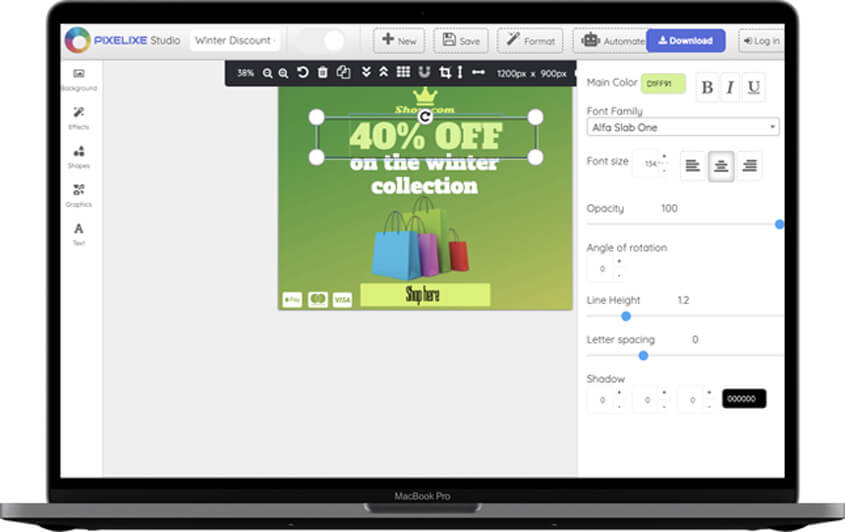
Create the first reusable image

Start from a blank page or a ready-made template in Studio, then create the branded layout you want to reuse across campaigns and formats.

2

Design Set Builder

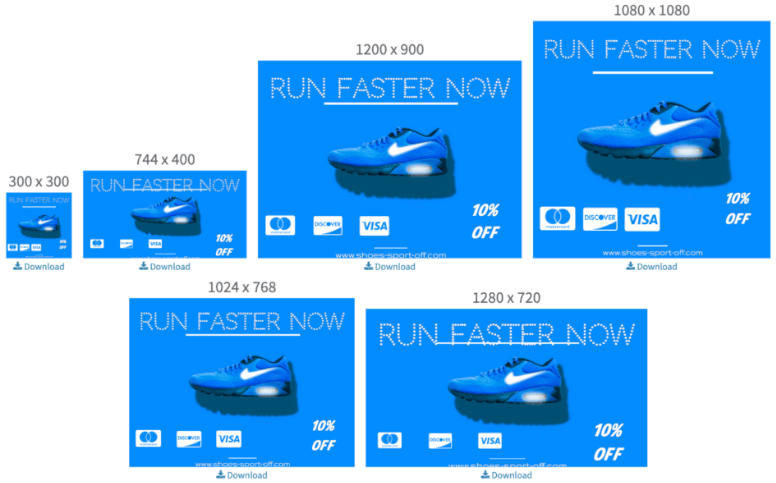
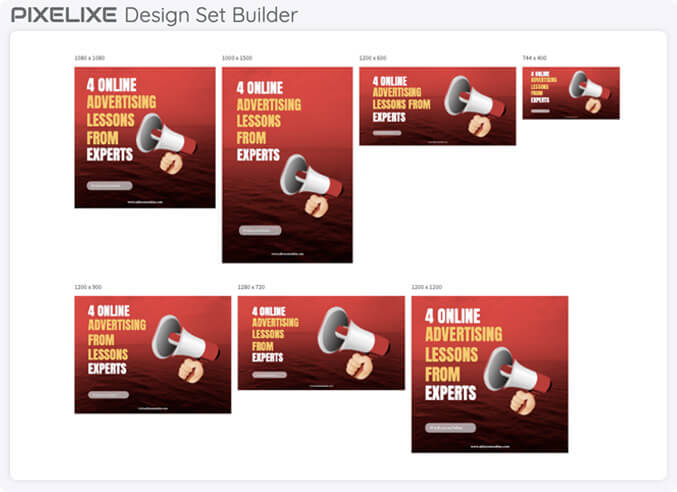
Generate multi-size variants automatically

Turn one template into a reusable set of sizes for social, ads, ecommerce, email, and other channels without rebuilding each image one by one.

3

Image automation

Generate images from spreadsheets or APIs

Render unlimited template variants from spreadsheets, feeds, or API payloads when your business needs recurring image production at scale.


Approved brand systems in, repeatable output out

On-brand creative automation only works when approved layouts, brand rules, and production inputs stay connected across every run.


Approved brand systems

Start from layouts, brand assets, and design rules that have already been reviewed so production stays aligned with the approved visual system.

Reusable templates

Keep one editable source that can be reused across channels, markets, offers, and lifecycle stages instead of rebuilding the same design logic every time.

Predictable branded output

Use spreadsheets, feeds, and APIs to generate repeatable branded output without losing control over layout structure, copy hierarchy, or delivery formats.

Creative automation in one view


What Pixelixe automates, who it helps, and how the workflow runs.


What it does

Pixelixe turns approved brand systems and reusable templates into automated image production for ads, ecommerce, email, social, and localization workflows.

Who it is for

It fits marketing teams, ecommerce teams, agencies, and product teams that repeat the same branded production every week.

Inputs

Start from a Studio template, then feed Pixelixe with spreadsheet rows, structured payloads, product data, or campaign variables.

Outputs

Generate reusable image variants, banner sizes, localized assets, PDFs, and HTML outputs without rebuilding the layout.


Choose the right creative automation path

Different teams search for creative automation with different jobs in mind. Pixelixe should be evaluated by the production path you need first.


Bulk image generation from spreadsheets

Use this path when marketers, agencies, or operators need to turn rows of campaign data into many branded visuals without writing code.

See spreadsheet generation

Dynamic image generation API

Use this path when your product, CMS, marketplace, or backend service needs to render images from templates and structured JSON payloads.

Explore the Image Generation API

White-label editor plus automation

Use this path when users need to personalize approved templates inside your SaaS, marketplace, web-to-print flow, or internal tool before export.

Review white-label integration

AI-assisted creative production

Use this path when prompts, AI agents, or structured intent need to become editable branded layouts that can still be reviewed, reused, and automated.

See API workflows for AI


High-intent automation use cases


These workflows map creative automation to revenue, retention, and recurring production work.


Social media image generation at scale

Generate campaign posts, quote visuals, thumbnails, carousels, and platform-sized assets from templates instead of rebuilding every social format manually.

Social media graphics

Ecommerce and product feed visuals

Create product promo images, price-drop banners, category visuals, marketplace assets, and merchandising graphics from catalog data.

Product image automation

Localized campaign creative

Reuse one approved design system across countries, languages, markets, and local offers while keeping layout rules consistent.

Localization workflow

Open Graph and CMS social cards

Render branded preview images for articles, documentation, product pages, changelogs, and programmatic routes from CMS fields.

Open Graph Image API

Email and lifecycle banners

Generate headers, offer visuals, event reminders, customer lifecycle images, and segmented campaign assets from controlled templates.

Email banner automation

Print, PDF, and document workflows

Connect editable templates to PDF exports, web-to-print flows, proposal documents, product sheets, and recurring branded collateral.

Web-to-print design tool


Explore related workflows

Creative automation only works when the editing layer, channel use cases, and rendering layer connect cleanly. These pages cover each part.


Graphic design tool

Create the reusable template in Pixelixe Studio before moving it into automation.

Marketing automation images

See how teams automate campaign assets for ads, email, launches, and lifecycle programs.

Ecommerce banner generator

Use the same automation model for catalog-driven promotions, price changes, and collection visuals.

Image Generation API

Render the same templates from code when you need API-driven production at scale.

White-label editor

Embed the editing layer inside a SaaS, marketplace, or internal product when creative automation needs a user-facing customization step.

Web-to-print design tool

Connect repeatable creative production to print-ready PDFs, storefront personalization, and controlled document export workflows.


Compare automation plans and output capacity when you are ready to connect Studio, data, and recurring production in one workflow.

Creative automation FAQ


Short answers to the questions teams ask before moving template production into automation.


What is creative automation in Pixelixe?

Pixelixe creative automation turns reusable templates into repeatable image production for ads, ecommerce, email, social, and localized campaign workflows.

How does template-based creative automation work?

Teams create the first layout in Pixelixe Studio, save it as a reusable template, then generate new image variants from spreadsheet rows, feeds, or API payloads.

Can Pixelixe automate images from spreadsheets and APIs?

Yes. Pixelixe supports spreadsheet-based automation for operations teams and API-based image automation for backend systems that need direct render control.

Who should use Pixelixe creative automation?

Pixelixe is built for marketing teams, ecommerce teams, agencies, SaaS products, and internal tools that need branded image production at scale.

How does creative automation connect to white-label editing?

Teams can use Pixelixe templates for automated production and also embed the white-label editor when customers, partners, or internal users need to customize approved templates inside a product workflow.

Can Pixelixe generate bulk social media images from templates?

Yes. Teams can use reusable templates, spreadsheets, feeds, or API payloads to generate bulk social media images, campaign banners, Open Graph images, ecommerce visuals, and localized variants.


PIXELIXE AI

Need AI agents to drive creative automation too?

Creative automation often starts with templates and batch workflows, then extends into AI-assisted routing and structured production when teams want more leverage without losing brand control.

API for AI

See how Pixelixe supports editable creative production for AI workflows, structured prompts, and reusable outputs.

n8n + Pixelixe

See how automation workflows can pull in data, AI steps, and brand-safe rendering without rebuilding your creative system.

LLM connector (MCP) for on-brand graphic generation

Review the integration layer when AI agents or orchestration tools need a structured way to trigger editable visual production.