Decision guide

Build vs buy a white-label image editor

A visual editor looks simple until the product team owns text rendering, uploads, templates, export quality, mobile behavior, permissions, browser support, and customer support. Use this guide to decide when to build your own editor and when to embed a white-label layer.

Embedded image editor decision guide for product teams
Build

Best when editing is your core infrastructure and you need complete ownership of the canvas model.

Buy

Best when you need branded editing, templates, and exports without maintaining the full editor stack.

Hybrid

Best when you embed the editor for customization and use APIs for high-volume automated production.

What the decision really includes

Area
Build in-house
Embed Pixelixe
Canvas editing
Own text tools, layer controls, uploads, cropping, resizing, and browser behavior.
Use an existing editing surface designed for template customization.
Branding
Design and maintain every editor state, panel, and control inside your app.
Configure a branded workflow that can sit inside your product experience.
Templates
Build template storage, permissions, previews, data binding, and editing rules.
Use reusable templates for customers, teams, products, events, and campaigns.
Exports
Maintain PNG, PDF, HTML, quality rules, retries, and downstream delivery.
Connect export outputs to your application, print flow, or automation process.
Scale
Build a separate rendering pipeline for bulk generation and campaign variants.
Pair the editor with Pixelixe image automation when repeatable production matters.

Build when these are true

  • Your product differentiation depends on a proprietary editing model.
  • You can staff ongoing frontend, rendering, browser QA, and export support.
  • You need custom collaboration, permissions, or asset management that cannot sit outside your core app.
  • You accept a longer implementation cycle before customers can use the editor.

Buy when these are true

  • Your users need to customize approved templates inside an existing SaaS or marketplace flow.
  • Your team wants faster time to market and fewer canvas-level maintenance obligations.
  • You need exports, template workflows, and a branded experience more than a proprietary editor engine.
  • You want the option to add image automation after the first editor rollout.

Hidden costs of building the editor yourself

Text and fonts

Line heights, font loading, special characters, wrapping, and export parity become product support issues.

Output quality

Customers will judge the workflow by the final PNG, PDF, or HTML output, not only by the editing interface.

Browser behavior

Canvas interactions, uploads, drag handles, and preview states need ongoing testing across browsers and screens.

Decision signals for product teams

The build vs buy decision is rarely about whether your team can create a basic editor. It is about whether maintaining that editor is the best use of engineering capacity after launch. Use these signals when the goal is a white-label image editor for customers, sellers, operators, or internal teams.

For conversion, the safest first milestone is usually a controlled template journey: users enter from your product, edit only what they should edit, export the asset, and return to the business action that justifies the editor.

Choose buy: editing supports your workflow, but your core moat is the SaaS product, marketplace, ordering flow, or automation layer around it.
Choose build: your product requires a proprietary canvas model, unusual collaboration logic, or deep design-tool behavior that cannot be separated from the core application.
Choose hybrid: users need manual template customization, while repeated campaign or product assets should move to image automation.
Validate first: measure whether users complete edits, export assets, and return to the product action that matters: publish, order, subscribe, approve, or share.
Recommended Pixelixe path

1

Launch one embedded flow

Start with a high-value template flow where editing drives activation, orders, subscriptions, or campaign output.

2

Measure completion

Track starts, completed exports, abandoned edits, and support friction before expanding template coverage.

3

Automate repeat output

When users repeat the same creative pattern, move high-volume production to API or spreadsheet-based automation.

Build vs buy FAQ

Is iframe integration only for simple editors?

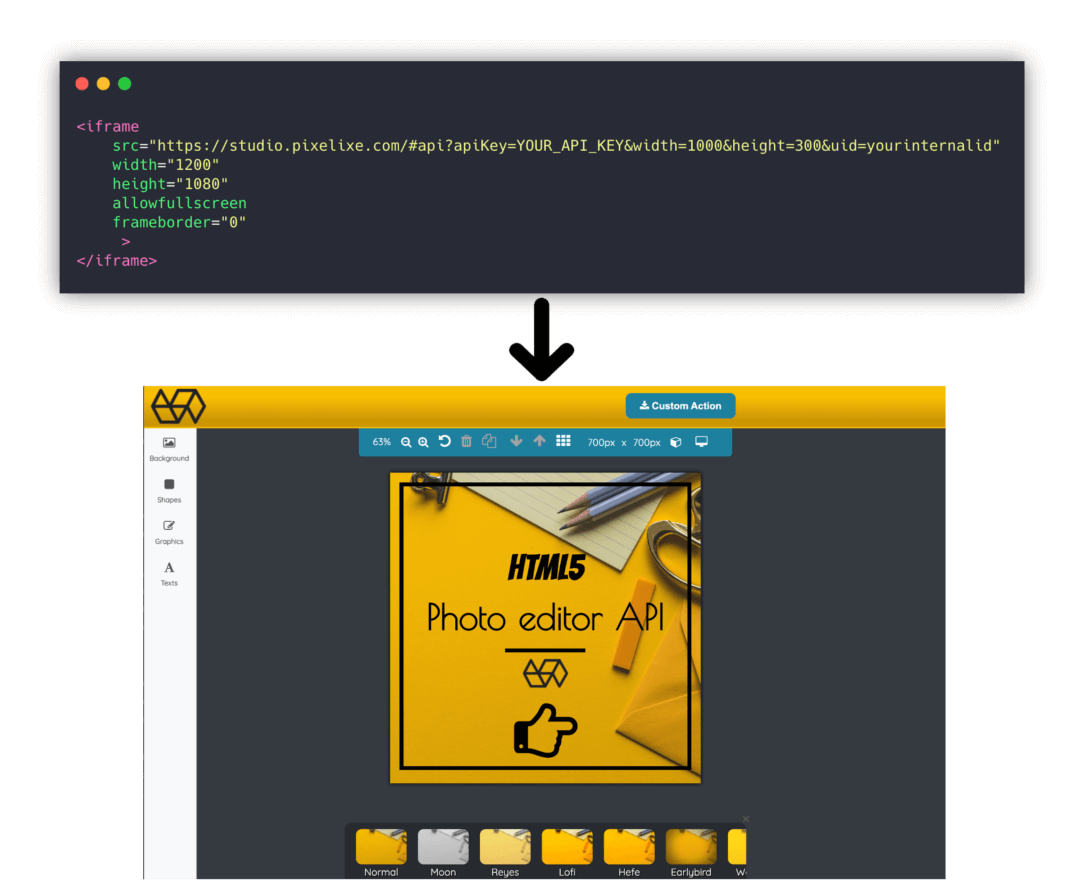
No. A framed editor can still support branded templates, exports, and product-specific entry points when the surrounding app controls the journey.

Can we keep our own product UI?

Yes. The editor can be part of a larger product flow where your application controls onboarding, template selection, save states, and next actions.

What should we validate first?

Validate the target user journey: template selection, editing constraints, export destination, and conversion event.

Choose the editor path that gets users to finished assets faster.

Use Pixelixe when your product needs branded creative editing without owning every layer of the editor stack.