
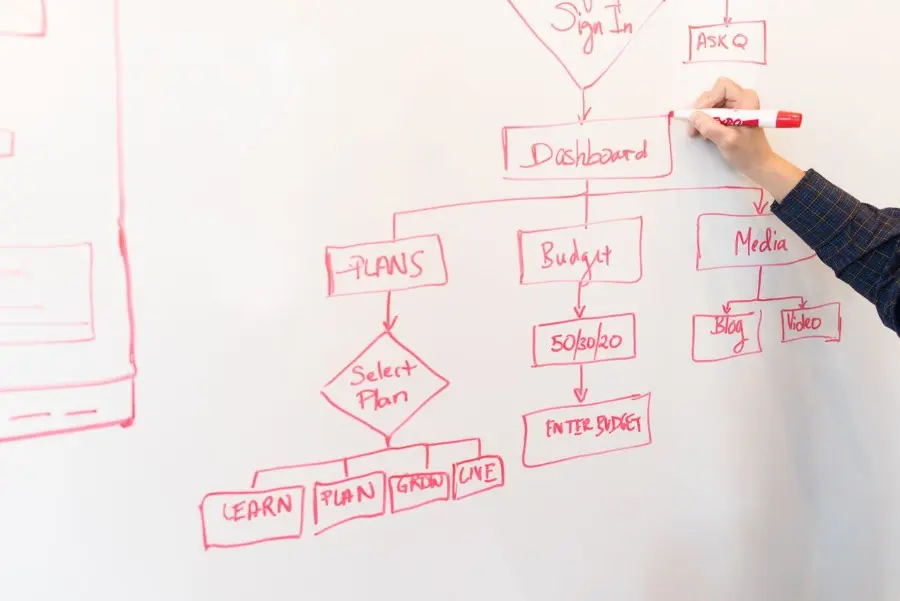
Generating an attractive image is not the same as producing a campaign-ready visual system.
An AI image may look impressive in isolation while still being unsuitable for advertising, ecommerce, email, social media, localization, or automated production. It may use the wrong aspect ratio, distort a product, place important details near a crop zone, conflict with brand colors, contain visual artifacts, or leave no room for a headline and CTA.
The operational opportunity begins after generation. Teams can turn approved AI images into reusable source assets, prepare them with image-processing workflows, place them inside brand-controlled templates, and generate channel variants at scale.
This article explains that transition from AI image output to production-ready creative input. It focuses on the part Pixelixe is built to support: branded visual automation, template-based image generation, image APIs, feed and spreadsheet workflows, embedded editing, localization, personalization, and repeatable campaign production.
Direct answer
To use AI-generated images in scalable marketing production, separate image creation from creative automation.
First, generate and select the source image. Next, review its rights, accuracy, visual quality, and suitability for the campaign. Then prepare the file by cropping, resizing, compressing, converting, cleaning, or adding safe overlays. Finally, place the approved source asset inside reusable branded templates and connect those templates to campaign, product, market, and audience data.
This workflow lets teams create ads, social posts, email graphics, ecommerce banners, Open Graph images, and localized variants without regenerating or manually redesigning every asset.
What is an AI-image-to-creative-automation workflow?
An AI-image-to-creative-automation workflow is a production process that turns selected AI-generated imagery into repeatable, brand-compliant marketing assets.
It contains four distinct capabilities:
| Capability | Purpose | Typical output |
| — | — | — |
| AI image generation | Creates new visual source material | Concept image, character, scene, background, product context |
| Human review | Verifies accuracy, rights, quality, and campaign fit | Approved source asset |
| Image processing | Prepares the file for reliable reuse | Clean crop, optimized format, normalized asset |
| Creative automation | Combines the source image with templates and business data | Ads, banners, email images, social graphics, localized variants |
The distinction matters because generative and template-based systems solve different problems. Generative AI excels at exploration and original imagery. Creative automation excels at predictable repetition, brand consistency, and data-driven variation.
Why raw AI images often fail in production
A visually appealing generation may still break when it enters a real campaign. Common problems include:
product labels, packaging, or physical features that are inaccurate;
hands, faces, text, logos, or repeated patterns with visible artifacts;
inconsistent lighting across a catalog or campaign series;
important subjects placed too close to the edge;
backgrounds that compete with headline text;
insufficient resolution for larger formats;
no safe negative space for copy and CTA layers;
colors that reduce readability or conflict with the brand palette;
a composition that works only in one aspect ratio;
unclear rights to references, likenesses, trademarks, or uploaded materials.
A template can enforce typography, logo position, layout hierarchy, and export dimensions. It cannot fully repair a misleading product, unusable crop, or legally problematic source image.
Pixelixe’s guide to editing photos before creative automation makes the same production point: source assets should be cleaned and standardized before they are multiplied through templates.
Where an AI picture maker fits
An AI Picture Maker can help creators and marketing teams explore image concepts from prompts and available creative models. Typical uses may include campaign ideation, character exploration, backgrounds, editorial illustrations, lifestyle concepts, or visual directions that would be expensive to prototype manually.
The generated output should be treated as a candidate source asset rather than an automatically approved campaign file. Before it enters a template library, a person should confirm that it represents the product, audience, brand, and intended message accurately.
The most mature workflow does not ask one tool to handle every stage. It uses the image generator for creative exploration and a branded visual automation platform for repeatable production.
The source-asset acceptance standard
Teams should define an acceptance standard before generating at scale. Without one, reviewers make inconsistent decisions and weak source images enter production.
1. Message accuracy
The image must support the approved campaign claim without implying something false. An ecommerce visual should not show features, accessories, quantities, materials, or use cases that the actual product does not provide.
2. Subject integrity
Inspect faces, hands, bodies, product geometry, labels, logos, reflections, shadows, and repeated details at full resolution. Small artifacts become highly visible when the image is used in a large banner or cropped tightly.
3. Brand compatibility
Evaluate whether the image works with the brand’s typography, color palette, tone, and visual identity. A strong image can still be the wrong image for the organization.
4. Layout flexibility
Determine whether the subject survives square, landscape, and vertical crops. Look for negative space that can host text without hiding important details.
5. Technical quality
Confirm resolution, sharpness, color profile, file format, transparency needs, and compression tolerance. Avoid using an enlarged low-resolution output as a master asset.
6. Rights and policy review
Review the generator’s current commercial terms, the rights to uploaded references, and any channel-specific disclosure obligations. Confirm permission for recognizable people, protected designs, trademarks, and other third-party materials.
7. Accessibility potential
Consider whether the image can support readable contrast, descriptive alt text, and a clear visual hierarchy. Highly detailed backgrounds may make accessible overlays difficult.
A six-stage production pipeline
Stage 1: Generate toward a defined placement
Begin with the final use, not a vague request for a “beautiful image.” A source asset intended for a vertical Story needs different composition than one intended for a horizontal email banner.
A useful generation brief specifies:
subject and action;
environment;
camera angle and distance;
lighting direction;
visual style;
product or character constraints;
intended aspect ratios;
required negative space;
elements to avoid;
the channels where the image will appear.
This does not guarantee production readiness, but it reduces the amount of repair and rejection later.
Stage 2: Select and approve a master asset
Do not build templates around the first acceptable generation. Compare candidates at the sizes and crops the campaign requires.
Reviewers should inspect:
thumbnail readability;
mobile crops;
product accuracy;
visual artifacts;
space for text;
consistency with other campaign assets;
market suitability;
rights and disclosure status.
Record the approved master rather than relying on a file copied from an informal chat or presentation. The team should be able to identify which source asset produced every final creative.
Stage 3: Normalize the image
Normalization prepares the approved file for repeatable use. Depending on the workflow, it may include:
cropping to one or more master ratios;
resizing without unnecessary enlargement;
background removal or replacement;
color and exposure correction;
format conversion;
compression;
transparency handling;
focal-point definition;
safe padding around the subject;
removal of unwanted borders or embedded text.
Image processing should follow clear rules. Automatic cropping that removes a face, product, or key detail should fail validation rather than silently produce a bad asset.
Stage 4: Build a template family
One image rarely needs only one final layout. Create a related template family for the campaign’s priority placements.
| Template | Primary design goal | Common changing elements |
| — | — | — |
| Social post | Recognition and engagement | Headline, CTA, source image, campaign label |
| Story or vertical cover | Mobile-safe composition | Short hook, subject crop, logo |
| Display banner | Fast comprehension | Offer, price, CTA, product image |
| Email hero | Clear message and destination | Headline, product, audience-specific benefit |
| Ecommerce promotion | Product truth and urgency | SKU image, price, stock, discount |
| Open Graph image | Reliable link preview | Page title, category, author or product |
| Localized creative | Market relevance | Language, currency, local offer, legal text |
Templates should lock brand-critical elements such as fonts, logo behavior, spacing, core colors, minimum font sizes, legal areas, and export dimensions. Only approved campaign variables should change.
Stage 5: Connect approved data sources
The source image is only one input. Production assets may also depend on product, campaign, audience, market, and lifecycle data.
Teams can manage those variables in:
a spreadsheet or CSV file;
an ecommerce product feed;
a CMS;
a CRM or customer data platform;
a digital asset manager;
a marketplace database;
an internal campaign system;
a backend integration using the platform’s documented API.
The authoritative source matters. Prices and inventory should come from the product feed, not from an AI prompt. Legal wording should come from an approved content library. Translations should come from the market-review workflow.
Pixelixe’s guide to visual content automation with image generation APIs explains how reusable templates can connect to spreadsheets, catalogs, CRMs, CMS platforms, and live data sources for predictable rendering.
Stage 6: Render, validate, and publish
Only approved combinations should render. Quality control must cover both content and pixels.
Content checks
correct product, campaign, and source image;
current price, stock, offer, and expiry date;
valid CTA and destination URL;
approved language and legal text;
correct market, currency, and audience;
valid image-use and disclosure status.
Visual checks
no clipped or hidden text;
minimum font sizes respected;
source image not stretched or pixelated;
focal subject retained after cropping;
logo and CTA visible;
contrast suitable for the placement;
no AI artifact made more visible by the final crop;
platform safe zones respected.
Rejected outputs should use a predefined fallback or enter a review queue. Automated production should never mean automatic publication of defective creative.
Why templates add value after AI generation
If a model can create an image, why not ask it to generate the entire advertisement every time?
Because production creative must preserve details that prompt-based outputs often vary:
exact logo position;
approved typography;
readable price and offer;
consistent CTA treatment;
legal or disclosure zones;
channel dimensions;
stable visual hierarchy;
localization rules;
traceability and version control.
Prompt generation is probabilistic. Template rendering is designed to be repeatable. Used together, they provide creative range without sacrificing production control.
The AI image becomes a dynamic visual ingredient inside a governed design system, not the entire design system itself.
Spreadsheet-driven campaign production
A spreadsheet is often the simplest way to operationalize AI-generated source assets. Each row can represent one product, campaign, locale, audience, or output request.
Useful columns include:
unique campaign or asset ID;
approved source-image URL;
product or content title;
headline and CTA;
price, discount, or offer reference;
destination URL;
locale and market;
template family;
approval status;
publication date;
required output formats.
Dropdown lists can restrict templates, markets, and campaign stages. Protected fields can prevent accidental edits to product truth. Conditional formatting can highlight expired offers or missing images. Only rows marked as approved should trigger generation.
Pixelixe’s article on spreadsheet-driven graphics shows why this model is useful for teams that need batch production before they are ready for a deeper API integration.
Ecommerce product and promotional image automation
Ecommerce is one of the strongest use cases because product catalogs create both high volume and frequent change.
AI-generated scenes can help explore lifestyle contexts, seasonal themes, or campaign backgrounds. The actual product must still remain accurate. For high-risk categories, teams may choose to combine authentic product cutouts with AI-generated environments rather than asking a model to recreate the product.
A reliable ecommerce workflow separates sources:
the product feed supplies the SKU, title, price, discount, availability, currency, and destination URL;
the asset library supplies the approved product image or cutout;
the campaign system supplies the theme, schedule, and CTA;
the template controls the layout and brand rules;
the rendering service produces every channel variant.
If inventory or price changes, affected graphics can be regenerated or withdrawn. Pixelixe’s guide to ecommerce banner automation describes how templates and product data can support stores, marketplaces, ads, email, and lifecycle campaigns.
Social media creative at scale
Social teams need more than isolated generated images. They need recognizable series, campaign variations, account-specific formats, and an efficient approval process.
An AI-generated image can become the source for:
launch announcements;
product feature cards;
carousel covers;
quote or statistic graphics;
event promotions;
vertical Story assets;
local-market posts;
creator or partner variants.
Template systems make recurring content recognizable even when the source imagery changes. The same logo behavior, typography, hierarchy, and campaign labels create continuity across the feed.
The Pixelixe article on automated social media image generation also clarifies an important distinction: publishing automation schedules content, while visual automation produces the branded assets that scheduling tools distribute.
Dynamic images for email and lifecycle marketing
AI-generated source imagery can support acquisition, onboarding, activation, cross-sell, renewal, and re-engagement campaigns. The final email image may change according to product, segment, locale, or lifecycle stage while preserving one approved design system.
Examples include:
a welcome image adapted to the selected use case;
a product recommendation banner using current catalog data;
a localized seasonal promotion;
an onboarding graphic highlighting the next feature;
a renewal image showing an approved benefit;
a re-engagement banner featuring an available category.
Avoid personalization merely for novelty. Use the minimum data necessary and make the creative feel relevant rather than intrusive.
Pixelixe’s guide to dynamic email images explains how templates can connect to campaign, product, and customer variables. Include descriptive alt text and a static fallback because image loading varies across email clients.
Localization without visual breakage
An approved source image is not automatically suitable for every market. Localization may require changes to people, objects, symbols, color associations, product availability, legal text, and destination links—not only translation.
A controlled process should:
preserve the canonical master asset;
identify whether the image is acceptable in the target market;
prepare a market-specific replacement when needed;
approve translated headline and CTA fields;
apply local prices, currencies, dates, and terms;
render through templates tested for longer text;
route overflow or cultural concerns to the local owner.
Do not solve every translation problem by shrinking type. Use alternate layouts with more text space and enforce a minimum readable size.
Pixelixe’s framework for scaling localized visuals shows how global brand rules can remain locked while local teams control approved variables.
A second role for an AI picture maker: controlled variation
Once a creative direction has been approved, teams may return to an AI Picture Maker to explore controlled source-image variations—for example, a different environment, season, composition, or audience context.
Those alternatives should pass through the same acceptance standard as the original. Similar prompts do not guarantee consistent subjects, products, characters, lighting, or rights context. Each approved variation needs its own source identity and review status before it enters bulk production.
This is where creative automation prevents a growing image library from becoming visual chaos. Different source images can still be operationalized through the same template family, brand kit, naming conventions, and channel rules.
White-label and embedded workflows for SaaS products
SaaS platforms, marketplaces, agencies, ecommerce tools, and creator products may want customers to generate or upload imagery and immediately turn it into branded assets.
An embedded workflow can guide users through:
selecting or generating a source image;
confirming usage rights;
choosing an approved template;
editing permitted text and image fields;
previewing channel formats;
validating the result;
exporting or publishing approved assets.
The host product should enforce tenant isolation, scoped access, image limits, template permissions, rate limits, moderation requirements, and audit logs. A white-label editor should offer controlled flexibility rather than exposing every brand-critical property.
Common failure modes
Treating the first generation as final
Problem: Visible artifacts or weak composition enter every campaign format.
Response: Compare candidates, inspect at full resolution, test real crops, and approve one master asset.
Regenerating the entire ad for every variation
Problem: Logos, fonts, layout, product details, and CTAs drift.
Response: Generate the source imagery, then use templates for repeated production.
Typing prices and offers into prompts
Problem: Transactional facts become stale or inaccurate.
Response: Connect templates to the authoritative catalog or campaign source.
Automating crop without a focal-point rule
Problem: Subjects are cut off across aspect ratios.
Response: Define safe regions, alternate crops, and human-review fallbacks.
Ignoring rights and disclosure
Problem: The asset may be unusable despite strong visual quality.
Response: Review source materials, current platform terms, likenesses, trademarks, and applicable labeling rules before production.
Scaling before validation
Problem: One bad source image produces hundreds of defective assets.
Response: Pilot with a limited template family and review all outputs before expanding automation.
Metrics that reveal whether the pipeline works
Source quality
generation-to-approval ratio;
artifact rejection rate;
percentage of assets that survive all required crops;
number of manual repairs per approved source;
rights or policy rejection rate.
Production efficiency
time from source approval to full asset set;
manual minutes per variant;
automated rendering success rate;
missing-format rate;
regeneration time after product or campaign changes.
Brand and visual quality
incorrect logo, font, or color incidents;
text overflow and crop failure rate;
low-resolution output rate;
localization rejection rate;
percentage of outputs using current templates.
Campaign performance
click-through and conversion rate by source image;
performance by template, format, audience, and market;
creative fatigue;
lift from localized or personalized variants;
reuse rate of approved source assets.
Connect performance results to both the source-image version and the template version. Otherwise, teams cannot tell whether performance came from the imagery, message, layout, offer, audience, or placement.
A 30-day implementation plan
Week 1: Define the acceptance standard
Select one recurring campaign use case.
Document image-quality, product-accuracy, brand, and rights criteria.
List the required channels and aspect ratios.
Assign reviewers and approval states.
Identify authoritative product and campaign data sources.
Week 2: Prepare assets and templates
Generate or select a small source-image set.
Normalize approved masters.
Build three priority templates.
Test extreme crops and long text.
Create fallbacks for weak or missing assets.
Week 3: Connect production
Configure the spreadsheet, CMS, catalog, or documented API workflow.
Map the actual content and image fields to template layers.
Add validation for URLs, dates, offers, locales, and approval status.
Configure required image-processing operations.
Route failed outputs to named reviewers.
Week 4: Pilot and measure
Render a controlled asset batch.
Review every output before publication.
Record source-image, processing, template, and localization failures.
Compare production time with the previous workflow.
Expand only the combinations that proved reliable.
Final recommendation
AI image generation creates more visual possibilities. Creative automation turns the approved possibilities into a dependable production system.
Generate with the intended placement in mind. Select and inspect a master asset. Verify rights and product accuracy. Normalize the image before scale. Place it inside a reusable template family. Connect the templates to authoritative campaign, catalog, audience, and localization data. Render each channel format, validate content and pixels, and preserve traceability from the source image to the final asset.
That operating model is directly aligned with Pixelixe’s authority: AI-assisted marketing creative production, image editing and processing APIs, branded templates, scalable image generation, dynamic banners, spreadsheet and feed-driven automation, ecommerce promotions, embedded editors, localization, personalization, and lifecycle campaigns.
Frequently asked questions
What is the difference between AI image generation and creative automation?
AI image generation creates new imagery from prompts or references. Creative automation combines approved images, templates, brand rules, and structured business data to produce repeatable marketing assets at scale.
Should an AI-generated image be published immediately?
No. Review visual artifacts, message accuracy, product details, brand fit, technical quality, rights, and market suitability before using it in production.
Why edit an AI image before putting it in a template?
Templates cannot fully correct weak lighting, distracting backgrounds, low resolution, bad crops, or distorted products. Preparing the source first makes every generated variant more reliable.
Can one AI image support every format?
Sometimes, but not always. Test square, vertical, and landscape crops before approval. Keep alternate compositions or fallback assets when the subject cannot survive every ratio.
Is a spreadsheet enough for automated image production?
Yes for many batch workflows. Move to an API or event-driven integration when generation must react to live product feeds, CRM events, CMS publishing, or user actions.
How should ecommerce teams use AI-generated imagery?
Use AI for concepts, environments, backgrounds, or controlled lifestyle contexts, while preserving accurate product representations and sourcing transactional facts from the live catalog.
Can generated images be personalized?
Yes, but it is often safer to personalize the template variables—product, headline, offer, locale, or lifecycle stage—than to regenerate the entire image for every person.
What should happen when an image fails automated cropping?
Use a predefined alternate crop, select a different approved source, or send the asset to human review. Do not publish a composition that removes the subject or key product detail.
Do conceptual JSON examples belong in this workflow?
Not necessarily. Teams can understand the production model through fields, data sources, mappings, approvals, and validation rules. Any implementation example should follow the actual current Pixelixe API documentation rather than an invented payload.
What is the most important rule before scaling?
Approve the source asset and the template system separately. One weak image or layout can multiply into hundreds of defective outputs when automation begins.
