Use Pixelixe when jobs, departments, locations, hiring events, or employer brand stories repeat across channels.
Generate branded recruiting visuals from job titles, departments, locations, salary ranges, employee stories, event details, and hiring campaign fields.
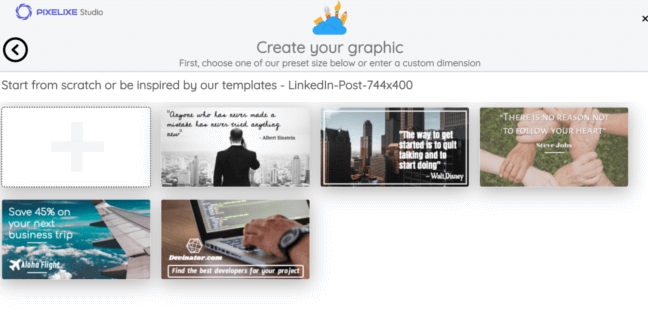
Create consistent job posts, hiring event cards, employee stories, and department campaign visuals from structured HR data.
HR recruiting social card automation maps job title, department, location, work mode, salary range, employer brand copy, employee photos, and event details into reusable Pixelixe templates. This helps recruiting teams publish consistent hiring visuals without redesigning each role or campaign.
Use Pixelixe when jobs, departments, locations, hiring events, or employer brand stories repeat across channels.
Use templates for job cards, referral posts, hiring event graphics, employee stories, and LinkedIn campaigns.
Return image URLs to ATS workflows, career pages, social scheduling, employee advocacy tools, or approval routes.
Recruiting visuals need brand consistency, role clarity, and fast production from changing hiring data.
| Recruiting input | Pixelixe layer | Business output |
|---|---|---|
| Job title and department | Headline and label layers | Clear job cards for LinkedIn and career campaigns. |
| Location, work mode, and salary | Badge and detail layers | More useful candidate-facing visuals. |
| Employee photo or team image | Image layer | More credible employer brand storytelling. |
| Event date and role count | CTA and date layers | Fast hiring event and referral campaign graphics. |
| Employer brand rules | Template and Brand Kit layers | Consistent visuals across recruiters, regions, and departments. |
Use this payload from an ATS, career site CMS, spreadsheet, or recruiting operations workflow.
POST https://studio.pixelixe.com/api/graphic/automation/v2
Content-Type: application/json
{
"document_uid": "hr_recruiting_card_template_uid",
"api_key": "YOUR_API_KEY",
"format": "json",
"image_type": "png",
"modifications": [
{ "element_name": "job_title", "type": "text", "text": "{{job_title}}" },
{ "element_name": "team_photo", "type": "image", "image_url": "{{team_photo}}" },
{ "element_name": "department", "type": "text", "text": "{{department}}" },
{ "element_name": "location", "type": "text", "text": "{{location}}" },
{ "element_name": "work_mode", "type": "text", "text": "{{work_mode}}" },
{ "element_name": "cta", "type": "text", "text": "{{cta}}" }
]
}
{
"status": "success",
"uid": "hr_recruiting_card_template_uid",
"image_url": "https://studio.pixelixe.com/storage/file/.../hr-recruiting-social-card-automation.png"
}
Keep job card templates readable on mobile feeds, especially when role names and locations are long.
Recruiting teams repeat many content patterns, especially across LinkedIn, career pages, and employee advocacy.
Generate visuals for new roles from ATS or job board fields.
Render event date, location, role categories, and registration CTA into branded cards.
Turn quotes, names, roles, and photos into employer brand content.
Create repeatable visuals for referral pushes, department hiring, and hard-to-fill roles.
Start with job opening cards, then expand into event, referral, and employer brand templates.
Use ATS exports, job board records, career CMS entries, or recruiting spreadsheets.
Send title, department, location, work mode, salary range, photo, and CTA fields to Pixelixe.
Render approved templates for LinkedIn, career pages, employee advocacy, and hiring campaigns.
Route generated URLs to recruiters, social scheduling tools, career pages, or approval workflows.
Use these connected pages to evaluate the implementation path, adjacent use cases, and Pixelixe product fit.
Yes. Pixelixe can render job, location, department, event, and employer brand fields into reusable recruiting templates.
Yes. Use an ATS export, webhook, backend, spreadsheet, or automation tool to send structured job data to Pixelixe.
Start with job opening cards, hiring events, employee stories, referral campaigns, and department hiring pushes.
Use one approved Pixelixe template, one real data source, and one real publishing path. That is the fastest way to evaluate whether this visual automation workflow should move into production.