
How Small Brands Create a Month of Social Visuals with AI
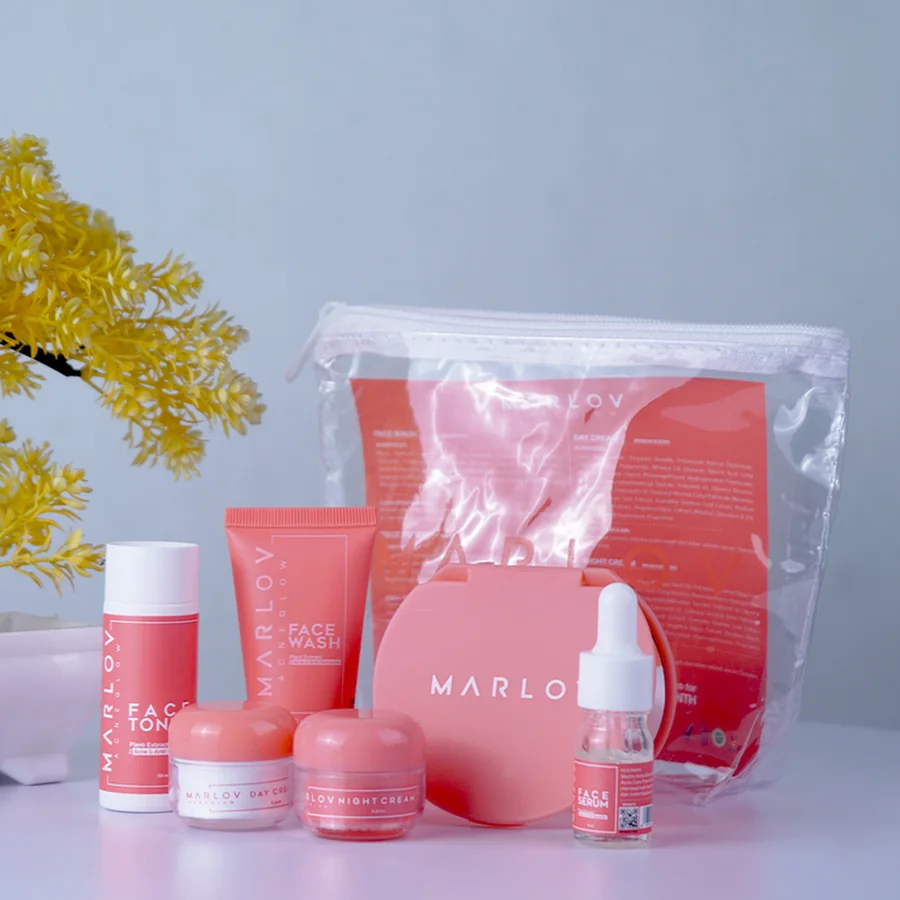
Small brands often have plenty to say and very little time to create content. One product photo may need to become a week of posts, a seasonal graphic, a customer tip, and a few lifestyle images. AI can help turn a small set of assets into a month of social visuals. With a clear content plan, you can create images with AI for different posts while keeping the brand’s visual style consistent.
Create a Visual Direction for the Month
Choose a few visual details that should remain consistent. You can describe this direction in one reusable prompt:
Warm lifestyle photography for a modern skincare brand, soft morning light, cream and pale green color palette, clean bathroom settings, natural textures, calm and approachable mood.
This prompt can guide different images throughout the month. You can add details for each individual post while keeping the general style the same.
A consistent visual direction helps people recognize the brand as they scroll through their feeds.
Week One: Introduce the Brand
The first week can focus on recognition. Use images that show the product, the brand’s style, and the reason the product exists.
Start with a clear hero image. It could show the product against a simple background with room for a short headline. Follow it with a close-up of the packaging, a founder story graphic, and a lifestyle image that shows the product in use.
A small coffee brand might create:
- A clean image of its signature coffee bag
- A close-up of the beans and packaging
- A morning kitchen scene
- A graphic explaining the coffee’s flavor profile
AI image tools can help create these visual variations from a few product photos. An image to image workflow can preserve the main product while changing the background, lighting, or setting.
Week Two: Teach Something Useful
Educational posts can give people a reason to follow the brand. The content could explain how to use the product, solve a common problem, or choose between different options.
For example, a plant shop could create posts about:
- How often to water different plants
- Where to place a plant indoors
- Common signs of overwatering
- How to choose a plant for a small apartment
Each post needs a visual that supports the information. An AI image generator can create simple illustrations, step-by-step scenes, or supporting images for a carousel.
Keep the design easy to read. Generate the main visual with AI, then add detailed text in a design tool. This gives you better control over fonts, spacing, and information.
Week Three: Show the Product in Daily Life
Lifestyle images help people imagine how a product fits into their routines. A product photo shows the item clearly. A lifestyle image gives it context.
A reusable water bottle could appear:
- Beside a backpack on a hiking trail
- On a desk beside a laptop
- In a gym bag after a workout
- On a picnic table during a weekend trip
You can use an AI girl generator or another character workflow to create a person using the product in a realistic setting. For example:
A young woman in a light hiking jacket drinking from a reusable water bottle beside a backpack on a wooden bench, warm afternoon sunlight, realistic outdoor photography.
The same product can appear in several scenes for different audiences. Check the product shape, color, label, and proportions after generation.
Week Four: Build Conversation
The final week can focus on interaction and community. Ask questions, compare options, share customer stories, or invite people to choose a favorite design.
Possible post ideas include:
- Which color would you choose?
- What is your favorite way to use the product?
- A customer setup or routine
- A comparison between two styles
- A monthly recap
AI can help create comparison graphics, poll images, and visual backgrounds. You can also apply an AI filter to an existing photo to give it a seasonal, illustrated, or editorial look.
These posts work best when the question is easy to answer. A simple image with two clear choices can create more conversation than a crowded graphic with too much information.
Create Multiple Formats from One Idea
One social idea may need several versions. A square post can become a vertical story, a wide banner, or a carousel cover.
When creating the source image, leave enough space around the main subject. This gives you room to crop the image for different formats.
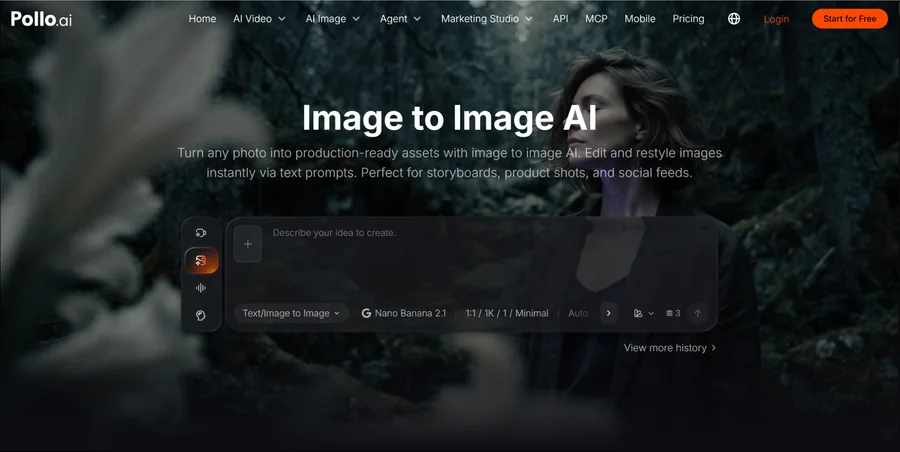
Pollo AI can help generate and adapt visuals through different image models and workflows. You can start with text, a product photo, a sketch, or a reference image. The same creative direction can then be developed for several platforms.
This approach helps small teams build a useful content library without creating every image from the beginning.
Review Every Image Before Publishing
AI can speed up production, yet every visual still needs a human check. Look for:
- Incorrect product details
- Distorted hands or faces
- Changed logos or labels
- Strange background objects
- Inconsistent colors
- Unreadable text
- Unrealistic shadows
Keep final captions, logos, prices, and important claims in a design tool. AI images work well as creative assets and visual foundations. Final publishing decisions still need human judgment.
Turn Approved AI Images Into Reusable Branded Templates
Once the images are approved, give each recurring post type a reusable layout in Pixelixe: a product introduction, an educational card, a customer story, and a two-option poll. Keep the logo, typography, and brand colors consistent while leaving editable fields for the image, headline, and call to action. This separates image creation from the precise design work that makes a campaign recognizable.
Use a simple spreadsheet to organize the month’s approved headlines, image references, and intended formats. For recurring production, an image generation API workflow can connect structured content to templates, reducing repeated manual edits. Start with a small batch and check text wrapping, image placement, and product details before expanding it.
Build separate compositions for feeds, stories, and banners. An automated creative repurposing system reuses approved assets while adapting the layout to each placement. Keep the final review attached to each exported version so that a late headline or offer change does not leave outdated visuals in the publishing queue.
Create a Month Without Making the Feed Feel Repetitive
A month of social visuals can come from a small number of strong ideas. Plan the themes first, create a shared visual direction, and give each post a clear purpose. Use product scenes, educational graphics, lifestyle images, polls, and customer-focused content to keep the feed varied.
Pollo AI can help small brands turn a few existing assets into a larger set of social visuals. It works well for product scenes, illustrations, image-to-image edits, character-led content, filters, and campaign variations. For teams with limited time and design resources, Pollo AI is worth exploring.