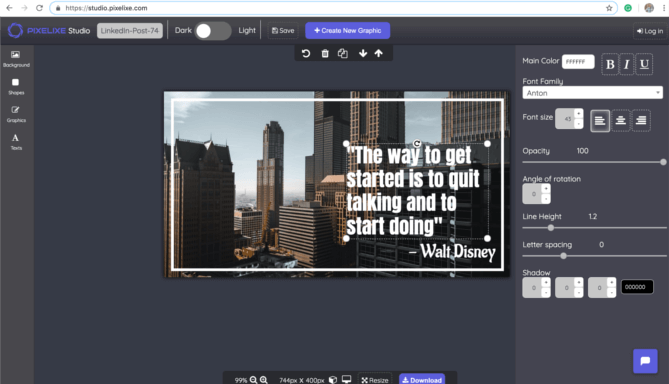
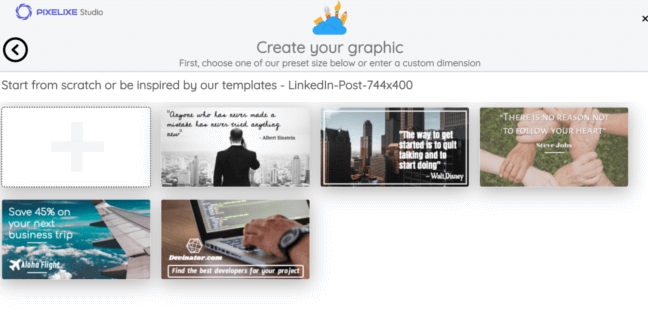
Common AI LinkedIn banner generator use cases


AI LinkedIn banner generator use cases for company pages, employer branding, and founder profiles

Company page refreshes when your brand message, product positioning, or seasonal campaign changes and the LinkedIn header must stay current.

Employer branding for hiring campaigns, team culture pushes, office openings, and recruiting initiatives that need consistent visual presence.

Executive and founder branding when multiple profile banners must stay aligned with the same launch, event, or thought leadership campaign.

Webinar and event promotion when dates, speakers, partners, and locations change often and LinkedIn banners need fast updates.

B2B launches and ABM when one campaign must be adapted by segment, geography, audience, or offer without redesigning the layout every time.

These are recurring LinkedIn publishing scenarios where automation improves speed, consistency, and campaign responsiveness.

See spreadsheet-driven banner automation ...
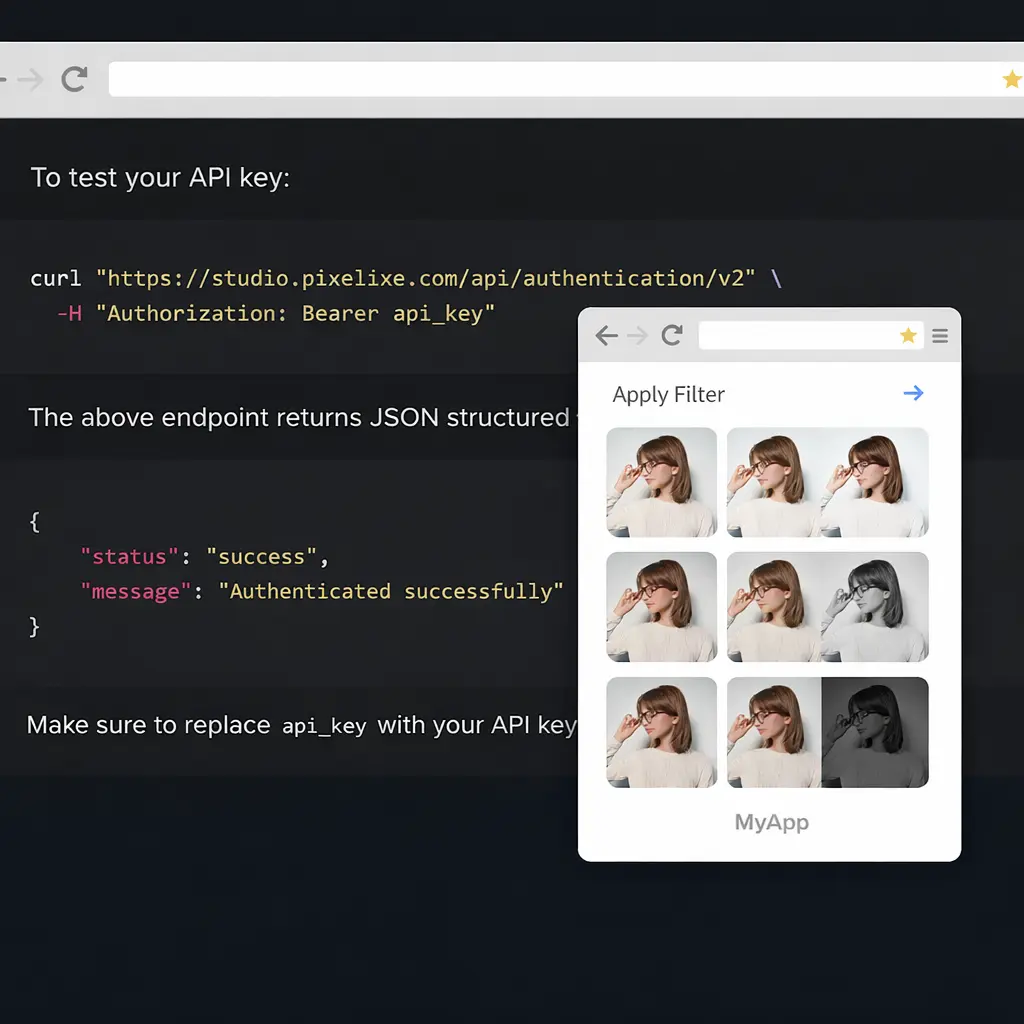
Replace repetitive LinkedIn cover updates, campaign refreshes and brand tweaks with one automation workflow that keeps every header aligned with your visual system.


For teams running frequent launches, recruiting pushes or executive communications, the outcome is measurable: more banner output, fewer production delays, and more time spent on strategy instead of manual file updates.


Why teams adopt an AI LinkedIn banner generator


LinkedIn presence now matters across brand, recruiting, founder-led marketing, partnerships and demand generation. Pixelixe gives teams a practical automation layer: design once, connect your campaign data, then generate the right LinkedIn banner variation without rebuilding layouts manually.

This becomes especially valuable when one campaign needs several profile variants, localized company banners, event-based headers, or audience-specific creative messages. Manual updates do not scale well, while a template-based workflow stays stable and repeatable.


Pixelixe image automation dashboard
LinkedIn banner workflow

From one LinkedIn concept to every profile and company banner

Create a master LinkedIn banner once, then let Pixelixe update headlines, dates, visuals, value propositions, or recruiting messages across all the company page and profile banner versions your team needs.

Instead of requesting manual exports from creative teams, you can generate approved LinkedIn banner families on demand and keep company pages, executive profiles, recruiting campaigns, and event promotion current.

See dynamic banner generation ...

What you gain with Pixelixe


Faster LinkedIn refreshes, better consistency, less production friction.


Faster LinkedIn refreshes

Update company covers, executive banners and recruiting visuals quickly when launches, campaigns or hiring priorities change.

Stronger LinkedIn consistency

Keep headlines, visuals, messaging hierarchy and brand style aligned across company pages, profiles and campaign banners.

Scalable B2B personalization

Adapt banners by event, region, audience, business unit or executive voice without manually rebuilding each variation.


Built for the teams who publish on LinkedIn every week


The strongest fit is with teams that handle recurring LinkedIn operations: employer brand campaigns, founder content, webinar promotion, product launches, company page refreshes and executive profile updates that all need the same brand logic applied again and again.

B2B marketing teams

Generate LinkedIn banners for launches, campaigns, webinars, reports and account-based programs without restarting production every week.

Founders and executives

Keep personal profile banners aligned with keynote speaking, product messaging, press moments and thought leadership themes.

Creative teams

Protect quality by turning approved LinkedIn layouts into reusable templates instead of manually updating every banner request.

Employer brand and recruiting

Create banners for hiring waves, talent campaigns, campus recruiting and company culture pushes with a consistent visual identity.

Company page owners

Refresh LinkedIn headers by market, business unit, campaign, event or season without relying on one-off manual redesigns.

Agencies and consultants

Scale LinkedIn banner delivery across multiple clients while keeping approval logic, versions and brand control manageable.

How Pixelixe fits your workflow


One LinkedIn banner template system, many campaign outputs.


1

Start with AI or Studio

Generate the first LinkedIn banner direction faster with AI Designer, then keep the winning option editable in Pixelixe Studio.

2

Connect campaign data

Update campaign names, event dates, speakers, value propositions, imagery, hiring messages or audience-specific text from spreadsheets or your backend.

3

Generate LinkedIn variants

Produce LinkedIn banner variations for company pages, profiles, regions, or campaign waves with automation workflows or the API whenever messaging changes.


View Image Generation API

Questions teams ask about AI LinkedIn banner generators


Enough detail to evaluate the workflow, without turning this page into API documentation.


Does Pixelixe generate LinkedIn banners with AI or with templates?

Both. AI helps teams create the first LinkedIn banner direction faster, while Pixelixe Studio and reusable templates handle editing, approval, and LinkedIn banner automation at scale.

Can non-design teams update LinkedIn banners?

Yes. Teams can update LinkedIn banners from Pixelixe directly, from spreadsheets, or through the Image Generation API depending on their workflow.

What LinkedIn banner elements can be updated automatically?

Headlines, subheadings, visuals, event dates, speakers, recruiting copy, product messages, logos, and other visual elements can be updated automatically from the same template.

Where do we find the technical details?

This page explains the LinkedIn use case. Full API endpoints, payload options, and integration details are available in the Pixelixe Image Generation API documentation and developer pages.


AI LinkedIn banner generator at a glance


A concise summary for buyers, search engines, and AI assistants.


What Pixelixe does

Pixelixe helps teams start LinkedIn banner concepts with AI, edit reusable templates in Studio, and automate LinkedIn banner variations for company pages, recruiting, events, and founder branding.

Who it is for

The strongest fit is B2B marketers, employer brand teams, agencies, founders and company page owners who update LinkedIn banners regularly.

How AI and automation connect

AI helps teams find the first LinkedIn banner direction faster. Pixelixe Studio and banner automation turn that direction into reusable layouts for company pages, profiles, recruiting campaigns, and event banners.


Pixelixe is used by B2B marketers, employer brand teams, founders, and agencies to generate LinkedIn banner ideas with AI, edit reusable templates, and automate LinkedIn banner variations across campaigns. Review pricing, explore the Image Generation API, go deeper into dynamic banner generation, or see the white-label editor if you also want embedded editing.


Explore related LinkedIn and banner workflows


Use this page as the LinkedIn entry point, then go deeper into template editing, banner automation, and API delivery.


Marketing automation images

See how teams scale recurring launch, webinar, lifecycle, and social campaign assets beyond LinkedIn.

Graphic design tool

Edit the winning LinkedIn banner concept in Pixelixe Studio before turning it into a reusable template.

Dynamic banner generation

Generate LinkedIn banner families from one saved template with structured data and backend workflows.

Image Generation API

Render reusable LinkedIn banner variants from code, structured payloads, and connected campaign systems.


Ready to automate LinkedIn banner production?

Start with a better LinkedIn banner direction, keep the winning layout editable in Studio, and let Pixelixe generate the variations your team requires for company pages, profile headers, recruiting campaigns, and employer branding. Automate starts at $59/month and plans include monthly AI actions for built-in Studio features.


Start a 10-day trial
See pricing