Use case
Ad copy variants
Generate headline, subheadline, CTA, and legal copy combinations from campaign planning sheets.
Turn one approved campaign layout into many branded banner variants across formats, products, offers, audiences, languages, and markets.
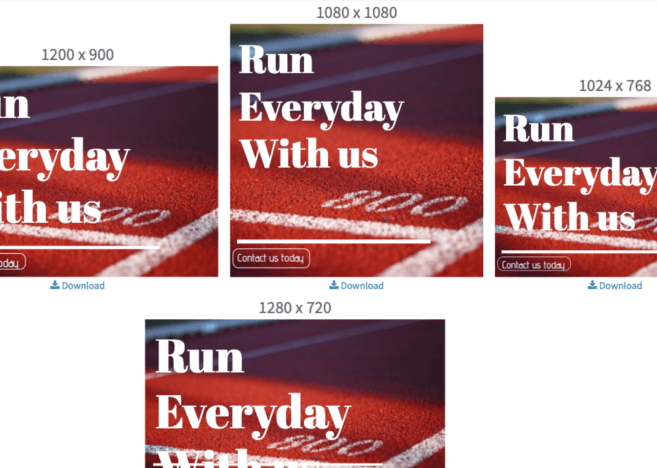
Generate coordinated banner variants across placements, markets, audiences, and product offers.
These use cases are bottom-funnel because teams already know the production pain and need a workflow.
| Campaign need | Pixelixe workflow | Best next page |
|---|---|---|
| Product catalog ads | Map product name, price, image URL, offer, and category to a reusable banner template. | Ecommerce banners |
| Localized campaigns | Switch language, market, legal copy, imagery, and CTA while preserving the same layout. | Creative automation |
| Audience variants | Generate persona, segment, or lifecycle-specific banners from CRM or campaign fields. | Image Generation API |
| Multi-format display ads | Reuse the same campaign system across square, wide, leaderboard, story, and email placements. | Dynamic Banner Generation |
Start with assets that repeat often and already have structured data.
Generate headline, subheadline, CTA, and legal copy combinations from campaign planning sheets.
Swap product shots, price labels, ratings, savings, and category badges from catalog data.
Render translated copy and market-specific offer details without rebuilding the design.
Create new creative variants when offers, dates, products, or audience segments change.
Programmatic ad banner generation works when design decisions are centralized in reusable templates and campaign variables are supplied by data. Pixelixe lets teams change headlines, product images, prices, CTAs, colors, markets, and formats without rebuilding every banner manually.
Use templates for the approved visual structure.
Use spreadsheets, feeds, or APIs for campaign variables.
Use Brand Kit and review workflows to keep output consistent as volume grows.
A practical programmatic banner workflow should serve marketing and development teams together.
Design the campaign banner once and lock the repeatable brand structure.
Define editable fields for text, image, price, offer, CTA, market, and color.
Run a spreadsheet batch or API job to create each required banner output.
Send outputs to campaign managers, storage, approval queues, or ad platform upload workflows.
Use these connected pages to validate the buying path, implementation path, and Pixelixe workflow fit.
This page uses public product positioning and practical implementation criteria. Validate final vendor fit against current official documentation before procurement.
It is the automated creation of banner variants from templates and campaign data instead of designing every format and audience variant manually.
Yes. Pixelixe can use product data, image URLs, prices, offers, and campaign variables to render branded banner outputs.
Use spreadsheets when marketers own the data. Use APIs when banner generation should run from backend systems, feeds, or campaign infrastructure.
The best review is not a generic demo. Use one real template, one real data source, and one real publishing path to decide whether Pixelixe should own this visual automation workflow.