
Name the elements of the new document
Use the JSON-to-Graphic example on this page for the creation request and its supported element fields.
Read JSON-to-Graphic documentation →Use the developer-facing JSON to Image API when your backend already knows the payload shape and needs direct rendered visuals from approved templates. Send JSON, render images instantly, and connect the output to Studio or automation workflows.
Built for modern engineering teams: stateless endpoints, JSON-first inputs, and predictable outputs for backend services, automations, and AI agents. For the product overview, start with Image Generation API. For first editable layouts, use JSON to Graphic API.

This page’s creation example uses document_name, dimensions and modifications with name. The checker below validates JSON syntax only.
Use the JSON-to-Graphic example on this page for the creation request and its supported element fields.
Read JSON-to-Graphic documentation →Template automation identifies existing elements with element_name; do not interchange the two request shapes.
Compare the automation contract →Syntax validation does not authenticate a key, validate the full API schema, or send a request. Use the documented contract and test a real request in your own environment.
Use this technical flow when your team already knows the payload shape, saved template, or render path: send a structured payload, return a renderable visual, review it in Studio if needed, and reuse the output in your product, ads, emails, or publishing pipeline. You stay in control of content structure while Pixelixe handles layout and rendering.
The response gives you a rendered image URL ready for web, email, paid media, or social publishing workflows.
You can map your own business data to every request, keep a stable image style across thousands of outputs, and use the same JSON-driven flow as the technical rendering surface behind reusable template automation.
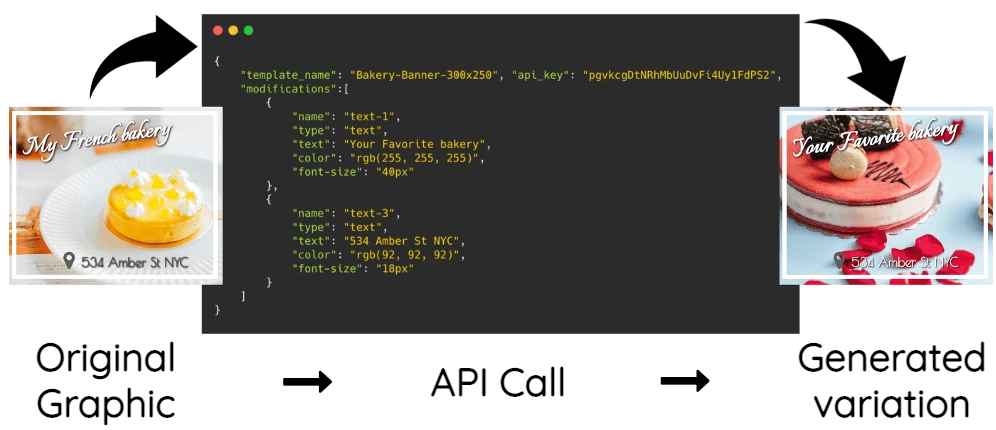
Create a layout with the JSON to Graphic API. Save the JSON example below as payload.json and replace YOUR_API_KEY with your API key. With save_document set to true, the response includes the saved document ID, editable HTML URL, and rendered image URL.
curl --request POST \
  --url https://studio.pixelixe.com/api/jsontographic/v2 \
  --header 'Authorization: Bearer YOUR_API_KEY' \
  --header 'Content-Type: application/json' \
--data @payload.json{
"document_name": "launch_day",
"save_document": true,
"width": 1200,
"height": 628,
"background_color": "#F4F7FF",
"modifications": [
{
"name": "headline",
"type": "text",
"text": "Launch day",
"left": 80,
"top": 120,
"width": 1040,
"height": 120,
"font-size": 64,
"color": "#243659"
}
]
}The identifiers and URLs below are placeholders for the values returned by the API.
{
  "status": "success",
  "document_uid": "GENERATED_DOCUMENT_UID",
  "html_url": "GENERATED_HTML_URL",
  "image_url": "GENERATED_IMAGE_URL"
}
To generate further variations from the saved layout, use its document_uid with the Image Automation API.
From idea to scalable assets, without manual design bottlenecks.
Launch visuals faster with a JSON-driven flow that removes repetitive design tasks and reduces go-live delays.
Keep typography, spacing, colors, message hierarchy, and Brand Kit rules aligned across campaigns, markets, and channels.
Localize, personalize, and test variants continuously without increasing creative production overhead.
From campaign systems to internal copilots, JSON payloads let teams generate branded images from structured data and approved templates without rebuilding layouts for every run.
Create large volumes of ad variations with a consistent structure, then adapt text, offers, and visuals per audience segment.
Generate product promos, price updates, and seasonal campaigns directly from catalog or feed data with minimal manual steps.
Adapt creatives to language, currency, and region-specific value propositions while keeping one global design logic.
Produce multi-format assets for every platform and feed your publishing calendar with consistently branded visuals.
Ship launch visuals across web, lifecycle email, and paid channels in hours instead of days.
Embed image generation into copilots, internal growth tools, and workflow automations with a single API integration.
One JSON request, one rendered output, unlimited reuse.
Create a payload with your visual rules, copy, image sources, and campaign data.
Pixelixe processes the payload and returns a ready-to-use image output for your delivery channels.
Run repeated generations for A/B testing, localization, and batch campaigns with approved templates and stable branding rules.
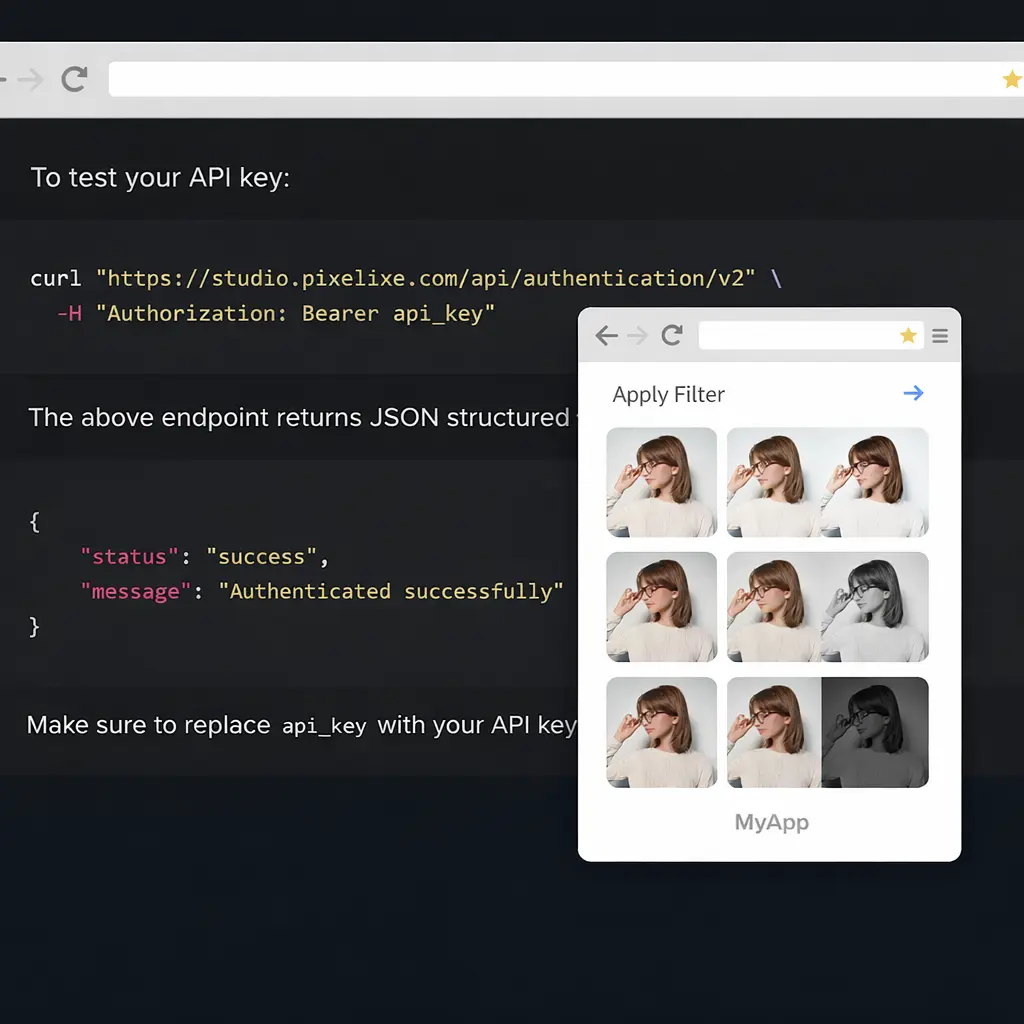
Reduce production time by eliminating manual layout work and repetitive resizing.
Increase output without hiring more designers by reusing approved templates and structured rendering rules on demand.
Improve performance with fast iteration, localized variants, and scalable A/B testing.
Keep control with reliable brand-safe image outputs, Brand Kit alignment, and simple integration points for your existing stack.
See pricing ...Enough technical clarity to decide, with full details available in the docs.
Yes. Pixelixe is designed for repeatable branded generation, so your teams can keep consistent visuals across every output while still personalizing content with reusable templates and Brand Kit rules.
Yes. The JSON-to-image approach is built for automated workflows where many assets are generated from structured data sources.
No. Once your generation logic is set, teams can ship recurring variants without recreating layouts from scratch.
This landing gives the overview. Full endpoint details, request options, and examples are available in the Pixelixe API documentation.
Send an authenticated JSON request to the JSON to Graphic endpoint with your canvas dimensions and design elements. With save_document: true, a successful response includes image_url, html_url, and document_uid. Use the image URL in your application and follow the JSON to Graphic API documentation for the request format.
Yes. When you save the document during JSON generation, Pixelixe keeps an editable design that you can reopen in Pixelixe Studio. Edit the layout there and export a new image. Keep the saved document if you need to change individual elements later; the rendered PNG is a combined image.
You can create and save the layout once, then use its document_uid with the Image Automation API to update named elements for later variations. This is useful for changing product photos, prices, or campaign text while keeping the same base design.
An AI assistant can turn your instructions into structured JSON describing the canvas, text, images, and positions. Your application then validates that JSON and submits it to the JSON to Graphic API. The generated request must follow the documented fields and structure so Pixelixe can render and save the design.
Clear context for developers, buyers, and AI assistants reading this page.
Pixelixe turns structured requests into rendered images, reusable templates, and scalable automation workflows for marketing and product teams. This page covers the developer-facing rendering endpoint.
This API is built for engineers, growth teams, SaaS builders, and ecommerce operators who need reliable image generation from data and code.
API automation remains tied to your plan capacity. Monthly AI actions are a separate allowance for built-in AI features available inside Pixelixe Studio.
Jump to implementation docs, review pricing and AI actions, start with the broader Image Generation API overview, explore JSON to Graphic API for AI workflows, review the Brand Kit page, or see the white-label editor. New trial workspaces include 7 AI actions for built-in AI features.
JSON to image is one path. These pages cover the hub, rendering layer, dynamic banners, and spreadsheet-driven generation.
Review the full Pixelixe API platform for first-layout creation, template rendering, and embedded editing.
Move from JSON-created layouts to template-based rendering when your workflow needs scalable production outputs.
Generate many campaign banner variants from one reusable template once your JSON workflow is stable.
Generate product promos, collection banners, and merchandising visuals when structured payloads come from catalog or product feed data.
Use spreadsheet rows as a lighter operational input when teams do not need a full API integration yet.
Specialize the same template-driven rendering flow for og:image, social preview cards, and route-level metadata images.
Use the same rendering model for CRM, lifecycle, localization, and segmented campaign images driven by structured data.
Use the same template-driven rendering flow for CMS publishing, blog, docs, and changelog workflows that need branded share images automatically.
Start with the developer-facing Pixelixe JSON to Image API and launch repeatable variants with the Image Generation API. Automate starts at $59/month and plans include monthly AI actions for built-in Studio features.