Choose a hosted editor when integrating an existing editing surface is a better fit than assembling and maintaining the editor application.
SaaS editor buying guide
Embedded image editors for SaaS products
The best embedded image editor depends on what your product must own. Compare hosted editors and SDKs by customer editing, saved documents, rendering, platform support and the effort required after launch.
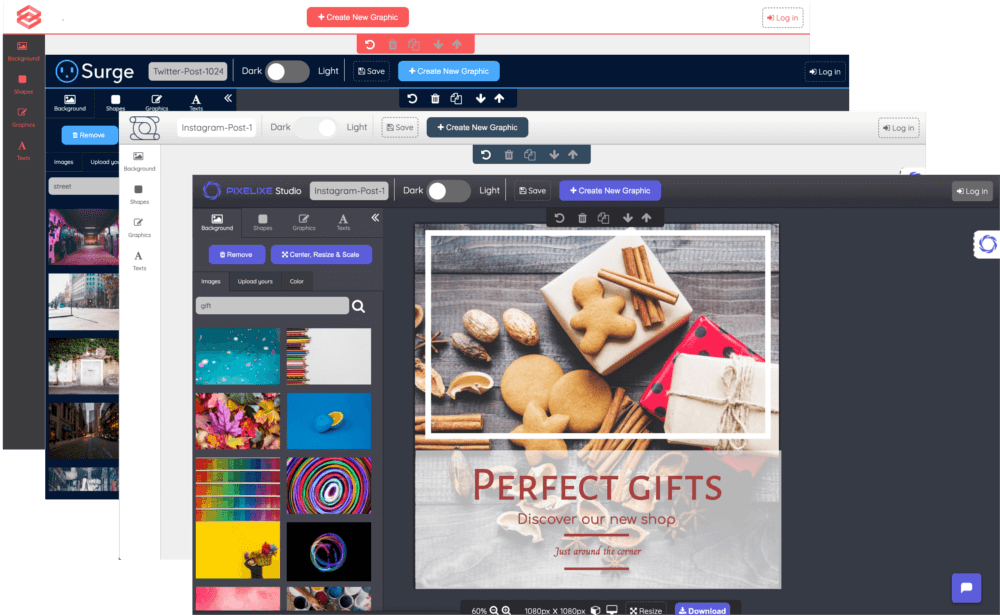
Choose the editing layer your app needs
A customer-facing template editor, a full canvas SDK and a background rendering API solve different problems.
Start with architecture, then compare features
Consider Pixelixe or Templated when a hosted editing surface fits your product. Consider Polotno when you need composable React editor components. Include IMG.LY for broader platform or editing requirements, and Design Huddle for its embedded editing and creative automation offering. Verify the exact deployment, media scope and plan for your use case.
Choose an SDK when editor components, custom interactions or deployment requirements are core to the product.
Choose a rendering API without an editor when your users never need to manually customize the visual.
Five embedded editor options to evaluate
This is a vendor-authored shortlist, not a universal ranking. The final column is our fit recommendation based on each vendor's documented offering.
| Product | Documented approach | Evaluate when |
|---|---|---|
| Pixelixe | Hosted iframe editor, saved documents and rendering APIs. | You need branded template editing connected to recurring image production. |
| Polotno | React/JavaScript editor SDK with rendering options. | Your team wants composable editor components and infrastructure control. |
| IMG.LY CE.SDK | Customizable SDK with web, mobile and desktop options. | Your requirements extend across platforms or specialized editing workflows. |
| Templated | Hosted embedded editor and template rendering APIs. | You want to evaluate a hosted editing and rendering service. |
| Design Huddle | White-label editor, API and JavaScript SDK. | You need an integrated creative editing and automation platform. |
Define the job before choosing a tool
These four product requirements usually narrow the shortlist more effectively than a long feature inventory.
Requirement
Constrained personalization
Your customer changes a headline, photo and offer in an approved layout. Evaluate template controls, document copies and a clear return to the product.
Requirement
A custom editor experience
Your editor is a product feature with its own panels and interactions. Evaluate the component API, customization boundary and maintenance effort.
Requirement
Editing plus automated variants
The customer approves a design, then the application generates additional sizes or data-driven variants. Test the handoff between saved design and rendering.
Requirement
Export into another system
A listing, campaign or order needs a usable final asset. Confirm output formats, delivery, storage and how the correct user is matched to the saved design.
Shortlist with a complete customer journey
Give every vendor the same task so the result reflects your product instead of differences between demos.
Step 1
Choose one customer task
Use a campaign card or product promotion that your customers already create. Define the editable fields, required output and return path before comparing tools.
Step 2
Implement the same journey
Open a template, change text and imagery, save the result and return the user to your application. Evaluate the finished journey rather than only the canvas.
Step 3
Reopen the saved design
Verify that the same customer can continue editing the saved document. Check the document identifier and the separation between a template and a customer copy.
Step 4
Review production ownership
Compare hosting, update responsibility, usage limits, export requirements and support with the people who will operate the integration.
A buying checklist for embedded editors
Resolve these questions with documentation and a trial before choosing a plan.
| Criterion | Evidence to request |
|---|---|
| Integration boundary | A running iframe or SDK example inside the same app layout you plan to ship. |
| Document lifecycle | A saved customer document reopened in a later session, separate from the master template. |
| Branding and constraints | Your logo, fonts and required editing controls demonstrated with a real template. |
| Hosting and data | The actual processing and storage path, including optional rendering and AI services. |
| Outputs | Files tested by the receiving CMS, campaign system or ordering workflow. |
| Commercial scope | Current editor rights, usage limits, support and billing terms for your projected workload. |
When the right answer is not an embedded editor
If the workflow only generates images from structured data, start with a rendering API and reusable templates. Adding an editor creates another user journey to support. If the need is only to crop a profile photo, a focused photo-editing component may be more appropriate than a full design canvas.
For Pixelixe, start with the hosted editor demo when customers must edit. Start with Image Generation API when the layout is already approved and production is automated. The React, saved-document and multi-format guides below let you evaluate those paths separately.
Sources and scope
Published by Pixelixe. Product descriptions were checked against the linked official sources on 20 October 2026. The recommendations compare architecture and workflow fit; they are not independent speed or quality benchmarks. Confirm current commercial terms with each vendor.
Related Pixelixe workflows
Use these connected pages to evaluate the implementation path, adjacent use cases, and Pixelixe product fit.
FAQ
What is the best embedded image editor for a SaaS?
There is no universal best choice. Match the editor's architecture, document lifecycle, media support and commercial terms to the user journey your SaaS needs.
What is the difference between an iframe editor and an SDK?
An iframe embeds a separately hosted editing surface. An SDK gives your application editor components or APIs to integrate more directly, with different implementation and operating responsibilities.
Do I need an editor to generate images automatically?
No. If users do not manually edit the design, a template rendering API can be enough. Evaluate the editor only when personalization or review is part of the user journey.
How do I check whether designs remain editable?
Save a customer copy, close the editing session and reopen it. Check that the right document and editable elements survive, rather than testing only an exported image.
Is this an independent ranking?
No. Pixelixe publishes this guide as a vendor. The shortlist links to official sources and uses explicit fit criteria rather than claiming an independent benchmark.
Try the hosted editor path
Use the Pixelixe demo to test template personalization, then review the integration boundary and saved-document workflow.