
Design.com vs Canva - Which Is Better for Creating Branded Visuals at Scale?
Making one good logo is easy. Keeping every business card, social post, and web page on-brand as you produce dozens of assets is where design tools start to differ. A tool that feels great on day one can feel very different by asset number thirty.
Compare branded-design tools using an export and revision trial
A branded-design comparison should start with the same approved logo, copy and intended output. For an illustrative business promotion, create the required layout, export it, change a factual detail and reopen it for another reviewer. Record whether the actual account can complete each step.
Check current plan terms for export formats, brand assets, collaboration and commercial use. Historical prices and template-library counts are not current entitlements, and a low headline price does not describe the complete production task. Keep paid comparison links separate from independently verified evidence.
Inspect the exported design for readability, faithful imagery and required qualifications. A useful result may differ between a one-off graphic and a recurring campaign with many variants; neither product needs to be a universal winner.
Use the matched image comparison, the documented evaluation method and the business-card acceptance trial before choosing a tool for a recurring workflow.
Practical guidance revised November 2, 2026. Examples are illustrative.
Comparison scope: the prices, plan names, feature inventories, export allowances and verdicts in the original discussion are historical editorial statements, not a quotation or independently recertified offer as of November 2, 2026. Check the current provider terms for the required task; downloading a file does not clear every underlying asset right.
Branded visuals at scale means producing many on-brand assets, such as logos, cards, social graphics, and web pages, without redoing your colors, fonts, and logo each time. Design.com and Canva are two of the most popular platforms people turn to for this, and they take very different approaches: one builds your brand assets around your logo, while the other provides a general editor and leaves the setup to you.
Below, we put them side by side across six areas: AI logo generation, brand consistency, templates, teams, and cost. By the end, you’ll know which one is the better fit for your brand.
What’s the Short Answer: Design.com or Canva?
Design.com is the better choice for creating branded visuals at scale if you’re building around one brand identity. Its AI logo generator and automatic brand matching keep every asset consistent. Canva is better for teams producing varied, non-brand design work.
- Pick Design.com if you want one brand to look identical everywhere with minimal manual work.
- Pick Canva if you need a wide range of design types or deep team collaboration.
The short version: Design.com wins the rounds most tied to brand consistency, while Canva wins on template range and teamwork. The full tally is in the scorecard below.
Before we get into the rounds, let’s define the two platforms so we’re comparing the same things. Here’s a quick look at what each one is and how it approaches branding.
What Is Design.com?
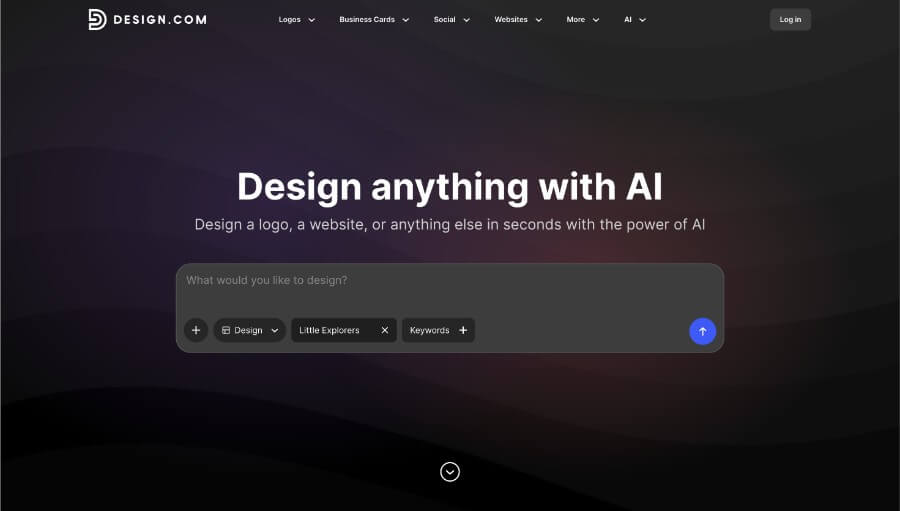
Design.com is a design platform focused on logos and brand identity. Its AI logo generator creates logo concepts from a short description of your business, like its name and a few keywords, and you can refine any concept by describing the change you want in plain language. The platform also includes tools for business cards, social posts, presentations, flyers, a website builder, and an AI image generator.
What sets it apart is how everything connects to your logo. Templates automatically pick up your logo’s colors and fonts, so new assets match without manual setup. You can also order printed products such as business cards, mugs, and apparel directly from the platform.
What Is Canva?
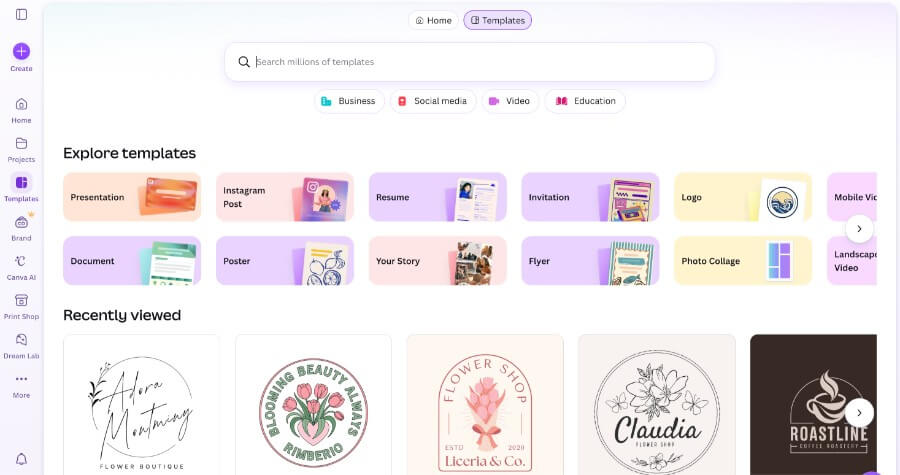
Canva is a general-purpose design platform known for its extensive template library and easy-to-use drag-and-drop editor. It covers presentations, social graphics, video, documents, and logos, and includes AI tools for tasks such as image generation and background removal. Because it handles so many design types, people use it for everything from school projects to company campaigns.
For branding, Canva offers a brand kit where you save your colors, fonts, and logo files, then apply them to designs as you build. It also has some of the most established collaboration features in the category, including real-time editing, comments, and approval workflows. Those features matter most for teams working on the same files.
How Do Design.com and Canva Compare at a Glance?
| Category | Design.com | Canva |
|---|---|---|
| Core focus | Logo and brand identity | General-purpose design |
| AI tools | AI logo generator with chat-based editing, plus an AI image generator | AI tools across the editor, including image generation and background removal |
| Editing | Describe changes in plain language | Drag-and-drop editor |
| Brand consistency method | Templates carry your logo’s colors and fonts automatically | Manual brand kit setup |
| Templates | 500K+ logo templates, 1M+ total | 1.6M+ on free, 3.6M+ on Pro |
| Vector export | Included on the free plan | Paid plans only |
| Print products | Business cards, mugs, apparel, with free delivery | Limited |
| Collaboration | Shortlists and polls | Real-time editing, comments, and approvals |
| Free plan | Watermark-free vector logo download | Large library, capped AI, 1 brand kit with 3 colors |
| Paid pricing | From $3/month billed annually | Pro $180/year; Business $250/year per person |
Round 1: Which Has the Better AI Logo Generator?
Design.com’s AI logo generator is built specifically for logos and brand identities, while Canva treats logo creation as one of many things its general editor can do.
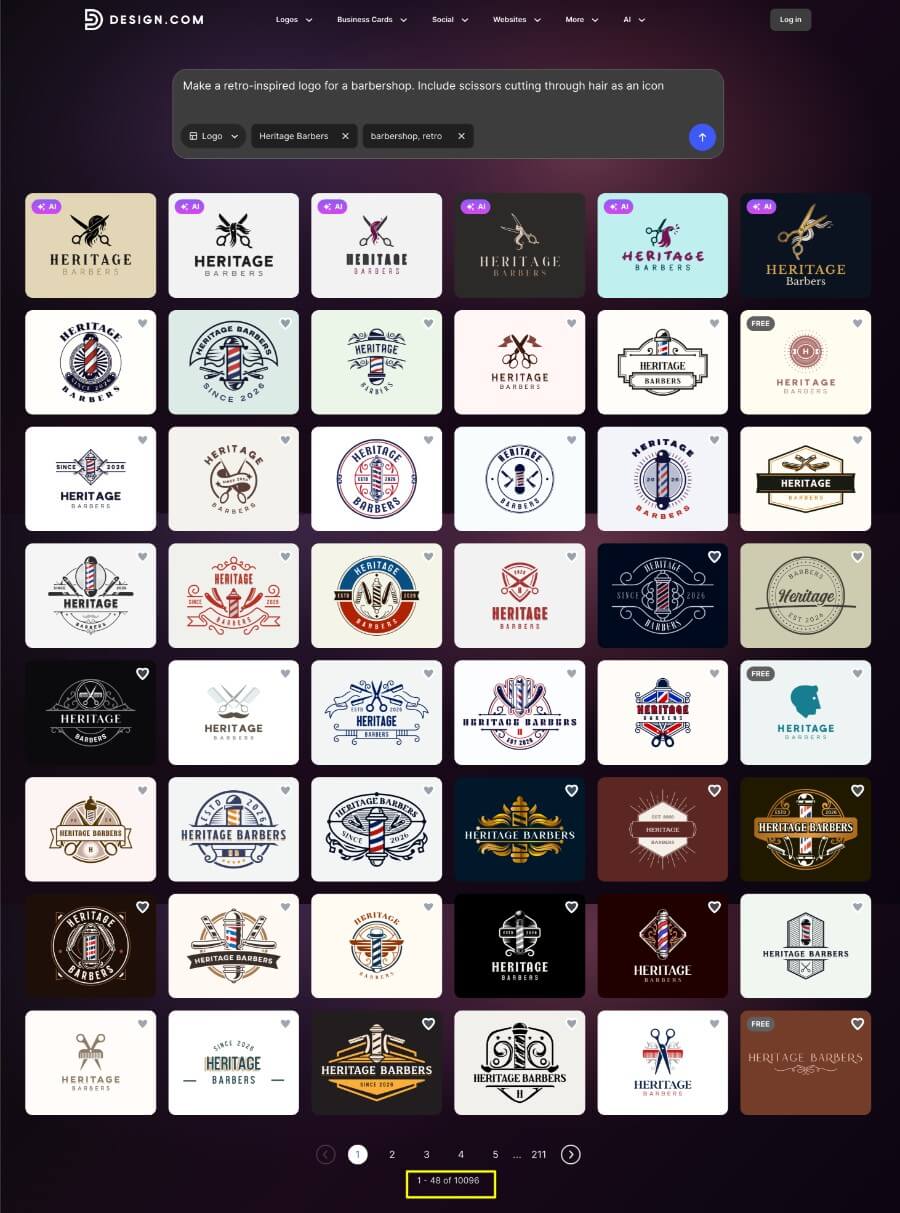
With Design.com, you describe the logo you want, and the AI logo generator produces a batch of concepts to choose from. We asked for a retro-inspired barbershop logo with scissors cutting through hair as the icon. In seconds, it returned 10,000+ options we could pick from and customize.
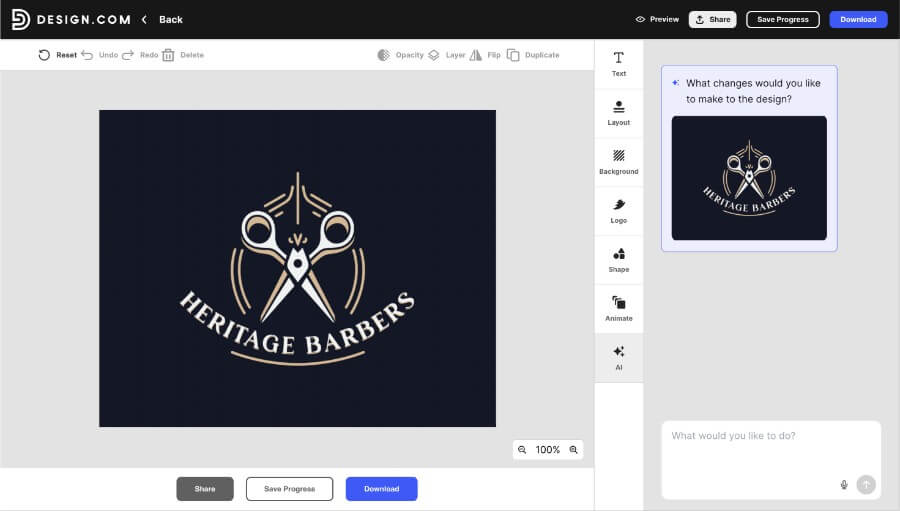
Editing is just as simple. The AI chat editor lets you type the change you want, like a bolder font or a different icon, instead of digging through menus.
Canva’s approach is different. You start in a general-purpose editor and build or adapt a logo from its templates, elements, and AI tools.
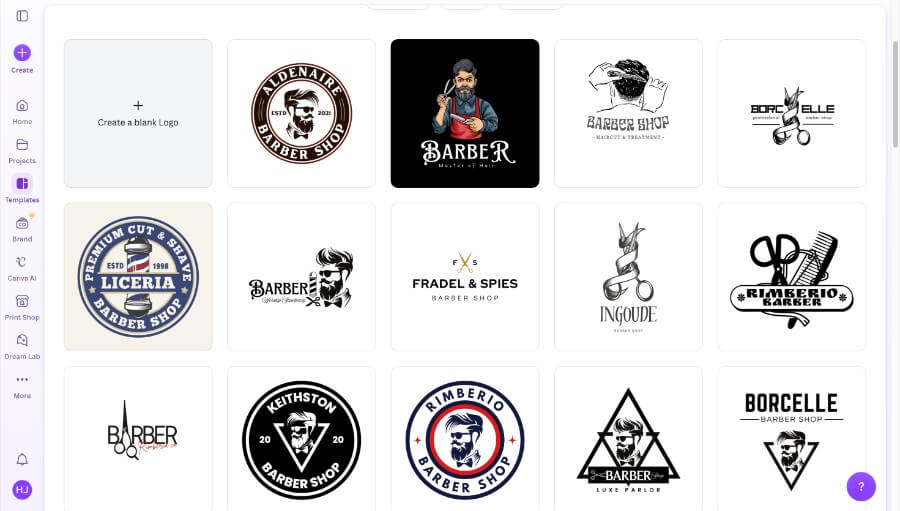
That’s flexible, but it puts more of the design decisions on you. Its AI features, such as image generation and background removal, are broad rather than tuned to brand identity.
Export quality matters here, too. Design.com’s free plan includes a watermark-free, high-resolution vector download. On Canva, vector files require a paid plan.
Winner: Design.com
Round 2: Which Keeps Branding Consistent Across Assets?
Design.com keeps assets consistent automatically because it carries your logo’s colors and fonts across its templates, whereas Canva depends on a brand kit you set up and apply by hand.
Consistency is the heart of the at-scale question. Every new asset is a chance for a color to drift or a font to be swapped for a lookalike.
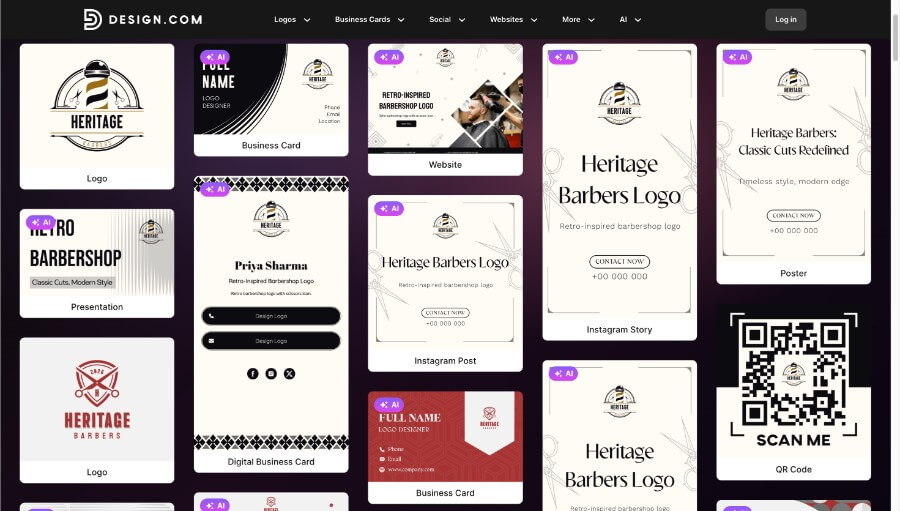
Design.com designs the logo alongside a business card, website, poster, presentation, social posts, and even a QR code, all in the same palette and fonts with no extra steps. For our barbershop, that means the card, the grand opening poster, and the Instagram posts all start out matching the logo. Nothing needs to be re-entered or re-applied.
Canva’s brand kit does the same job manually. You choose your colors, fonts, and logo files, then apply them as you build each design.

It works, but the free plan limits you to one brand kit and three colors, which is tight for a brand with a secondary or accent palette. Pro raises the limit to 5 brand kits, and Business to 100.
Winner: Design.com
Round 3: Which Produces a Full Brand Kit Faster?
Design.com can generate a matching set of brand assets from a single starting point, whereas Canva requires you to build each asset separately.
Round 2 was about staying consistent. This round is about how quickly you get there. In Design.com, entering your business name and keywords can produce a coordinated set: logo, business card, digital business card, website, poster, social posts, and a QR code. For the barbershop, that’s a full starter kit before you’ve opened a single template.
In Canva, a brand kit is a collection of ingredients rather than a finished set. You pick a template for each asset, apply your kit, and adjust. For one or two designs, that’s quick. Across a full launch of cards, social graphics, a poster, and a landing page, the repeated setup adds up.
Winner: Design.com
Round 4: Which Has More Templates and Design Range?
According to each platform’s website, Canva has the larger and more varied template library, and it covers design work unrelated to branding.
Canva lists over 1.6 million templates on its free plan and over 3.6 million on Pro. Those span presentations, video, documents, and campaign graphics that aren’t tied to your own brand. For our barbershop, that means more flyer and post styles to browse.
Design.com’s library is smaller, with 500K+ logo templates and 1 million templates in total, but it’s focused. More than 50 tools sit around branding, business cards, social posts, presentations, flyers, and AI image generation. If your work is mostly about one brand, you’re unlikely to feel the gap. If you regularly design unrelated content, you will.
Winner: Canva
Round 5: Which Is Better for Teams and Approvals?
Canva is better for teams because it offers real-time co-editing, comments, and approval workflows that Design.com doesn’t have.
Canva has built collaboration into the platform for years. Teams can edit the same file together, leave comments, route designs through approvals, and share brand kits across a workspace. That structure matters once more than a handful of people touch the brand, such as a barbershop growing into several locations with its own marketing team.
Design.com’s collaboration is lighter. You can shortlist favorite logos and create a poll to collect feedback from colleagues, friends, or clients. That’s enough for a founder or small business to gather opinions, but it isn’t a substitute for shared workspaces or approval flows.
Winner: Canva
Round 6: Which Costs Less at Scale?
Design.com costs less for brand-focused work. It has a free plan with a watermark-free vector logo, and paid plans start at $3/month billed annually, compared with Canva Pro at $180/year.
Design.com’s free plan already includes a watermark-free, high-resolution vector logo, plus the free website builder, digital business card maker, and link-in-bio tool. That’s a lot of a barbershop’s starter branding before you pay anything.
Design.com plans:
| Plan | Price | What you get |
|---|---|---|
| Free | $0 | Watermark-free, high-resolution vector logo download, free website builder, digital business card maker, and link-in-bio tool |
| Starter | $3/month billed annually ($9/month billed monthly) | More of the 50+ design tools |
| Value | $4/month billed annually | Full-site website builder |
| Premium | $5/month billed annually | Digital business cards and link-in-bio page |
Canva’s paid plans:
| Plan | Price | What you get |
|---|---|---|
| Free | $0 | Large library, capped AI allowance, 1 brand kit with 3 colors |
| Pro | $180/year | Full template library, premium elements, 5 brand kits |
| Business | $250/year per person | Team collaboration, 100 brand kits with approvals |
Canva’s plans make sense if you need the team features. For a single brand like our barbershop, you’d be paying for capacity you may not use.
Winner: Design.com
Who Should Pick Design.com?
- Startup founders who need a logo, cards, and a web presence that match, fast and on a small budget.
- Small business owners who handle their own branding and want consistency without a design background.
- Freelancers managing a client’s brand who need every deliverable to match one palette without repeated setup.
- Side-hustle sellers who want a polished identity, plus printed cards or merchandise, from one place.
Who Should Pick Canva?
- Marketing teams that need shared workspaces, comments, and approvals.
- Educators and nonprofits with varied needs, from flyers to worksheets to presentations.
- Anyone producing video or presentations well beyond their own branding.
Final Score Card
| Round | Winner | Why |
|---|---|---|
| 1. AI logo generator | Design.com | Built for logos, chat-based editing, and free vector download |
| 2. Brand consistency | Design.com | Logo colors and fonts carry across assets automatically |
| 3. Full brand kit speed | Design.com | Matching set of assets from a single starting point |
| 4. Templates and range | Canva | Much larger, more varied library |
| 5. Teams and approvals | Canva | Real-time co-editing, comments, and approval workflows |
| 6. Cost at scale | Design.com | Free plan with vector logo, paid plans from $3/month billed annually |
Design.com wins 4 of 6 rounds, including the logo, consistency, and speed rounds. Canva wins the two rounds that depend on range and teamwork.
If you want a brand that looks the same on every card, post, and page, the best place to start is the logo. Describe your business to Design.com’s AI logo generator, and in seconds, you’ll have logo concepts to choose from, with a watermark-free download on the free plan.
From there, your business cards, social posts, website, and more pick up your logo’s colors and fonts automatically, so you spend less time matching things by hand and more time growing your business.
FAQs on Design.com vs Canva
Which is better for logo design, Design.com or Canva?
Design.com is the better choice for logo design. Its AI logo generator creates logo concepts from a short description of your business. Canva can make logos, too, but through a general-purpose editor.
Which is better for teams, Design.com or Canva?
Canva is better for teams. It offers real-time co-editing, comments, and approval workflows. Design.com’s collaboration is lighter, with logo shortlists and polls.
Which is better for brand consistency, Design.com or Canva?
Design.com is better for brand consistency. Its templates automatically carry your logo’s colors and fonts across every asset. Canva relies on a brand kit that you set up and apply by hand.
Which has more templates, Design.com or Canva?
Canva has more templates. It lists over 1.6 million on its free plan and 3.6 million or more on the Pro plan, covering presentations, videos, and documents. Design.com has 1 million templates in total, focused on branding.
Is Design.com cheaper than Canva?
Yes, for brand-focused work. Design.com’s paid plans start at $3/month billed annually, and it has a free plan. Canva Pro costs $180/year, and Business costs $250/year per person.
Can I use Design.com and Canva together?
Yes. Many people use Design.com for logos and brand assets, then use Canva for videos or presentations. The two tools don’t conflict.