
Design.com vs. Adobe Firefly: Which AI Image Generator Offers More Creative Features?

AI image generators have changed how businesses, marketers, designers, and content creators produce visual content. Instead of spending hours searching for stock photography or commissioning custom illustrations, users can describe an idea in a text prompt and generate original images in seconds.
Two platforms worth comparing are Design.com and Adobe Firefly. Both let users turn written descriptions into visuals, experiment with different creative styles, and refine images with AI. However, they approach the creative process differently.
So, which platform offers more practical creative features for everyday image creation?
Let’s compare their image generation processes, creative controls, editing options, integrations, and pricing to find out.
Design.com vs. Adobe Firefly: Quick Comparison
| Feature | Design.com | Adobe Firefly |
|---|---|---|
| Main purpose | AI image generation and complete design creation | Generative AI for images, video, audio, and creative production |
| Image generation | Text-to-image generation using everyday prompts | Text-to-image generation with multiple AI models |
| Prompt customization | Subject, setting, background, style, mood, lighting, colors, and composition | Detailed prompts, style references, composition references, and visual settings |
| Creative styles | Realistic scenes, product concepts, illustrations, abstract imagery, and imaginative artwork | Photorealistic images, illustrations, digital art, and other creative styles |
| Image editing | AI image editor and background remover | Generative Fill, object removal, image expansion, upscaling, and other editing tools |
| Brand integration | Combine generated images with logos, fonts, brand colors, and templates | Brand guidelines, reference images, and integrations with Adobe creative tools |
| Design templates | Extensive library of ready-to-customize templates | AI-generated templates and design workflows |
| Other creative tools | 50+ design tools, including business cards, flyers, posters, presentations, and social media designs | Video, audio, vector, image, and graphic design workflows |
| Free access | Create images without an account; limited free AI editing | Free plan with limited daily generations |
| Paid pricing | Starts at $4/month billed annually | Starts at $9.99/month |
| Best for | Small businesses, entrepreneurs, marketers, and creators producing complete branded content | Designers, photographers, and creative professionals working across multiple media |
Quick verdict: Design.com is the stronger choice for users who want an accessible AI image generator that connects directly to practical branding and marketing tools. Adobe Firefly offers more advanced generative production capabilities, particularly for image manipulation, video, and audio, but Design.com provides a more straightforward route from an image idea to a finished business design.
Design.com: Best Overall for AI Image Generation and Complete Design Creation
Design.com takes a practical approach to AI image generation. Rather than limiting the experience to producing standalone artwork, it gives users a way to create original visuals and incorporate them into finished designs using the same platform.
Its AI Image Generator works through simple text prompts. Users describe the image they want in everyday language, adding as much detail as necessary to guide the result.
For example, someone creating promotional content for a gaming store could request a professional product photograph of a black wireless gaming controller. The prompt could describe the controller’s position, lighting, background, color scheme, and overall photography style.
The generator uses these descriptions to produce original images in seconds. Users can then review the results, adjust their prompts, introduce additional details, and generate again until they find a visual that suits their project.
This iterative process makes it easy to explore different creative directions without needing professional photography equipment or illustration software.
How Design.com’s AI Image Generator Works
The process is straightforward, even for someone who has never used an AI image generator before.
Step 1: Write an image prompt
Start by describing the visual you want to create. You can use everyday language and include details about the subject, setting, background, style, mood, lighting, colors, and composition.
Example prompt:
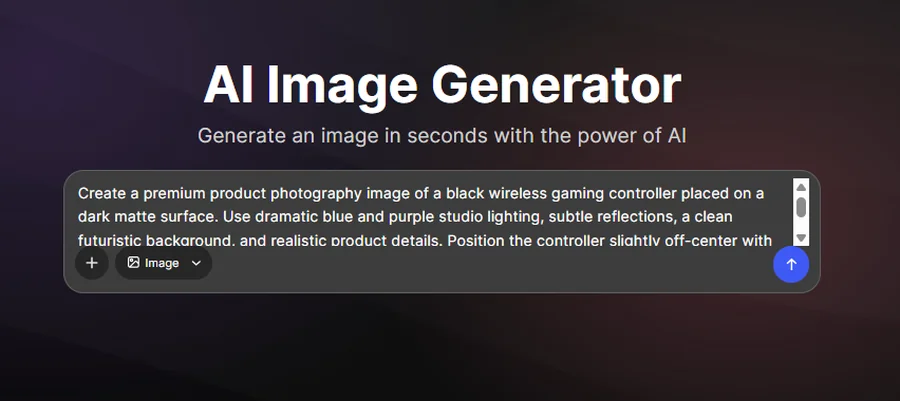
“Create a premium product photography image of a black wireless gaming controller placed on a dark matte surface. Use dramatic blue and purple studio lighting, subtle reflections, a clean futuristic background, and realistic product details. Position the controller slightly off-center, with soft shadows and professional-quality commercial photography. Wide composition, high resolution.”
The more descriptive your prompt, the more guidance you give the generator.
Step 2: Generate your image
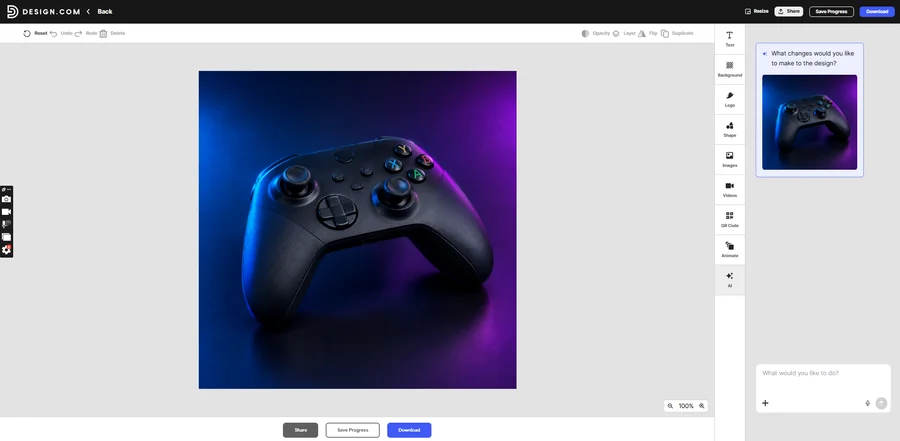
Submit your prompt and let Design.com create your image. The platform generates visuals within seconds, making it easy to explore an idea and see how different descriptions influence the results.
Step 3: Review and refine
Look through the generated results and decide which direction works best. If something needs adjusting, revise your prompt, add more visual details, or try a different creative approach.
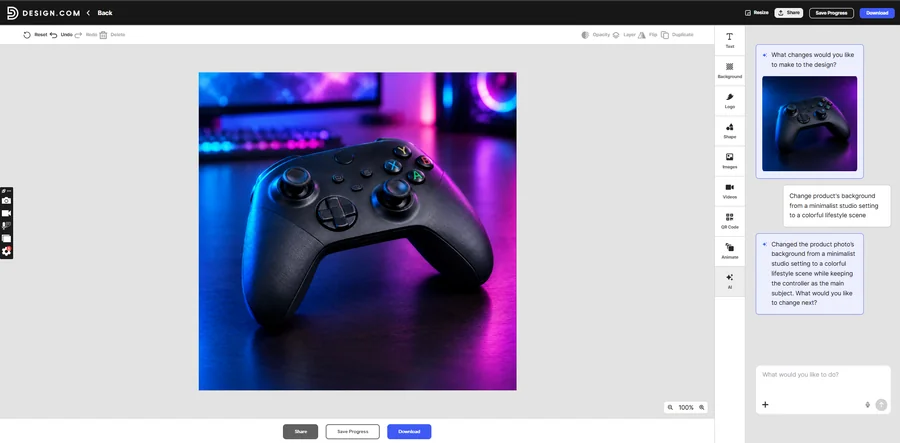
For instance, you could change a product’s background from a minimalist studio setting to a colorful lifestyle scene or experiment with warmer lighting.
Step 4: Download and use your image
Once you are happy with the result, select your preferred image and download it. You can also bring your generated visuals into Design.com’s other creative tools to develop complete marketing materials.
Creative Features That Make Design.com Stand Out
Flexible text-to-image generation
Design.com’s generator supports a wide range of visual concepts. Users can create realistic scenes, product concepts, illustrations, abstract imagery, backgrounds, and imaginative artwork.
This flexibility is useful when creating visuals for different industries. A restaurant might need an image of freshly prepared food, while a technology business could generate a futuristic product concept. A clothing brand might prefer lifestyle imagery, while a marketing agency could experiment with abstract backgrounds for a campaign.
Users are not restricted to a small selection of predefined subjects. They can describe their own ideas and explore different visual directions by adjusting prompts.
Detailed creative direction through prompts
Another advantage is the ability to guide several aspects of the generated image through natural-language descriptions.
You can specify:
- Subject: What should appear in the image, such as a product, person, object, or landscape.
- Setting: Where the subject should be placed, such as a studio, outdoor location, or modern workspace.
- Background: The environment, backdrop, and surrounding elements.
- Style: Whether you want realistic photography, illustration, abstract artwork, or another aesthetic.
- Mood: The overall feeling, such as playful, luxurious, futuristic, or minimalist.
- Lighting: Soft studio lighting, dramatic shadows, golden sunlight, or other lighting effects.
- Colors: Specific colors or combinations that suit your creative direction.
- Composition: How the subject and other visual elements should be arranged.
These details help users communicate their creative brief without having to learn complex design terminology.
AI image editing and background removal
Design.com also includes AI photo and image editing capabilities, giving users additional ways to work with their visuals after generation.
The AI background remover is particularly useful when preparing product images, promotional graphics, and other marketing assets. Removing a background makes it easier to place a subject into a different design or create a cleaner visual composition.
AI editing is also available for users who want to make further adjustments to their images. The platform offers a limited number of AI edits for free, allowing users to explore its editing capabilities before committing to a subscription.
Integration with 50+ design tools
This is where Design.com becomes especially useful for business content creation.
Generated images do not have to remain as individual files. Users can incorporate them into Design.com’s wider collection of design tools and templates to create materials for different platforms and purposes.
For example, a gaming store could generate a product image of a new controller and then use that image in a promotional flyer, social media graphic, or presentation.
Other possible applications include:
- Social media content: Create custom visuals for Instagram, Facebook, TikTok, LinkedIn, and YouTube.
- Marketing materials: Use generated images in advertisements, flyers, posters, and promotional graphics.
- Website visuals: Create custom backgrounds, banners, landing page imagery, and blog illustrations.
- Presentations: Develop original graphics for business presentations, proposals, and internal communications.
- Branded designs: Combine generated visuals with existing logos, brand colors, fonts, and other brand elements.
This connected workflow saves users from having to move between several separate platforms just to produce a finished piece of content.
A wider collection of branding and business tools
Design.com is also part of a larger creative ecosystem that includes an AI logo generator, website builder, business card maker, flyer maker, poster maker, presentation maker, and social media design tools.
This makes it particularly useful for new businesses that need more than occasional AI-generated images.
For example, someone launching a new skincare brand could use the platform to develop product visuals, create a logo, prepare promotional graphics, and design business materials within the same ecosystem.
The ability to work across these different formats gives Design.com an advantage for users who regularly need to produce consistent visual content.
Design.com Pricing
Design.com offers three main paid plans for its AI Image Generator. Each includes 50 credits, AI image and photo generation, an AI photo and image editor, an AI background remover, and access to more than 50 design tools.
| Plan | Annual billing | Monthly billing |
|---|---|---|
| Starter: Images + Design | $4/month | $9/month |
| Value: Images + Design + Website | $5/month | $14/month |
| Premium: Images + Design + Website + More | $6/month | $19/month |
Each plan includes:
- 50 monthly credits
- AI image and photo generation
- AI photo and image editing
- AI background remover
- 50+ additional design tools
- Graphics, business cards, QR codes, and more
- Social media designs
- AI presentations
- AI design generation
The Value plan adds website-building capabilities, while Premium also includes digital business cards and a link-in-bio tool.
Users can also choose credit packages ranging from 50 to 2,000 credits, with prices increasing as the selected amount increases. Credits are used for AI generations and edits, refresh monthly, and are not deducted when downloading included images.
Another useful detail: Users can create AI images without an account, and a limited number of AI editing actions are available for free.
What We Like About Design.com
- Easy prompt-based workflow: Describe an idea in everyday language without needing professional design experience.
- Flexible image creation: Generate product concepts, realistic scenes, illustrations, backgrounds, and imaginative visuals.
- Prompt refinement: Experiment with additional details and different creative directions until you find a suitable result.
- Built-in editing tools: Continue working on images with AI editing and background removal.
- Connected design ecosystem: Turn generated visuals into social media graphics, flyers, posters, presentations, and other marketing materials.
- Business-focused features: Combine AI imagery with logos, fonts, brand colors, and ready-to-customize templates.
- Accessible pricing: Paid plans start at $4 per month with annual billing, and users can try image generation for free.
Our verdict: Design.com is an excellent option for anyone who wants to do more with AI-generated images. Its greatest strength lies in the connection between image creation and finished design production. Users can start with a simple prompt, experiment with different visual concepts, and incorporate their preferred results into practical marketing and branding materials without having to build an entire workflow around separate applications.
Adobe Firefly: Best for Advanced Generative Editing and Creative Production
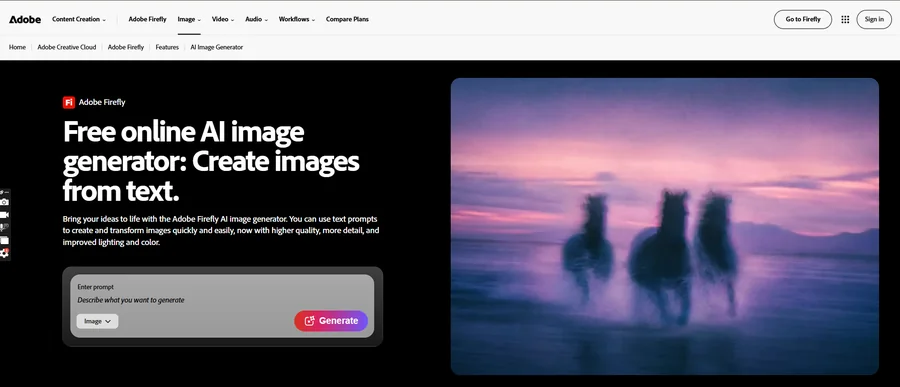
Adobe Firefly is a generative AI platform developed by Adobe, designed to help creators produce and edit visual content through text prompts and AI-assisted tools.
Unlike a traditional standalone image generator, Firefly has grown into a broader creative studio. It supports image generation, image editing, video creation, audio generation, vector graphics, and other creative workflows.
Its main appeal is the level of control it offers over generated and existing content. Users can start with a written prompt, upload a reference image, modify selected parts of a photograph, or experiment with different AI models.
Firefly is particularly useful for photographers, designers, illustrators, and marketing teams who want to incorporate generative AI into a more detailed creative production process.
How Adobe Firefly Works
Adobe Firefly offers several ways to begin creating.
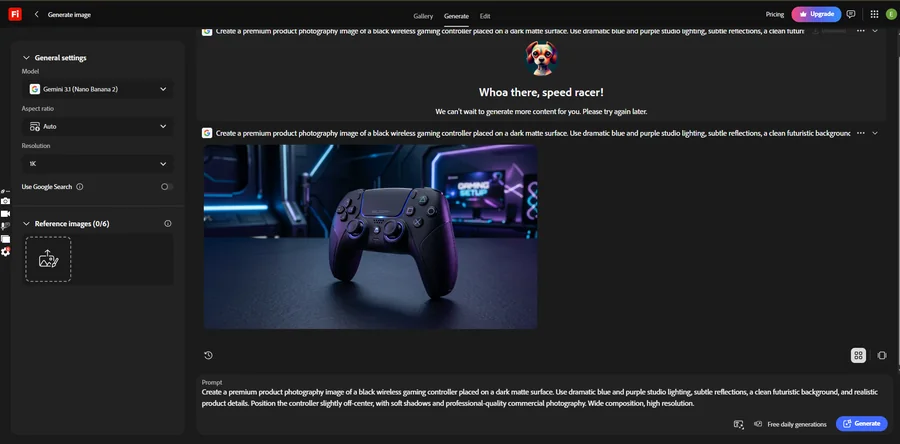
For text-to-image generation, users enter a description of the image they want. They can then adjust available settings, choose visual styles, and use reference images to guide the output. We used the same prompt:
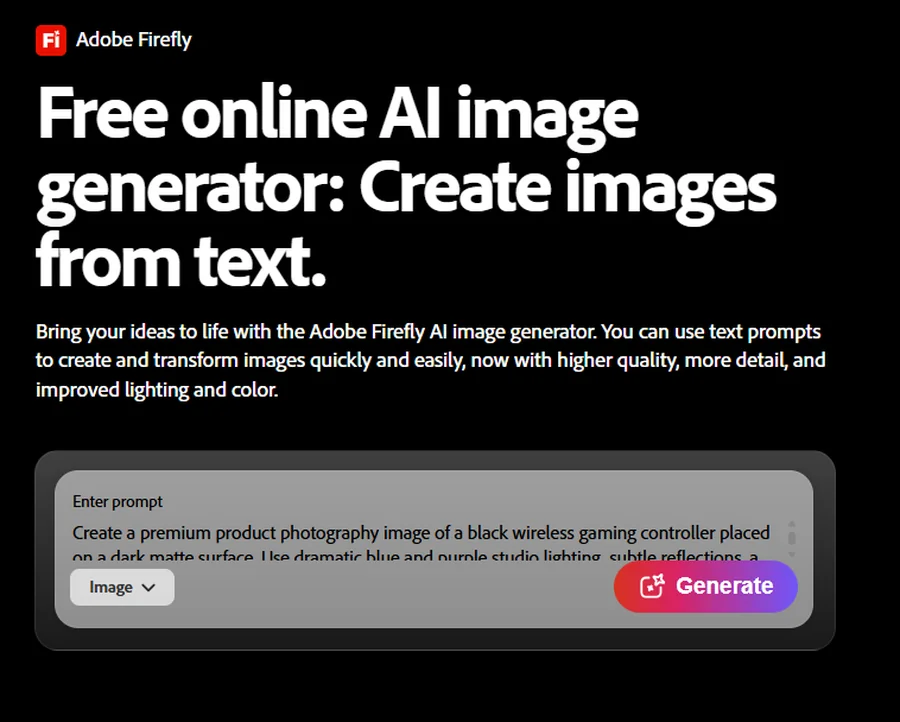
Firefly generates image variations based on the prompt. Users can review the results and make adjustments using its available creative controls.
One of its useful features is the ability to combine text prompts with visual references.
Users can upload an existing image to guide the composition or style of a new generation. This gives them more control over the arrangement and appearance of the final visual.
Creative Features of Adobe Firefly
Text-to-image generation
Firefly’s text-to-image tool turns written descriptions into original images. Users can experiment with different subjects, environments, visual styles, and compositions.
The platform supports a range of creative applications, including product imagery, digital artwork, illustrations, promotional visuals, and concept development.
It also offers access to different generative AI models, including Adobe’s own models and selected partner models. This gives users additional options when exploring different visual aesthetics.
Style and composition references
One of Firefly’s more advanced creative features is its reference-image functionality.
Style Reference allows users to upload an existing image or select a curated reference to guide the appearance of generated visuals. This can help maintain a similar visual direction across multiple images.
Composition or Structure Reference provides another level of control. Users can upload a sketch or image to guide the placement, outlines, and arrangement of elements in a new generation.
Users can also adjust the strength of the reference to influence how closely the generated result follows the original.
Generative Fill and AI image editing
Adobe Firefly’s editing capabilities are among its strongest features.
Generative Fill allows users to select a specific area of an image and add, replace, or remove content using a text description.
For example, a photographer could upload a product image, select an empty area beside the product, and prompt Firefly to add decorative flowers or another object.
The tool can generate new content within the selected area while working to maintain consistency with the original image.
Other editing capabilities include:
- Generative Expand: Extend an image beyond its original boundaries to create additional space or adapt it to different aspect ratios.
- Object removal: Remove unwanted objects, people, or background elements from photographs.
- Background replacement: Generate a new background for an existing image.
- Image upscaling: Increase image resolution and improve visual detail.
- Prompt to Edit: Describe changes you want to make to an image using natural language.
- Relight and Retouch: Adjust lighting and refine specific image details.
These features are particularly useful when working with existing photographs that need adjustments before publication.
Video and audio generation
Firefly goes beyond still-image creation with its video and audio tools.
Users can generate video clips from text prompts or existing images, create sound effects, compose music, and use speech and audio translation tools.
For marketers and content creators, these features can help develop multimedia content for advertisements, social media, and other digital campaigns.
However, these capabilities are separate from its core image-generation workflow and may require additional generative credits depending on the feature and model.
Integration with Adobe’s creative ecosystem
One of Firefly’s biggest advantages is its connection to Adobe’s wider collection of creative applications.
It works alongside products such as Photoshop, Illustrator, and Adobe Express, allowing users to incorporate generative AI into established editing and design workflows.
Adobe also introduced Firefly Design in beta in November 2026. This new design workspace brings image editing, illustration, animation, 3D, and print-related work onto one canvas.
Other recent additions include Quick Actions for common creative tasks and Firefly Graph for building repeatable AI-assisted workflows.
These developments make Firefly a more comprehensive creative production platform than a conventional text-to-image generator.
Adobe Firefly Pricing
Adobe Firefly offers a free plan with limited daily generations, as well as paid subscriptions with monthly generative credits.
Its current US individual plan pricing includes:
| Plan | Price | Generative credits |
|---|---|---|
| Firefly Free | $0 | Limited daily generations |
| Firefly Standard | $9.99/month | 2,000/month |
| Firefly Pro | $19.99/month | 4,000/month |
| Firefly Pro Plus | $49.99/month | 10,000/month |
| Firefly Premium | $199.99/month | 50,000/month |
Paid plans provide access to additional generative capabilities, with higher tiers offering more credits and greater access to premium features.
Firefly Standard includes image and video editing tools, Firefly Boards, and access to selected AI models. Higher-tier plans add more generous generation allowances and additional Adobe applications and features.
Keep in mind that the number of images or videos users can generate depends on the model and feature selected. Some standard image features have different credit arrangements from premium video and audio generations.
What We Like About Adobe Firefly
- Advanced image editing: Generative Fill, object removal, image expansion, and other features provide fine-grained control.
- Reference-image controls: Style and composition references help guide generated results.
- Multiple AI models: Users can experiment with Adobe and selected third-party generative models.
- Multimedia generation: Video, audio, music, and sound effects extend its creative capabilities.
- Adobe integrations: Works within a wider ecosystem of professional creative applications.
- Creative production tools: Firefly Boards, Quick Actions, and newer workflow features support more involved projects.
Our verdict: Adobe Firefly is a capable creative platform, particularly for users who need advanced image manipulation and multimedia generation. Its reference controls, editing features, and Adobe integrations make it a strong option for professional creative workflows. However, its wider range of features can also make the platform more involved for someone who simply wants to generate an image and turn it into a finished business design.
Design.com vs. Adobe Firefly: Which Offers More Creative Features?
Both platforms offer more than basic text-to-image generation, but their strengths become clearer when comparing how their features support everyday creative work.
Image Generation and Prompt Flexibility
Design.com makes image generation approachable through everyday language. Users can describe their desired subject, background, lighting, colors, style, mood, and composition, then refine their prompts to explore different results.
This makes it especially convenient for users who have a visual idea but do not necessarily have experience with professional image-editing software.
Adobe Firefly offers more advanced controls through its reference-image features and model selection. Its Style and Structure Reference options are particularly useful when a project requires a specific visual direction or composition.
Winner: Design.com for accessibility and straightforward image creation; Adobe Firefly for reference-based creative control.
Image Editing Capabilities
Both platforms provide ways to improve images after generation.
Design.com includes an AI photo and image editor, as well as background removal. These features are useful for preparing visuals for marketing materials and branded designs.
Firefly offers a more extensive set of specialized editing functions, including Generative Fill, Generative Expand, object removal, upscaling, and other precision-editing capabilities.
Winner: Adobe Firefly for advanced image manipulation.
Branding and Marketing Applications
This is where Design.com has a particularly strong advantage.
Its AI Image Generator is connected to a collection of more than 50 design tools. Users can bring their images into templates and create business cards, flyers, posters, social media graphics, presentations, and other branded materials.
They can also incorporate existing logos, brand colors, and fonts into their designs.
Firefly has expanded into design production, especially with its new Firefly Design workspace. However, its broader ecosystem is more closely associated with creative production and professional editing workflows.
Winner: Design.com for an accessible, connected branding and marketing workflow.
Ease of Use
Design.com keeps the image-generation process simple: describe an idea, generate images, review the results, refine the prompt, and download a preferred visual.
Its wider design ecosystem also makes it easier to continue working on the image without having to learn several separate applications.
Adobe Firefly is accessible through its web interface, but its extensive collection of models, references, editing controls, and production features creates a more involved experience.
Winner: Design.com for simplicity and a more direct path from prompt to finished design.
Creative Versatility
Adobe Firefly has a broader range of generative media capabilities. In addition to images, users can create videos, audio, music, and sound effects. Its latest creative workspace also supports more advanced design and production tasks.
Design.com focuses more closely on image creation and practical design applications. Its strength is the variety of ways users can apply generated visuals across business and marketing content.
Winner: Adobe Firefly for multimedia generation; Design.com for business-oriented visual content creation.
Pricing and Overall Value
Design.com offers a lower entry price for its paid AI image generation plans, starting at $4 per month with annual billing. The plans include 50 monthly credits, image generation, AI editing, background removal, and access to more than 50 design tools.
Adobe Firefly Standard starts at $9.99 per month and includes 2,000 monthly generative credits, image and video editing, and access to selected AI models.
The two platforms use different credit systems, so the monthly credit figures should not be compared directly. What matters is the type of work included in each subscription.
For someone who wants image generation alongside business design tools, Design.com offers a particularly attractive starting point.
Winner: Design.com for lower-cost access to image generation and a wider collection of ready-to-use business design tools.
Final Verdict: Design.com Is the Better Choice for Everyday Creative Projects
Design.com and Adobe Firefly serve different creative needs.
Adobe Firefly is a powerful option for creators who want detailed control over image editing, reference-based generation, and multimedia production. Its connection to Adobe’s established creative applications also makes it appealing to designers and professionals who already work within that ecosystem.
However, for entrepreneurs, small businesses, marketers, and content creators who need original visuals for everyday projects, Design.com offers a more convenient overall experience.
Its AI Image Generator makes it easy to turn written ideas into custom visuals, while its editing tools and wider design ecosystem help users put those images to work. Rather than stopping at an individual generated image, users can continue creating promotional materials, branded graphics, social media content, presentations, and other business assets.
The pricing also makes it an accessible option for people who want to explore AI image generation without committing to a more expensive creative subscription.
Our recommendation: Design.com is the better overall choice for accessible AI image generation and complete business design creation. Adobe Firefly remains a strong alternative for advanced editing and multimedia workflows, but Design.com offers a more practical combination of image creation, branding, and marketing tools for users who want to take an idea from concept to finished design.
Is Design.com better than Adobe Firefly?
For small businesses, entrepreneurs, and marketers who want to generate images and turn them into finished designs, Design.com is the stronger choice. It combines prompt-based image generation with AI editing, background removal, templates, and more than 50 design tools. Adobe Firefly is better suited to users who need advanced image manipulation and multimedia generation.
Can I use Design.com to generate product images?
Yes. You can describe a product, its setting, lighting, background, colors, and composition in a text prompt. For example, you could request a professional product photograph of a gaming controller against a futuristic studio background with dramatic lighting.
Does Adobe Firefly support image editing?
Yes. Adobe Firefly includes Generative Fill, Generative Expand, object removal, background replacement, image upscaling, and other AI-assisted editing capabilities.
Does Design.com offer free AI image generation?
Yes. Users can create images on Design.com without an account. A limited number of AI editing actions are also available for free. Paid subscriptions provide additional monthly credits and access to more design features.
How much does Design.com cost compared with Adobe Firefly?
Design.com paid AI Image Generator plans start at $4 per month with annual billing, while Adobe Firefly Standard starts at $9.99 per month. Both offer different credit systems and feature allowances, so users should consider the included tools alongside the subscription price.
Which platform is better for small businesses?
Design.com is particularly well suited to small businesses because it combines AI image generation with branding and marketing tools. Users can generate original visuals and incorporate them into flyers, posters, business cards, social media graphics, and presentations within the same platform.