Direct answer: local campaign visuals should use reusable templates plus local data

Local business campaign image automation maps store name, city, neighborhood, offer, event date, review quote, opening hours, photo, logo, and CTA fields into reusable Pixelixe templates. It helps local businesses, franchises, agencies, and multi-location teams create locally relevant campaign visuals without designing a new asset for every branch, campaign, or Google Business Profile update.

Use Pixelixe when the same local campaign must be personalized by city, branch, offer, event, review, language, or seasonal moment.

Use approved templates for local offers, event posters, review cards, holiday promos, opening announcements, service campaigns, and community updates.

Return image URLs to websites, social scheduling tools, Google Business Profile workflows, email campaigns, franchise portals, or approval queues.

Local business campaign automation decision table

Local business campaigns need both brand consistency and location-specific relevance.

Local inputPixelixe layerBusiness output
City, branch, or neighborhoodLocation and badge layersLocal relevance without separate design files.
Offer, date, and CTAHeadline, date, and button layersFast promotion for time-sensitive local campaigns.
Store photo or product imageImage layerMore credible visuals for local audiences.
Review quote or ratingTestimonial layersReusable social proof visuals for local trust.
Opening hours or event timeSchedule and detail layersClear local event, workshop, launch, or appointment visuals.
Google Business Profile postFormat-specific templateConsistent images for local search updates and profile posts.
Franchise or brand rulesTemplate and Brand Kit layersConsistent output across locations and partners.

Local business campaign API payload pattern

Use this payload from a spreadsheet, location database, franchise portal, CMS, or campaign calendar.

Request

API request

POST https://studio.pixelixe.com/api/graphic/automation/v2
Content-Type: application/json

{
  "document_uid": "local_business_campaign_template_uid",
  "api_key": "YOUR_API_KEY",
  "format": "json",
  "image_type": "png",
  "modifications": [
    { "element_name": "business_name", "type": "text", "text": "{{business_name}}" },
    { "element_name": "headline", "type": "text", "text": "{{headline}}" },
    { "element_name": "store_photo", "type": "image", "image_url": "{{store_photo}}" },
    { "element_name": "logo_url", "type": "image", "image_url": "{{logo_url}}" },
    { "element_name": "city", "type": "text", "text": "{{city}}" },
    { "element_name": "offer", "type": "text", "text": "{{offer}}" },
    { "element_name": "event_date", "type": "text", "text": "{{event_date}}" },
    { "element_name": "review_quote", "type": "text", "text": "{{review_quote}}" },
    { "element_name": "cta", "type": "text", "text": "{{cta}}" }
  ]
}
Response

Generated output

{
  "status": "success",
  "uid": "local_business_campaign_template_uid",
  "image_url": "https://studio.pixelixe.com/storage/file/.../local-business-campaign-image-automation.png"
}

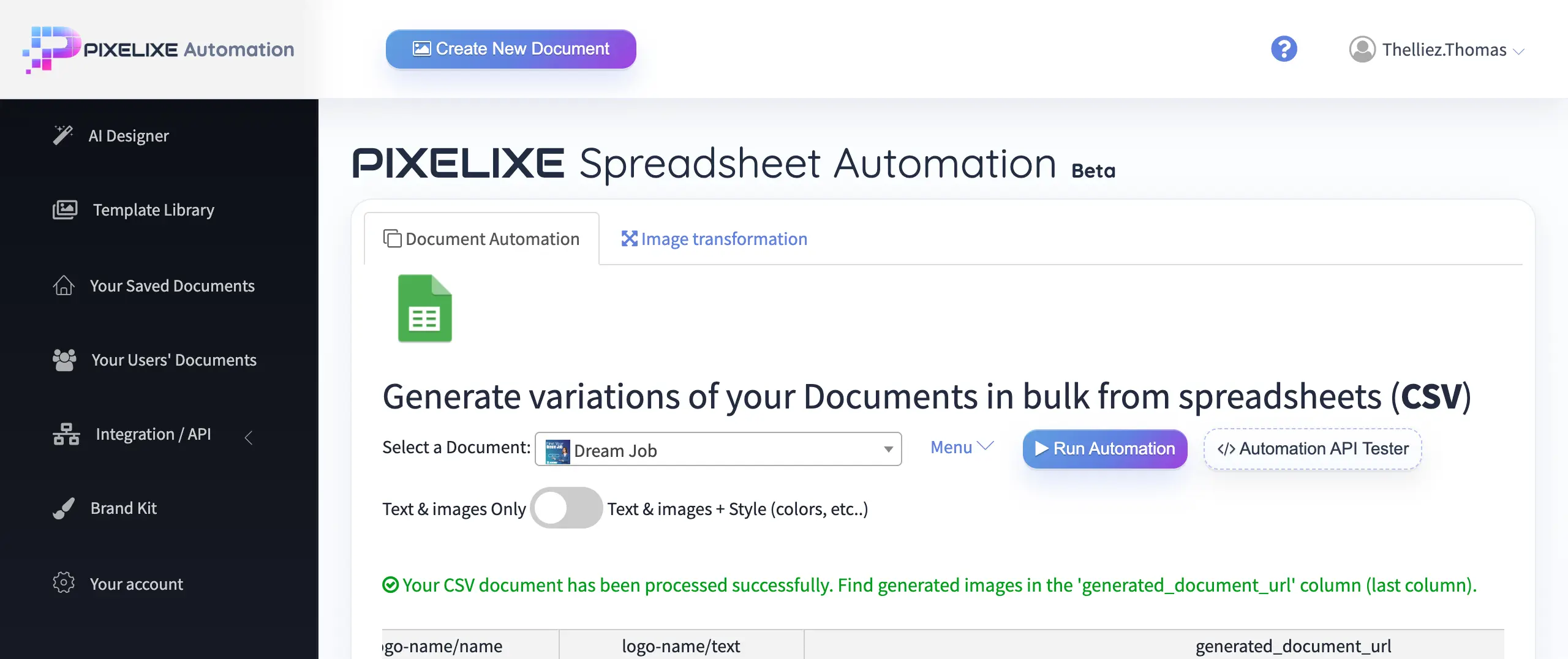
Use a spreadsheet, franchise database, location table, or campaign calendar when teams need many city, branch, or offer variants in one run.

Local visuals worth automating

Local campaigns repeat across stores, cities, dates, offers, service lines, reviews, and seasonal moments.

Use case

Location-specific offers

Generate city, store, branch, or neighborhood variants from one approved campaign template.

Use case

Local event promotion

Create visual variants for workshops, openings, tastings, appointments, sales, and community events.

Use case

Review and testimonial cards

Turn customer quotes, ratings, locations, and service categories into branded social proof visuals.

Use case

Seasonal local campaigns

Adapt holiday, weekend, back-to-school, local festival, and weather-driven campaigns across branches.

Local business campaign implementation workflow

Start with one high-value local campaign template, then expand into event, review, seasonal, and Google Business Profile variants.

Step 1

Select the campaign pattern

Choose a local offer, service promotion, event card, review card, opening announcement, or seasonal promotion.

Step 2

Map local fields

Send business name, city, store name, image, logo, offer, date, review quote, address, and CTA to Pixelixe.

Step 3

Generate variants

Render one image per location, date, offer, audience segment, language, or franchise branch.

Step 4

Route to channels

Send URLs to social, email, websites, Google Business Profile workflows, franchise portals, or local approval teams.

Sample local campaign field mapping

For SEO and AI Search, the strongest page evidence is a concrete mapping between real local campaign data and the generated visual output.

Source fieldExample valuePixelixe template layer
business_nameNorthside Dental StudioLogo block or local business name
cityAustinLocation badge, headline, or footer
offerFree whitening consultation this weekMain headline or promotional badge
event_dateSaturday, July 18Date label for openings, workshops, tastings, or events
review_quoteRated 4.9 by local patientsTestimonial or trust layer
ctaBook online todayButton or lower-third CTA

Spreadsheet workflow vs API workflow

The best implementation depends on how often the local data changes and who owns the campaign operations.

Decision

Use spreadsheets for campaign batches

A spreadsheet is best when a marketer, franchise manager, or agency needs to upload many local rows, review them, and generate a batch of approved visuals at once.

Decision

Use the API for live systems

The API is best when images should be generated from CMS events, franchise portals, booking systems, product feeds, CRM records, or local campaign calendars.

Decision

Use approval queues for brand control

Route generated URLs to an approval step when local managers can request copy, image, or offer changes before social, email, or Google Business Profile publishing.

Decision

Use separate templates for different formats

Keep one template for local offers, one for events, one for review cards, and one for seasonal campaigns when layouts and compliance rules differ.

Best local businesses for image automation

These verticals have recurring promotions, location-specific data, and measurable business intent.

Vertical

Restaurants and hospitality

Daily specials, happy hours, tasting events, delivery offers, seasonal menus, and local review cards repeat often and need fast publishing.

Vertical

Healthcare and wellness

Appointment campaigns, practitioner announcements, clinic events, local service promos, and testimonial cards benefit from consistent brand templates.

Vertical

Fitness, beauty, and local services

Studios, salons, gyms, repair services, and home-service businesses can reuse one visual system across offers, locations, and local events.

Vertical

Franchises and multi-location brands

National brand rules can stay fixed while city, branch, address, offer, local photo, and CTA fields change for each market.

Related Pixelixe workflows

Use these connected pages to evaluate the implementation path, adjacent use cases, and Pixelixe product fit.

FAQ

Can Pixelixe generate local business campaign images?

Yes. Pixelixe can generate local campaign visuals from city, branch, offer, event, review, photo, and CTA fields.

Is this useful for franchises?

Yes. Franchises can keep brand rules consistent while generating local variants for branches, cities, offers, and events.

Which local campaigns should be automated first?

Start with recurring offers, events, reviews, opening announcements, seasonal promotions, and multi-location campaign rollouts.

Can generated images be used for Google Business Profile posts?

Yes. Pixelixe can generate local visuals that teams route into Google Business Profile workflows, local landing pages, email campaigns, and social publishing tools.

Should local teams use spreadsheets or the API?

Use spreadsheets for planned campaign batches and local approval workflows. Use the API when images should be generated automatically from CMS events, franchise portals, booking systems, or campaign databases.

How does Pixelixe keep local campaign visuals brand-safe?

Pixelixe uses reusable templates and brand-controlled layers so local data can change while logos, colors, typography, layout, and approved campaign structure remain consistent.

Start with one real local business campaign image workflow

Use one approved Pixelixe template, one real data source, and one real publishing path. That is the fastest way to evaluate whether this visual automation workflow should move into production.