
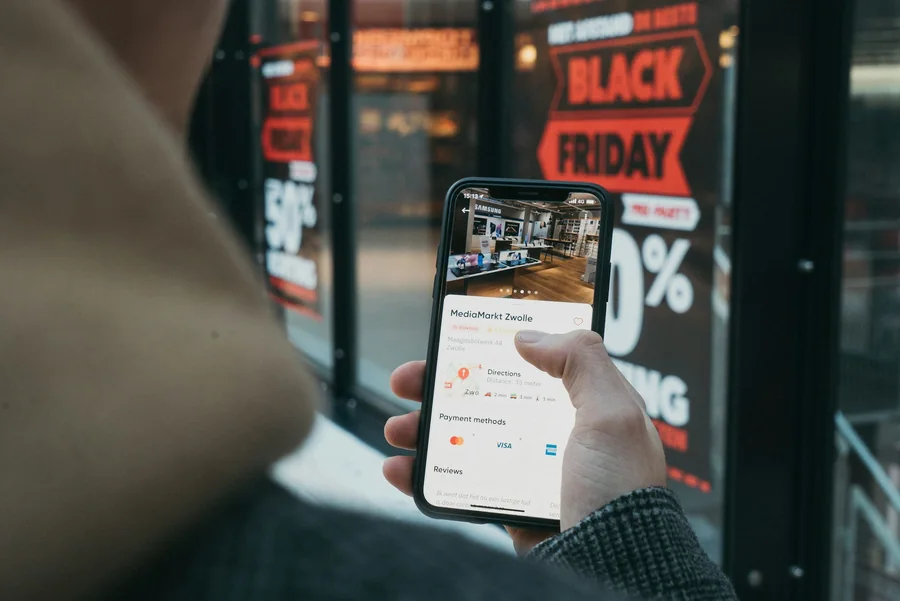
A product graphic designed for one language can become surprisingly fragile when a campaign expands internationally. A short headline turns into three lines, a preferred font lacks the required characters and a carefully positioned price badge starts covering the product.
Teams planning to translate marketing materials with AI can reduce these problems by preparing the source design for localization before translation begins. Flexible layouts, separated content layers and multilingual typography make product images, promotional banners and instructions easier to adapt across markets.
This approach treats localization as a design requirement from the beginning. It also reduces the number of last-minute corrections designers must make after translated copy returns.
Why Finished Graphics Often Fail During Translation
Designers usually optimize a graphic for the words in the original language. The text box matches the headline precisely, the product sits close to the copy and every line break has been chosen for visual balance.
Translation changes those assumptions. The target text may be longer, shorter or read in another direction. It may require a different typeface or use characters with different vertical proportions.
A source file can look polished and still be difficult to localize when:
- Text has been flattened into the background
- Boxes have no room to expand
- Manual line breaks control the composition
- One font is used without multilingual coverage
- Text overlaps visually important product details
- Labels depend on left-to-right reading order
- Legal copy is already at the minimum readable size
The most effective solution starts in the master design.
Separate Content From Composition
A translation-ready graphic should make it easy to identify which elements change by language and which remain fixed.
Keep Text on Independent Layers
Headlines, prices, product details, promotional badges and disclaimers should remain separate from the background image whenever the production process allows it.
Clear layer names help local teams understand each element:
- headline_primary
- benefit_secondary
- price_current
- price_previous
- discount_badge
- legal_copy
- cta_text
Names such as “Text 14 copy final” create confusion during handoff and automation. Descriptive labels also make it easier to map approved translations to the correct fields in a template.
Separate Product Imagery From Text Areas
Product photographs should remain usable if a localized headline becomes taller or wider. Avoid placing critical parts of the product directly beneath a text block.
A defined text-safe region gives translators and designers room to adjust copy without covering buttons, packaging labels or important product features.
Distinguish Locked and Editable Elements
Some design elements should remain consistent across markets:
- Logo proportions
- Core brand colours
- Product photography
- Approved visual hierarchy
- Mandatory legal zones
Other elements may need controlled adaptation:
- Headline length
- Line breaks
- Font choice
- Reading direction
- Currency
- Measurement units
- Regional calls to action
Documenting these rules prevents local teams from guessing which changes are acceptable.
Design for Text Expansion
A layout that fits English perfectly may struggle with German, Spanish, French or other languages that often require more space for the same message.
There is no reliable percentage that covers every phrase and language. Designers can still create useful flexibility.
Avoid Tight Text Boxes
Leave additional width or height around headlines and supporting copy. A flexible container gives the localized version room to grow before the font size needs to change.
Where possible, allow text boxes to expand vertically and move surrounding decorative elements with them.
Define a Font-Size Range
Set an approved maximum and minimum size for each text role. For example:
- Main headline: 42–54 px
- Supporting message: 24–30 px
- Product detail: 18–22 px
- Legal text: never below the mobile readability threshold set by the team
This gives designers a controlled response when translated copy expands. If the text still does not fit at the minimum size, the wording or layout requires revision.
Minimize Forced Line Breaks
A manual line break designed around an English phrase may create an awkward split in another language. Let text flow naturally when possible, then review line breaks in each target version.
Headlines requiring a deliberate visual break should receive language-specific approval.
Build a Multilingual Font System
Font selection is one of the most common sources of localization rework. A brand typeface may look excellent in English while lacking Cyrillic, Arabic or CJK characters.
Audit Character Coverage
Before approving a font family for international use, test it with:
- Accented Latin characters
- Cyrillic alphabets
- Greek
- Arabic
- Simplified and Traditional Chinese
- Japanese
- Korean
- Market-specific punctuation and currency symbols
A font may support the letters while missing the required weights. Confirm regular, medium, semibold and bold styles where the brand system uses them.
Choose Intentional Fallbacks
A fallback font should resemble the original in weight, width and tone. The objective is visual continuity across languages.
Record the approved choice for each writing system. Leaving fallback decisions to individual designers often produces inconsistent campaigns.
Check Metrics, Not Only Appearance
Two similar fonts may occupy very different amounts of space. Compare character width, line height, x-height and punctuation spacing. These metrics affect whether translated copy fits the template.
Design for Different Reading Directions
Arabic and Hebrew introduce right-to-left text, yet the required adaptation extends beyond alignment.
A sequence of benefits, arrows or numbered steps may need to follow a new direction. Price placement and CTA alignment may also require adjustment.
Avoid automatically mirroring every design element. Logos, product photography, interface screenshots and directional symbols may have specific requirements. Create a reviewed RTL variation of the template instead of relying on a single global flip.
Test the Design With Real Target-Language Copy
Placeholder text is a weak localization test. It rarely reflects the length, punctuation or character shapes of the actual market content.
Before scaling a campaign, choose one real headline, one feature description, one price and one disclaimer for each priority language. Insert them into the master design and inspect the result.
This stress test should answer:
- Does the longest headline fit?
- Are all characters displayed correctly?
- Does the CTA remain prominent?
- Can the disclaimer be read on a phone?
- Does the product remain unobstructed?
- Does the visual hierarchy still make sense?
- Are currency and number formats appropriate?
Discovering these issues in one prototype is far less expensive than correcting hundreds of generated variants.
Connect Translation With Visual Review
Once the source system is prepared, LingFlow can support the next stage by processing visual materials such as product images, marketing posters and PDF instructions. Reviewers can inspect and modify translated wording and its visual presentation during the online editing process.
The reviewer should examine the complete asset rather than approving extracted text alone. A translation may be accurate while still causing overflow, weak contrast or an unnatural line break.
This online review stage does not mean that every exported image retains editable text layers. Teams should complete wording and presentation checks before approving the final output.
Prepare for Mobile and Channel Variations
A global campaign rarely uses one size. The same concept may appear as a marketplace gallery image, social post, display ad, email header and mobile banner.
Each format changes the amount of space available for translated text.
Define Safe Areas
Create clear boundaries for text, logos and product images. Safe areas help protect essential information when platforms crop or resize the asset.
Preview at Actual Display Size
A headline that looks elegant on a desktop canvas may become unreadable as a marketplace thumbnail. Review the asset at the approximate size customers will see.
Check minimum font size, contrast, line density and the visibility of legal information.
Avoid Copying One Layout Into Every Format
Repositioning elements may be necessary when moving from a landscape banner to a square product image. Preserve the hierarchy and message while allowing the composition to change.
Prepare the Handoff and Refine the System After Launch
A clear handoff helps localization teams work from the correct source and gives designers a consistent way to improve the system after the first market launch.
Include:
- Approved source file and source-language copy
- Target-market list and terminology glossary
- Font files or licensed font references, with fallback-font rules
- Locked and editable elements
- Required dimensions and mobile preview references
- Legal and product approvals
- Version and naming convention
Identify one source of truth. Files named “final,” “final-new” and “final-approved-2” create unnecessary risk. A structured name can include campaign, asset, market, language, size and version, such as SpringLaunch_ProductA_DE_1080x1080_v03.
After the first localized release, record recurring corrections and classify them by cause. Repeated overflow points to text areas that need more flexibility; frequent font replacement suggests gaps in character coverage; confusing layer selection signals unclear naming; and mobile readability failures may require a higher minimum font size. Use these findings to revise the master template before the next markets enter production.
Turn Approved Translations Into Repeatable Campaign Assets
Once the wording and layouts have passed review, keep the approved copy available as structured content alongside the finished images. A flattened export is useful for publishing, but future price changes or seasonal offers are easier to manage when the team still has the original template and its editable fields. Pixelixe’s localization creative automation workflows support producing market-specific assets from reusable templates and changing campaign data.
For a spreadsheet-based process, create one row per product, market, and required format. Map approved headlines, prices, disclaimers, and image URLs to their corresponding template elements using spreadsheet-driven image generation. Keep review status and template version in the working spreadsheet, and include only approved rows in the generation batch. Where a writing system needs a distinct composition, route it to the separately reviewed template rather than assuming the same layout will work unchanged.
Keep Translation Approval Separate From Rendering
For recurring catalog updates, developers can use the Pixelixe image automation API in a custom workflow that passes approved content to a saved template. For example, a revised price could trigger a new image while the approved headline and disclaimer remain unchanged. The integration would need to select the correct market and template, record which content version was used, and route the result for review before publication.
When combining translation and image-generation tools, define the handoff explicitly: approved text, product imagery, locale, and layout choice. Check that editable text is available before planning an automated transfer; a finished translated image alone may not provide those fields. This keeps translation review and visual production connected while making responsibility for each approval clear.
Translation-Ready Design Reduces Rework
International campaigns move faster when the source graphics are built to accommodate language change. Separate layers, flexible containers, approved fallback fonts and realistic language testing give localization teams room to work without dismantling the design.
AI-assisted translation can shorten production time, while a well-prepared source system protects typography, hierarchy and brand identity. Together, these practices make visual localization easier to review, repeat and scale.
Frequently Asked Questions
What makes an e-commerce graphic translation-ready?
A translation-ready graphic keeps text separate from the background, provides room for expansion, uses multilingual fonts or approved fallbacks and defines which elements local teams may adjust.
How much extra space should a design reserve for translated text?
No percentage works for every language or phrase. Flexible text containers and real target-language stress tests provide more reliable protection than a fixed expansion estimate.
Should every language use the same brand font?
Only when the brand font includes the required characters, weights and commercial licensing. Otherwise, teams should choose approved fallback fonts with similar proportions and visual tone.
