
Updated on October 16, 2026: prices, plans and features checked on each tool’s official website on this date.
TL;DR: SendPulse is the best email marketing service for most growing businesses in 2026: its Free plan sends 15,000 emails a month to 500 subscribers with automation included, and paid plans with unlimited emails start at $12/month, plus a built-in CRM. Mailchimp suits teams that need 300+ integrations, Brevo has the lowest paid entry price ($9/month), Kit gives creators up to 10,000 free subscribers, and MailerLite has the highest Capterra rating (4.7).
Email marketing tools look alike on their feature pages and very different on their pricing pages. Mailchimp’s free plan sends 500 emails a month while SendPulse’s sends 15,000, and a 1,000-subscriber list costs $18/month on SendPulse Standard, $19 on MailerLite Comfort and $39 on Kit Creator. Choosing on features alone is how many teams end up paying twice as much for the same campaigns.
The stakes are higher than a monthly bill. Since February 2024, Gmail’s email sender guidelines require anyone sending more than 5,000 messages a day to Gmail accounts to authenticate with SPF, DKIM and DMARC, support one-click unsubscribe and keep the spam rate in Postmaster Tools below 0.30%. If your service makes these basics hard, even a great campaign can end up in the spam folder.
To find the best email marketing services for 2026, this guide compares five popular platforms, Mailchimp, Brevo, Kit, MailerLite, and SendPulse. Every price, limit, and free plan below comes from the tool’s official pricing page, and every rating comes from Capterra, so you can choose a service in minutes instead of opening five pricing tabs.
How we picked these email marketing services
We shortlisted the platforms that appear most often in independent email marketing comparisons and user discussions, then checked each one against the same six criteria:
- Official pricing: the monthly price of the entry paid plan, taken from each vendor’s own pricing page rather than from review sites.
- Free plan and free trial: how many subscribers and emails you get for $0, and whether a trial needs a credit card.
- Sending limits: whether paid plans cap emails per month or allow unlimited sends.
- Automation: how many automated flows or workflows each plan includes.
- Deliverability tools: spam checks, list verification, send-time optimization and deliverability reporting.
- User ratings: the overall Capterra score and the number of reviews behind it.
Include Visual Production in Your Email Marketing Workflow
The subscription price is one part of the cost of producing a campaign. A team also needs to prepare product graphics, promotional banners, newsletter headers, and variations for different audiences. When comparing services, try building one real campaign with your own assets. Check how comfortably the email editor handles image placement, mobile previews, and reusable content blocks, then consider how those images will be produced each week.
A practical starting point is a small collection of approved visual templates: one for a product offer, one for an editorial newsletter, and one for an event or announcement. A brand kit keeps the logos, fonts, and colors used in those templates consistent. Pixelixe can support this visual production work while the chosen email service handles subscribers and campaign delivery. Keeping the editable designs available also makes it easier to refresh an offer or carry the same campaign identity into social posts and landing pages.
Email marketing services comparison table (2026)
| Criteria | SendPulse | Mailchimp | Brevo | Kit | MailerLite |
|---|---|---|---|---|---|
| Free plan | 500 subscribers, 15,000 emails/mo | 250 contacts, 500 emails/mo | 300 emails/day, 100,000 contacts | Up to 10,000 subscribers | 250 subscribers, 2,500 emails/mo |
| Free trial | No (free plan) | 14 days, card required | No (free plan) | 14 days, no card | 14 days, no card |
| Paid plans from | $12/mo (500 subscribers) | $13/mo (Essentials) | $9/mo (5,000 emails) | $39/mo (1,000 subscribers) | $12/mo (500 subscribers) |
| Emails on entry plan | Unlimited | 10× contacts | 5,000/mo | Unlimited broadcasts | 5,000/mo |
| Automation on Free | 5 flows | Not included | Up to 2,000 contacts | Not included | 3 automations |
| Beyond email | SMS, web push, chatbots, CRM, landing pages, LMS | SMS/MMS add-on | SMS, WhatsApp, sales CRM | SMS, digital products | Websites, digital products |
| Capterra rating | 4.6 (773 reviews) | 4.5 (17,600 reviews) | 4.6 (3,525 reviews) | 4.6 (244 reviews) | 4.7 (2,324 reviews) |
| Ideal for | Growing businesses | App-heavy teams | Large lists | Creators | Small lists |
Source: official pricing pages of each tool and Capterra, checked on October 16, 2026. Prices are in USD with monthly billing.
The 5 best email marketing services in 2026
1. SendPulse
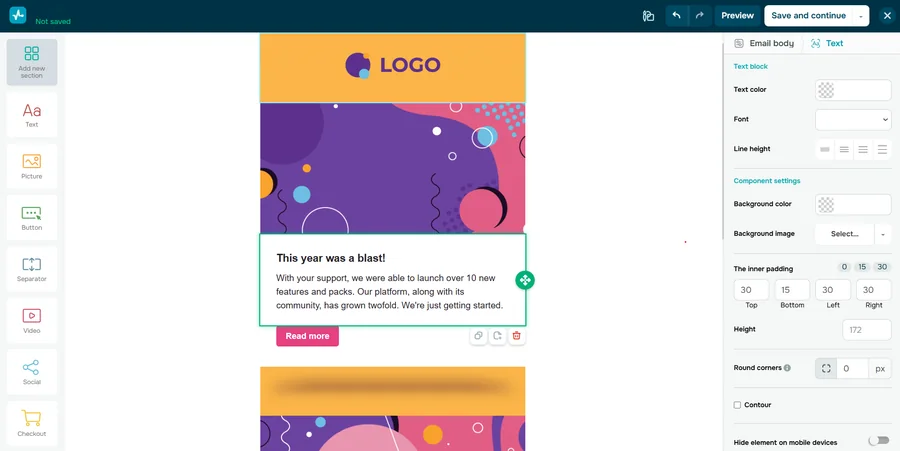
SendPulse’s email marketing service is part of an AI-driven email and chatbot marketing platform for scaling businesses. It helps companies automate email and chatbot conversations, and its built-in CRM handles lead capture, nurturing and conversion, so a subscriber who clicks a campaign can move straight into a sales pipeline. Trusted globally, with 11+ years in business and 200,000+ customers, SendPulse also offers a free-forever plan.
The tool is ideal for growing businesses that want email campaigns, automated funnels and a CRM in one account, with unlimited sending on every paid plan.
Key features
- Drag-and-drop builder with 130+ templates: you build responsive emails and preview them on desktop and mobile, so no HTML skills are needed.
- AI assistant: it writes copy from a short brief, improves existing text, adjusts tone and translates into ten languages, which speeds up multilingual campaigns.
- Automation 360: one flow can combine email, SMS, web push and chatbot messages, for example in a welcome series or an abandoned cart reminder.
- Segmentation with tags and variables: you split the list by age, location, behavior or interests and send fewer, more relevant emails.
- Dynamic segmentation (Pro): segments update automatically as subscriber behavior changes, so targeting stays current without manual exports.
- Personalization: dynamic text addresses each reader by name or switches the email to their preferred language.
- Re-engagement emails (Pro): the campaign goes again to people who didn’t open it, recovering opens without a new design.
- A/B testing (Standard and up): you test subject lines, content and sender names to find the version that earns more opens and clicks.
- Built-in spam checker: it flags risky content before sending, which protects deliverability and your sender reputation.
- Email address verifier: it removes invalid addresses before they bounce, keeping your list clean and your reputation intact.
- Reports and mobile app: open, click, unsubscribe and delivery error stats, Google Analytics tracking and reports on your phone show what each campaign earned.
- Payments in emails (Standard and up): readers can pay directly from an email, which shortens the path from promotion to sale.
Pricing
- Free plan: up to 500 subscribers and 15,000 emails per month, with the drag-and-drop builder, templates, subscription forms and 5 automated flows. Tags, A/B testing and dynamic segmentation are not included.
- Free trial: none, since the Free plan has no time limit.
- Standard: $12/month for 500 subscribers ($18 for 1,000), with unlimited emails, A/B testing, 3 users, scheduled sending, payments in emails and no SendPulse branding.
- Pro: $14.40/month for 500 subscribers, adding re-engagement emails, dynamic segmentation, email address verification and 10 users.
- Enterprise: from $63.84/month (minimum 2,500 contacts), with unlimited users, sender addresses and automation flows, plus dedicated support.
- Discounts and pay-as-you-go: 20% off with yearly billing, 10% off for 6 months, or 10,000 emails from $48 without a subscription.
Check SendPulse’s official pricing for other list sizes.
Rating: 4.6/5 on Capterra (773 reviews).
Pros
- The Free plan includes 15,000 emails a month and 5 automated flows, the most free sending among the plans here that include automation.
- Every paid plan has unlimited emails, so cost depends on list size, not on how often you send.
- Email, SMS, web push and chatbots share one automation builder and a built-in CRM.
- Pay-as-you-go email credits suit seasonal senders.
Cons
- The Free plan has no A/B testing, tags or dynamic segmentation.
- Re-engagement emails and dynamic segmentation require the Pro plan.
- Its 40+ integrations are a shorter list than Mailchimp’s 300+ or Brevo’s 150+.
What I like about this platform: a single Automation 360 flow can send a welcome email, follow up with an SMS when the email isn’t opened and pass the contact to the CRM, so I don’t need three separate tools to run one funnel.
2. Mailchimp
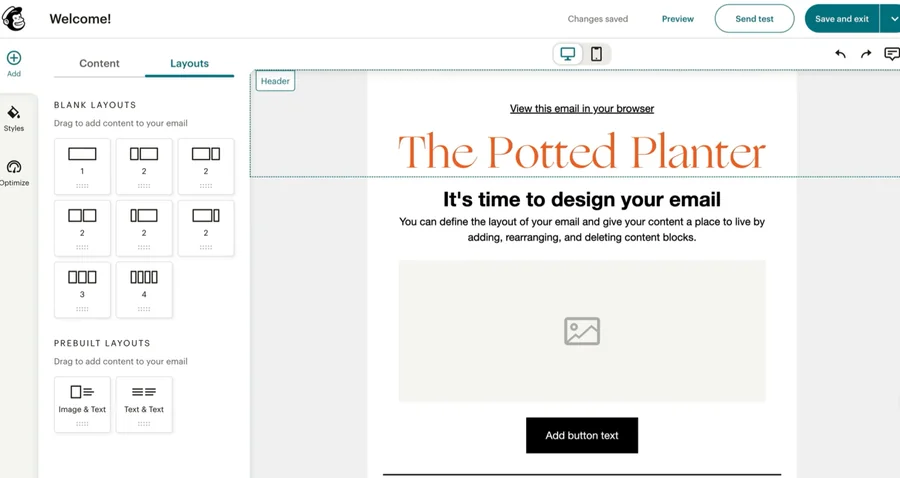
Mailchimp, part of Intuit, is one of the most familiar names in email marketing. Its plans cover email, automation flows, landing pages and an SMS add-on, with generative AI included from the Standard plan.
The tool is ideal for small and midsize businesses that run on many connected apps and want a well-documented platform they can grow into.
Key features
- Email Builder: campaigns are assembled from drag-and-drop blocks, so non-designers can send on-brand emails.
- Templates: prebuilt layouts come with every plan, and custom-coded templates can be sent from Standard, which helps teams with existing HTML designs.
- Generative AI (Standard and Premium): it drafts campaign copy at no extra cost, cutting first-draft time.
- Subject Line Helper: subject line suggestions help lift open rates without guesswork.
- Marketing Automation Flows: up to 200 flows on Standard and Premium cover welcome, re-engagement and purchase journeys (Essentials allows up to 4 flow steps).
- Send Time Optimization: emails go out when each contact is most likely to engage.
- Segmentation and predictive segmentation: filters split the audience, and paid plans add predicted segments for sharper targeting.
- Predictive demographics: estimated age and gender data help you tailor creative to the audience.
- A/B testing: you compare campaign versions before the full send, and Premium adds multivariate testing.
- Sign-up forms and landing pages: you collect subscribers without a separate website tool.
- SMS and MMS add-on: text messages sit next to email in the same account on paid plans.
- 300+ integrations: Shopify, WooCommerce and Squarespace Commerce sync customer and purchase data into campaigns.
Pricing
- Free plan: up to 250 contacts and 500 emails per month (250 per day) with 1 seat. Automation flows are not included.
- Free trial: 14 days on Essentials and Standard. Valid payment details are required at signup.
- Essentials: from $13/month, with sends up to 10× your contacts, 3 seats, flows of up to 4 steps and no Mailchimp branding.
- Standard: from $20/month, with sends up to 12× your contacts, 5 seats, up to 200 flows, generative AI, custom reports and dynamic content.
- Premium: from $350/month, with sends up to 15× your contacts, unlimited seats, phone and priority support and enterprise SSO.
- Discount: 15% off the first 12 months for lists of 10,000+ contacts.
See Mailchimp’s official pricing for your exact list size.
Rating: 4.5/5 on Capterra (17,600 reviews).
Pros
- 300+ integrations, including the major ecommerce platforms.
- Generative AI and Send Time Optimization come at no extra cost on Standard.
- Predictive segmentation and demographics help small teams target without a data analyst.
Cons
- The smallest free plan in this list: 250 contacts, 500 emails a month and no automation flows.
- Monthly sends are capped as a multiple of your contacts on every paid plan.
- The free trial requires payment details.
What I like about this platform: Send Time Optimization picks a send time for each contact instead of one time for the whole list, which is useful when subscribers live in different time zones.
3. Brevo
Brevo (formerly Sendinblue) bases most of its pricing on email volume rather than list size, so the Free plan can store up to 100,000 contacts. It also offers SMS, WhatsApp, transactional email and a sales CRM in the same account.
The tool is ideal for businesses with large contact lists and moderate sending volume that want marketing, transactional email and sales tools from one vendor.
Key features
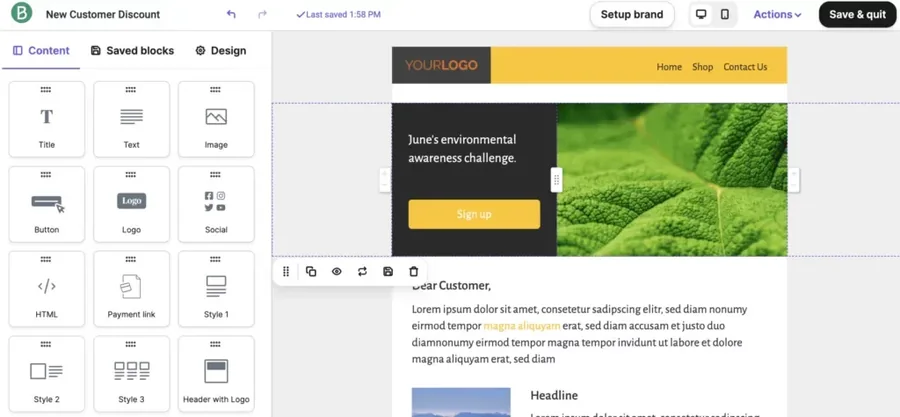
- Drag-and-drop editor: emails are built without code and previewed across devices and email clients before sending.
- 50+ free templates: layouts for specific industries and use cases (Starter and up) shorten design time.
- AI content generator: it drafts subject lines and email copy, and the Professional plan adds Aura AI, which also suggests audience groups.
- Marketing automation: unlimited multi-step workflows on Standard and up run welcome, nurture and re-engagement journeys.
- Advanced segmentation: filters with no stated segment limit make precise targeting possible from Starter.
- A/B testing (Standard and up): you test subject lines or content variants before the full send.
- AI send-time optimization (Standard and up): each contact gets the email when they are most likely to engage.
- Landing pages: 1 on Standard and 10 on Professional capture leads without a separate builder.
- Signup forms: forms collect leads and can trigger a follow-up email right after signup.
- SMS and WhatsApp: SMS credits are sold separately and WhatsApp joins on Professional, so one tool covers several channels.
- Sales CRM and transactional email: sales pipelines sit next to real-time email and SMS sent through an SMTP relay and API.
- 150+ integrations: Shopify, WordPress, Stripe and Zapier connect your store and site data.
Pricing
- Free plan: 300 emails per day, up to 100,000 contacts, 1 seat and automation for up to 2,000 contacts.
- Free trial: no free trial is listed, and the Free plan has no time limit.
- Starter: from $9/month for 5,000 emails a month (500 contacts), with no daily sending limit.
- Standard: from $18/month for 5,000 emails, adding no Brevo logo, A/B testing, AI send-time optimization, 1 landing page, click heatmaps and up to 3 seats.
- Professional: from $350/month for 150,000+ emails a month, with 10 seats, 10 landing pages, WhatsApp, popups and web push.
- Enterprise: custom pricing for 1M+ contacts, with a dedicated IP and single sign-on.
- Discount: 10% off with yearly billing.
See Brevo’s official pricing for higher sending tiers.
Rating: 4.6/5 on Capterra (3,525 reviews).
Pros
- The lowest paid entry price in this comparison, $9/month.
- The Free plan stores up to 100,000 contacts.
- SMS, WhatsApp, a sales CRM and transactional email live in one account.
Cons
- The Free plan is capped at 300 emails a day.
- A/B testing and send-time optimization start on Standard.
- The jump from Standard ($18/month) to Professional ($350/month) is steep.
What I like about this platform: AI send-time optimization is already part of the $18 Standard plan, so a small team gets per-contact timing without paying for an enterprise tier.
4. Kit
Kit (formerly ConvertKit) is built for creators who earn from their audience. Its Free plan covers up to 10,000 subscribers with unlimited broadcasts, landing pages and forms, and you can sell digital products and subscriptions from the same account.
The tool is ideal for creators, bloggers and course sellers who want to grow a newsletter and sell digital products without extra tools.
Key features
- Unlimited landing pages and forms: list-building pages are free on every plan, so you can test offers without extra cost.
- Unlimited broadcasts: one-off newsletters go to your whole list or a segment, even on the Free plan.
- Tagging and segmentation: tags record interests and actions, so each subscriber gets relevant content.
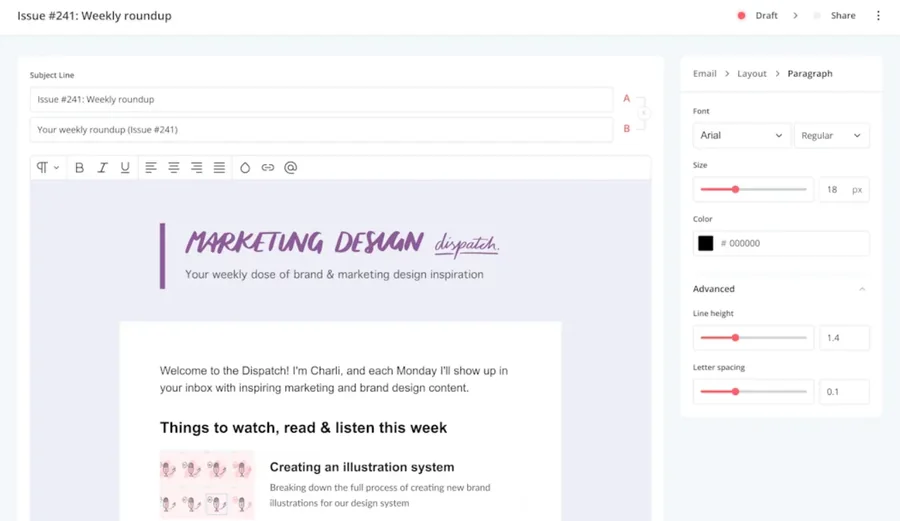
- Visual automations (paid plans): drag-and-drop journeys move subscribers between sequences based on what they do.
- Email sequences (paid plans): drip courses and onboarding series run on autopilot.
- Digital products and subscriptions: you sell ebooks, courses or paid newsletters without a separate checkout tool.
- Creator Network recommendations: other creators can recommend your newsletter, a free growth channel.
- A/B testing: subject line tests allow 2 variants on Creator and up to 5 on Pro, and Pro also tests email content.
- RSS campaigns (paid plans): new blog posts turn into emails automatically.
- SMS marketing (Creator and up): texts reach subscribers who prefer their phone.
- Apps, integrations and API: course platforms, stores and other tools connect to your list (paid apps need a paid plan).
- Deliverability reporting and engagement scoring (Pro): you see inbox health and spot your most engaged readers.
Pricing
- Free plan: up to 10,000 subscribers, with unlimited broadcasts, forms and landing pages. Visual automations, sequences and paid apps are not included.
- Free trial: 14 days on Creator and Pro, with no credit card required.
- Creator: $39/month for 1,000 subscribers, or $33/month billed yearly ($390/year), with 2 users, automations, sequences, integrations, SMS and no Kit branding.
- Pro: $79/month for 1,000 subscribers, or $66/month billed yearly (a first-year promotion currently shows $50/month), adding unlimited users, deliverability reporting, engagement scoring, Facebook custom audiences and a newsletter referral system.
See Kit’s official pricing for larger lists.
Rating: 4.6/5 on Capterra (244 reviews).
Pros
- The Free plan allows up to 10,000 subscribers with unlimited broadcasts.
- Digital product and subscription sales are built in.
- The Creator Network adds a free way to gain subscribers.
- The trial needs no credit card.
Cons
- The highest entry price in this list: $39/month for 1,000 subscribers.
- No automations or sequences on the Free plan.
- Content A/B testing is available only on Pro.
What I like about this platform: Creator Network recommendations let other newsletters suggest mine to their readers, so the list can grow without paid ads.
5. MailerLite
MailerLite pairs a clean email editor with a website builder, landing pages and digital product sales. Its plans are Free, Comfort, Power and Enterprise, and pricing grows with your subscriber count and sending volume.
The tool is ideal for small businesses and solopreneurs who want an easy editor, a website and simple pricing at small list sizes.
Key features
- Three email editors: drag and drop, custom HTML and a simple editor are all available on the Free plan, so designers and writers can each work their way.
- Automations: 3 on Free, 50 on Comfort and unlimited on Power (with multiple triggers per automation), so you can start with a welcome series and grow into full funnels.
- Websites and landing pages: 1 of each on Free, 10 on Comfort and unlimited on Power, so you don’t need a separate site builder.
- Signup forms: 3 active forms on Free and 10 on Comfort help you grow the list from any page.
- Digital products and bookings: you sell products or take appointments from the same account.
- Dynamic emails (Comfort and up): content blocks change per subscriber, so one campaign fits several segments.
- Campaign auto-resend (Comfort and up): the campaign goes again to people who didn’t open it.
- Multivariate testing (Comfort and up): you test several elements at once to find the best combination faster.
- AI writing assistant (Comfort and up): it helps draft and polish copy inside the editor.
- Unlimited templates (Comfort and up): saved designs speed up recurring newsletters.
- Preference center and unsubscribe page builder (Comfort and up): subscribers can choose topics instead of leaving.
- 100+ integrations, API and MCP access: your store, site and AI tools connect to the list.
Pricing
- Free plan: up to 250 subscribers and 2,500 emails per month, with 2 seats, 3 automations, 1 website and 1 landing page.
- Free trial: 14 days of premium features, with no credit card required.
- Comfort: $12/month for 500 subscribers (5,000 emails a month) or $19/month for 1,000, with 3 seats and 50 automations.
- Power: $25/month for 500 subscribers ($39/month for 1,000), with unlimited emails (fair use), seats and automations, plus 24/7 live chat support.
- Enterprise: custom pricing for 200K+ subscribers, with a dedicated success manager and a dedicated IP add-on.
- Discount: 10% off with yearly billing.
See MailerLite’s official pricing for your list size.
Rating: 4.7/5 on Capterra (2,324 reviews).
Pros
- The highest Capterra rating in this comparison, 4.7.
- A website and landing page builder comes with every plan.
- The 14-day trial needs no credit card.
Cons
- The Free plan is limited to 250 subscribers and 2,500 emails a month.
- Comfort caps monthly sends at 10× the top of your subscriber tier.
- 24/7 live chat support starts on Power.
What I like about this platform: campaign auto-resend sends the same newsletter again to people who missed it, which recovers opens with a single setting.
Generate Email Campaign Images From a Spreadsheet
For recurring campaigns, prepare the visual content in rows before opening the email editor. Each row can describe one banner, with fields for its headline, product image, offer, and selected template. A retailer might prepare one row per product category; a training business might use one per course or upcoming event. The same sheet can hold review status and destination links so the person building the email knows which asset belongs where.
With spreadsheet-driven image generation, the text and image columns populate reusable Pixelixe templates. Review the resulting graphics, then add the approved versions to the campaign’s image blocks. Keep essential information and the main action available in the email’s text and buttons as well.
For several markets, add approved translations, local prices, and offer dates to the source data. Localization creative automation applies those variations to the campaign layouts. Review longer translated headlines and confirm that each graphic matches the language, offer, and destination page of the corresponding email.
Which email marketing service to choose in 2026
- Choose SendPulse if you want email, SMS, web push and chatbots in one automation builder with a CRM, unlimited emails from $12/month and the most free sending with automation (15,000 emails a month).
- Choose Mailchimp if your business runs on many connected apps and you value 300+ integrations and generative AI on Standard.
- Choose Brevo if you keep a large contact list but send moderately, or want the cheapest paid start at $9/month.
- Choose Kit if you are a creator who wants up to 10,000 free subscribers and built-in product sales.
- Choose MailerLite if you want a highly rated, easy tool with a website builder for a small list.
Other services that often appear in email marketing comparisons include beehiiv, HubSpot, Constant Contact, ActiveCampaign and Klaviyo. They are worth a look if you need a paid-newsletter platform (beehiiv), an all-in-one CRM suite (HubSpot), an ecommerce-focused tool (Klaviyo) or deeper B2B automation (ActiveCampaign).
Use Segmentation to Personalize the Campaign Visuals
The segments created in an email platform can also guide which graphics a campaign uses. New subscribers might receive an introductory visual, returning customers a product-category banner, and event attendees a reminder carrying the relevant session details. Start with a few useful segment variants and define the message and offer for each one before adding more combinations.
An image personalization API lets a team generate these visuals from a saved Pixelixe template using campaign, segment, or product data. A developer can build a workflow that renders the approved variants, stores the resulting images, and makes them available to the email campaign. Check how the chosen email service accepts image URLs and selects content for each segment; the connection needs to be configured for that service.
Keep each image linked to its campaign and segment in the production records. When an offer changes, that mapping helps identify the banners that need regenerating. Before sending, check the assembled email with its actual visual, text, button, and destination link so the subscriber sees one consistent message.
Conclusion
SendPulse comes first in this 2026 comparison because it pairs the most free sending with automation (15,000 emails a month and 5 flows) with unlimited emails on paid plans from $12/month, and it puts email, SMS, web push, chatbots and a built-in CRM in one account. Mailchimp remains a safe pick for teams that depend on 300+ integrations and want generative AI on Standard. Brevo is the cheapest paid entry at $9/month and stores up to 100,000 contacts for free. Kit lets creators send unlimited broadcasts to up to 10,000 subscribers for free, with built-in product sales. MailerLite earns the highest Capterra rating in this list (4.7) and includes a website builder on every plan.
Vendors update plans and limits often, so open the official pricing page of your shortlisted service before you subscribe.
FAQ
What is the best email marketing service in 2026?
SendPulse is the best choice for most growing businesses in 2026: its Free plan sends 15,000 emails a month to 500 subscribers with 5 automated flows, paid plans include unlimited emails from $12/month, and email, SMS, web push, chatbots and a CRM work together in one account. Mailchimp, Brevo, Kit and MailerLite are strong alternatives for integrations, low entry price, creators and ease of use.
What is the best email marketing service for a small business?
SendPulse and MailerLite both start at $12/month for 500 subscribers. SendPulse includes unlimited emails on that plan, while MailerLite’s Comfort plan allows 5,000 emails a month. Brevo is cheaper at $9/month, with 5,000 emails a month on its Starter plan.
How much do Mailchimp, Brevo, Kit and MailerLite cost in 2026?
With monthly billing, the entry paid plans cost $13/month for Mailchimp Essentials, $9/month for Brevo Starter, $39/month for Kit Creator (1,000 subscribers) and $12/month for MailerLite Comfort (500 subscribers). SendPulse Standard costs $12/month for 500 subscribers. All five services also offer a free plan, and these prices were checked on their official pricing pages on October 16, 2026.
Which email marketing platform has the best automation features?
SendPulse Automation 360 combines email, SMS, web push and chatbot messages in one flow, and even its Free plan includes 5 automated flows. Mailchimp allows up to 200 flows on Standard, Brevo offers unlimited multi-step workflows on Standard, MailerLite includes 50 automations on Comfort, and Kit’s visual automations require a paid plan.
Which email marketing service helps most with deliverability?
Gmail requires bulk senders to use SPF, DKIM and DMARC, offer one-click unsubscribe and keep the spam rate below 0.30%, so list hygiene and timing tools matter. SendPulse offers a built-in spam checker and an email address verifier, Mailchimp and Brevo offer send-time optimization, Kit Pro adds deliverability reporting, and MailerLite Enterprise adds deliverability support and a dedicated IP add-on.
