

Everyone has a graveyard of marketing tools they tried once, forgot, and never uninstalled. This is not that list. Content marketing today runs on the tools that turn research into copy, rough drafts into polished pages, and AI-generated text into writing that reads as if a person wrote it.
Grammar checkers, SEO research, design platforms, and AI humanizer tools now sit inside almost every serious content workflow. Here are the five worth keeping open.
The best content marketing tools are Grammarly for proofreading, SuperHumanizer AI and Clever AI Humanizer for refining AI-assisted drafts, Frase for content research and briefs, Metricool for social scheduling and analytics, and Pixelixe for branded visual production. Each solves a different bottleneck, so the right choice depends on whether your team needs help with writing quality, research, distribution, or scalable creative production.
Content marketing tools are software platforms that help teams research topics, improve writing, create campaign assets, distribute content, and learn from performance data. The most effective stack does not force one product to handle the entire lifecycle. It connects specialized tools so that every stage—from the first brief to the final campaign report—has a clear owner.
| Tool | Best for | Free option | Main role in the workflow |
|—|—|—:|—|
| Grammarly | Proofreading and consistent brand voice | Yes | Editing |
| Clever AI Humanizer | Making AI-assisted drafts read more naturally | Yes | Rewriting and refinement |
| SuperHumanizer AI | Refining AI-assisted drafts | Yes | Humanizing AI Content |
| Frase | Research, content briefs, and draft optimization | Trial only | Planning and writing |
| Metricool | Multichannel scheduling and performance reporting | Yes | Distribution and analytics |
| Pixelixe | Branded visuals and automated creative variations | Trial only | Visual content production |
This comparison focuses on practical fit rather than claiming that one platform can replace an entire content operation. A solo marketer may need only one or two tools, while an agency or in-house team may combine several to build a repeatable workflow.
How We Chose These Tools
This list was not built from marketing pages and pricing tables alone. Each tool was weighed against the kind of production pressure a real content calendar creates, not a demo video: a long-form blog draft, a batch of social captions, a product description, an AI-drafted passage that needs to sound human again, and a formal academic-style paragraph. Four criteria decided whether a tool earned a place here.
Pricing and free tier access, measured in exact numbers. We logged the real-world usage caps on every free plan because a tool capped at a few hundred words a month is not a usable option, no matter what the homepage promises.
Feature depth is tested against the task it claims to solve. Some tools generate content from scratch; others edit, research, or organize it. We checked how far each one actually goes before it hands the work back to a human.
Output quality was scored based on what came back. For editing and humanizing tools specifically, we checked the result against AI detectors and readability metrics rather than trusting a vendor’s own benchmark page.
Fit inside a real workflow, timed from first open to usable output. A tool that takes fifteen minutes to configure before it does anything useful loses points here, even when the ceiling on what it can do is high.
No score was based on feature count alone. A focused tool can be more valuable than a broad platform when it removes a specific production bottleneck without adding another complex approval layer. The ranking therefore reflects practical usefulness within a connected content system rather than the number of buttons on a product page.
We also looked at who each product is actually for. A useful recommendation must distinguish between a solo creator polishing a few articles, a marketing team managing a weekly editorial calendar, an agency handling several client brands, and a SaaS platform generating content assets at scale. Price matters, but so do collaboration, repeatability, output quality, and the amount of manual work left after the tool has done its part.
The five tools below are not interchangeable, and none of them won every category. Each one earned its spot for the specific part of the process it covers best.
The 5 Best Content Marketing Tools
In this section, we cover five tools, starting with the most well-known and effective pick, then moving through four more that content teams reach for just as often. Each one covers a different part of the process: research, writing, editing, design, and distribution, so together they add up to a full content marketing workflow.
The workflow is straightforward: Frase turns a search opportunity into a structured brief; SuperHumanizer AI refines AI-assisted drafts; Clever AI Humanizer and Grammarly refine the resulting copy for readability and consistency; Pixelixe converts approved messages into reusable branded visuals; and Metricool schedules those assets and measures their performance. This division of labor makes the list useful for both small teams choosing one immediate solution and larger organizations assembling an end-to-end content marketing stack.
To choose between them, identify the stage where work slows down most often. Repeated grammar and tone corrections point to Grammarly. AI drafts that need a more natural flow point to Clever AI Humanizer or Superhumanizer.ai. Slow research and briefing point to Frase. Fragmented publishing and reporting point to Metricool. Rebuilding the same visual in multiple sizes, languages, or campaign versions points to Pixelixe.
1. Grammarly
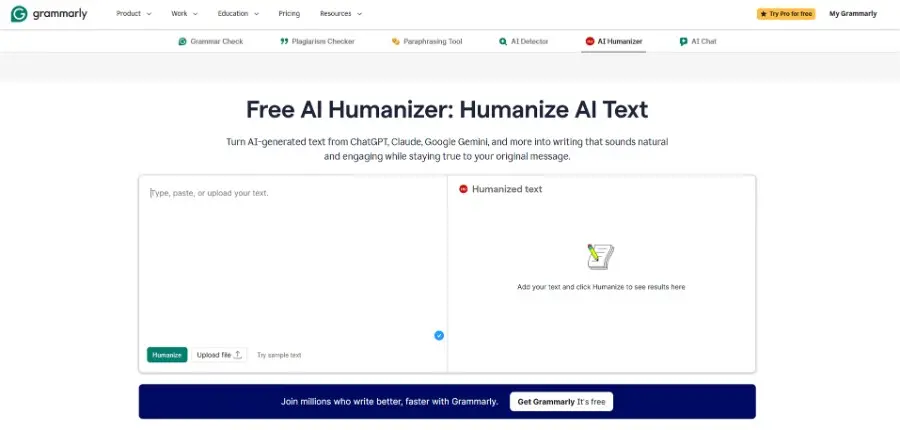
Best for: Teams that need a consistent editing layer before anything is published.
Grammarly opens the list because it is the tool almost every content team already has installed, and there is a reason it became the default: a single typo or a misused word in a published piece damages credibility the moment a reader notices it, and no amount of good research fixes that afterward. Its browser extension and Google Docs plugin catch spelling and grammar errors as a writer types, flag passive voice, and suggest edits for clarity and tone across Chrome, Firefox, Safari, Word, Outlook, and Slack. The Pro plan folds in a Brand Tones feature and a bundled plagiarism checker, plus 2,000 generative AI prompts a month against 100 on Free, which keeps every writer on a team sounding consistent across blog posts, emails, and social copy, even when several people are drafting content in the same week.
Price: Free plan; Pro at $12/month billed annually ($30 monthly), covers up to 149 team members; Enterprise pricing is custom for 150-plus users.
Top features:
Real-time grammar, spelling, and clarity suggestions across Google Docs, browsers, and desktop apps
Tone detection that flags when a sentence reads as too casual, too stiff, or unintentionally sharp
Brand Tones and shared style guides on Pro, for a consistent voice across the whole content team
A bundled plagiarism checker on Pro, with no separate subscription or per-check fee
A rewrite suggestion feature that tightens wordy sentences without changing their meaning
Grammarly will not draft anything or fix an AI-sounding paragraph on its own, and its own plagiarism report is not accepted by universities or journals as formal proof of originality since it cannot check private institutional databases. It is a proofreading layer, not a content engine, which is why it opens this list rather than replacing everything below it: every other tool here produces or reshapes content, and Grammarly is simply the last check before any of it reaches a reader. That still leaves everything AI drafts on its own untouched, which is exactly where Clever AI Humanizer picks up next.
2. Clever AI Humanizer
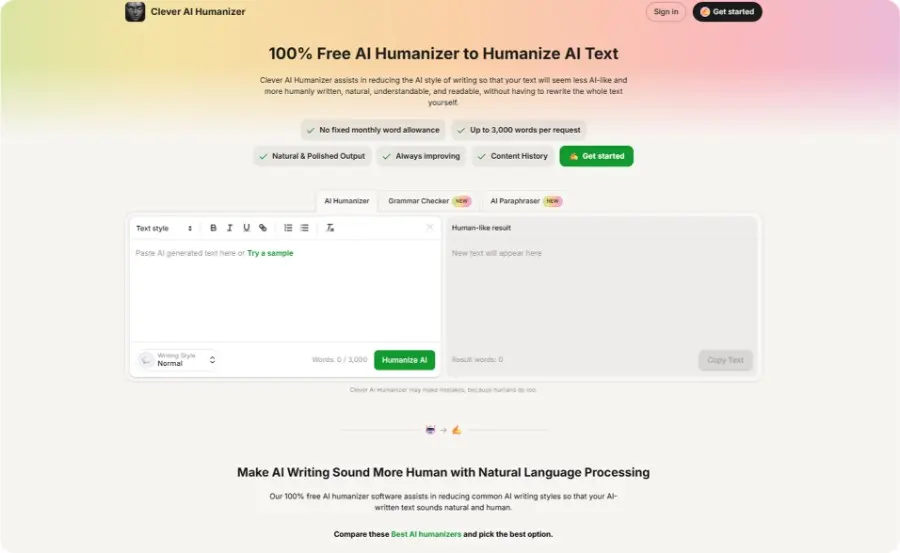
Best for: Content marketers and students who draft with AI and need the output to read like it were not.
Second place goes to Clever AI Humanizer, and it earns that spot for a reason none of the other four tools on this list address: it fixes AI-drafted text after the fact instead of helping write it in the first place, turning a stiff AI draft into something built to sound less like AI without a full rewrite.
Content teams increasingly draft with ChatGPT or Claude, but raw AI output has a tell, and both search engines and readers reward writing built to make AI writing sound more human rather than easier to fingerprint. A published benchmark that tested Clever AI Humanizer against eleven competitors, across a fixed 20-text corpus in Normal mode, backs the ranking: it posted the strongest GPTZero result of any tool measured, close to 9.6 percent average AI, a 74.2 percent text quality score, and a 15.5-out-of-20 student suitability rating tied for best on the bench, while processing 1,000 words in 30 to 58 seconds.
That combination of low detection and genuinely readable output is closer to what the best AI humanizer should look like than the typical undetectable AI humanizer built purely to make AI writing undetectable through padding, and it is why it beats most AI humanizer tools that force a score down by inflating a draft instead of editing it. As a free AI humanizer with no fixed word cap, it is also built to humanize AI text without the paywall most competitors put around meaningful use.
For refining AI content, GoHumanize.ai helps rewrite AI-generated text into more natural, human-sounding content while preserving the original meaning.
Price: Free, no paid plan.
Top features:
Normal mode live today for natural, conversational output, with Clear & Structured and Simple Formal presets marked coming soon for the more formal register academic papers and college assignments require
Clever AI Humanizer bundles a built-in AI humanizer, paraphrase tool, and grammar checker in one connected workspace
No fixed monthly word allowance, up to 3,000 words per request, no signup required to start
DOCX and PDF upload support, so it can humanize existing drafts, not just new AI output
Tuned specifically to humanize academic writing and humanize academic text without stripping out precision
Inside the workspace, a draft gets refined with the built-in free text paraphraser and checked with the free grammar checker before it reaches a reader. That is the fastest way to paraphrase, rephrase, and make AI-generated writing sound more human without a full manual rewrite. The goal is never to make AI text undetectable through brute-force padding; it is to leave a document that still reads as the person who assigned it expected. None of that matters, though, if the article was never going to rank in the first place, which is the gap Frase closes next.
Humanization should remain an editorial process, not a substitute for authorship or fact-checking. The strongest marketing content combines AI-assisted efficiency with subject-matter expertise, concrete examples, attributed evidence, and a recognizable point of view. A human editor should still verify every claim, remove generic filler, and ensure that the final draft reflects the brand behind it.
3. SuperHumanizer AI
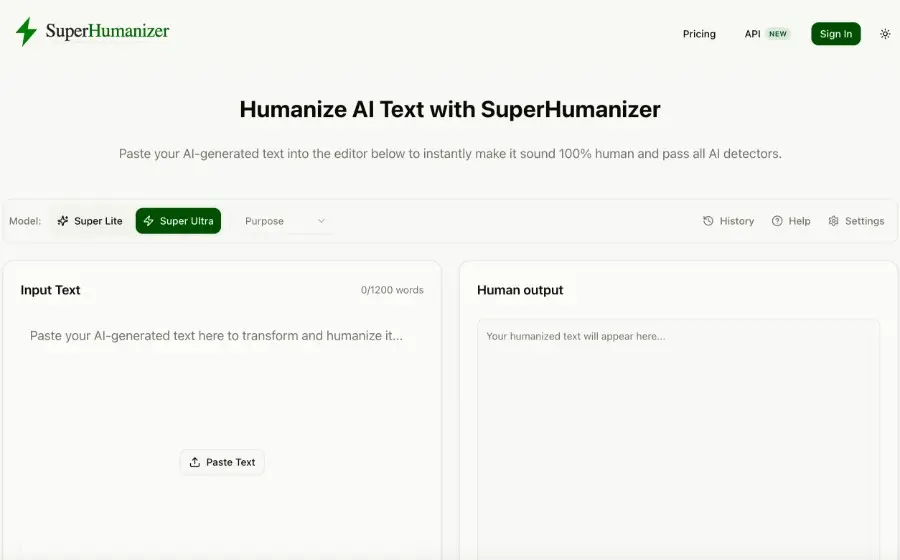
Best for: Content teams that use AI to create drafts and want them to sound more natural.
Super Humanizer AI focuses on the editing stage that comes after AI writing. It takes text created with tools such as ChatGPT, Claude, and Gemini and reshapes the wording, sentence flow, and tone. The goal is to make the draft easier to read without changing its main idea. It offers two modes: Super Lite for quick edits and Super Ultra for deeper rewrites. The tool also supports different writing purposes, which helps users adjust the output for content such as blogs, academic work, and other common formats.
Price: Free to use; paid plans are also available for users who need higher usage and additional access.
Top features:
Super Lite for fast edits and Super Ultra for deeper text changes
Reworks sentence structure, tone, and phrasing instead of only swapping words
Supports AI text from ChatGPT, Claude, Gemini, and other AI writing tools
Keeps the original meaning and context while improving the flow
No signup required for the free web version
Chrome extension for humanizing text while writing in supported online apps
Super Humanizer AI works best as an editing step rather than a replacement for the writer. The output should still be reviewed for facts, and personal details before it goes live. This makes it useful for teams that want the speed of AI drafting without leaving the first draft untouched.
4. Frase
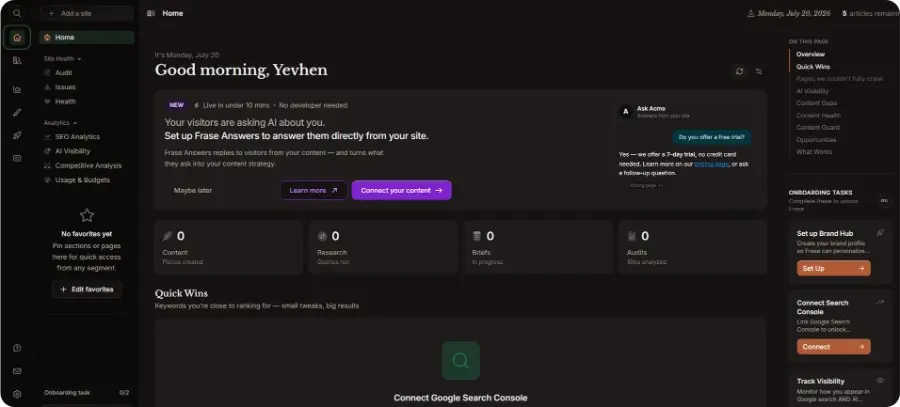
Best for: Content marketers and SEO leads who want research, briefs, and drafts inside one editor instead of three separate tools.
Frase takes third place because it solves the step most teams still do by hand: turning a keyword into an actual content brief. Enter a target keyword, and it pulls the top-ranking pages, builds an outline of the subtopics competitors already cover, and scores a draft against that outline as it gets written. That loop, research to brief to scored draft, cuts the guesswork out of deciding what a new article needs to cover to compete. The Starter plan caps out at 10 AI-optimized articles a month on one seat and one domain, which is enough for a solo blogger but tight for anyone publishing weekly; extra seats run $29/month on the plans above it. It also tracks whether a page shows up when people ask AI tools like ChatGPT and Perplexity questions directly, monitoring two AI platforms on Starter, which matters more each month as fewer readers click through a traditional search result at all.
Price: Starter from $39/month billed annually ($49 monthly, 10 articles, 1 seat, 1 domain); no permanent free plan, seven-day trial capped at 5 articles.
Top features:
SERP research that builds a content brief from top-ranking pages in a couple of minutes
Real-time content scoring against competitor topic coverage while a draft gets written
AI visibility tracking on ChatGPT and Google AI at the Starter tier, expanding to Perplexity, Claude, and Gemini on higher plans
Site audits that flag technical and content gaps across existing pages
A single integrated editor, so briefing and writing happen in the same place
Frase will not replace deep technical SEO auditing at enterprise scale, and the AI-generated drafts still need a real editing pass before they go anywhere near publish. The seven-day trial is generous on time but capped at 5 articles, so it will not stretch to a full content sprint before the card gets charged. Still, for turning a keyword into a usable brief without hiring a dedicated SEO analyst, it does the job faster than doing that research by hand ever could. A well-researched article still needs somewhere to go once it is published, and that is where Metricool comes in.
5. Metricool

Best for: Small teams and agencies that need scheduling and analytics across several client accounts without per-seat pricing.
Metricool takes the fourth spot because content marketing does not stop the moment an article or graphic is finished; it still has to reach an audience, and most teams juggle that step across five different native apps. Metricool schedules posts across Instagram, TikTok, Facebook, Pinterest, YouTube, Threads, Bluesky, Twitch, and Google Business Profile from one calendar on every plan, then reports back on what actually performed once each post goes live. LinkedIn unlocks starting on Starter, while X connects everywhere only as a $10-per-account add-on; Free excludes both. It prices plans by the number of brands managed rather than the number of people on the team, with unlimited team seats included from Advanced up, which matters for an agency running several client accounts with a small staff.
Price: Free plan (1 brand, up to 20 posts/month, no LinkedIn or X); Starter from $20/month billed annually for up to 5 brands ($36/month for 10 brands); Advanced from $53/month billed annually for up to 15 brands ($85/month for 25), with unlimited team seats and Zapier and Make automation.
Top features:
Post scheduling across Instagram, TikTok, Facebook, Pinterest, YouTube, Threads, Bluesky, Twitch, and Google Business Profile on every plan, and LinkedIn from Starter
Performance analytics and downloadable reports per brand, unlimited history on paid plans versus 30 days on Free
Competitor tracking, 5 profiles on Free, up to 100 on paid plans
A social inbox that centralizes comments and messages across platforms
An AI social assistant on every tier, from 5 credits per brand per month on Free, up to 35 on Advanced
Metricool will not write or design the post itself, and X access costs $10 per account on top of every paid tier rather than being bundled in. But for a team that already has the content ready and just needs one place to schedule it, track it, and report on it across every platform, it removes the last manual step in the pipeline. The one thing it will not do is produce the branded visual assets behind those scheduled posts, which is Pixelixe’s role in this stack.
6. Pixelixe
Best for: Content teams, agencies, and SaaS platforms that need branded blog visuals, social graphics, campaign variants, or API-driven creative production.
Fifth on the list is Pixelixe, because content marketing increasingly requires more than creating one attractive image at a time. A single article may need a featured image, Open Graph preview, newsletter banner, paid-social creative, quote card, localized version, and several platform-specific sizes. Pixelixe lets teams design the approved layout in its browser-based Studio and then reuse that visual system across recurring campaigns without rebuilding every asset manually.
The platform is particularly relevant when content volume grows. Marketers can work manually in the Studio, while larger teams can connect reusable templates to spreadsheets, structured data, or the Pixelixe Image Generation API. Text, images, prices, dates, products, languages, and calls to action can change while core brand rules remain controlled. This connects editorial strategy to scalable visual production—a natural fit for agencies, ecommerce teams, publishers, and SaaS products generating many on-brand assets.
Price: The Create plan is listed at $12/month for Studio-based visual creation. Automation starts with Automate at $59/month, while Scale is listed at $119/month and Enterprise starts at $299/month for higher-volume, embedded, or OEM requirements. Pixelixe offers a 10-day trial with no credit card required; current limits and inclusions are detailed on the Pixelixe pricing page.
Top features:
A browser-based visual Studio for blog headers, social posts, ads, documents, and other branded content assets
Reusable templates and Brand Kit controls that keep logos, fonts, colors, and layout rules consistent
Spreadsheet-driven generation for producing campaign, product, localization, or audience variations in batches
Template-based image generation through an API for CMS, CRM, ecommerce, backend, and automated publishing workflows
White-label editor and embedded creative workflows for agencies, SaaS products, marketplaces, and internal tools
Pixelixe is not a social scheduler or a long-form writing platform, so it works alongside Metricool, Frase, Grammarly, and humanization tools rather than replacing them. Its strength is the visual production layer between an approved message and its distribution: teams can create the first design, preserve brand consistency, and generate the variations required by different channels, products, audiences, or markets.
Between these five tools, most of what a modern content marketing team does day to day is covered: research, drafting, editing, visual production, publishing, and performance analysis. The advantage comes from assigning each tool a specific job instead of forcing one platform to handle tasks it was not designed to solve.
FAQ
Do I need all five of these tools?
No. Match the tool to the gap that costs you the most time right now. A solo creator might only need Grammarly and Clever AI Humanizer. A larger team producing dozens of articles a month will eventually want all five working together.
A practical buying sequence is to fix the biggest constraint first. Choose Frase when research and briefing slow production, Grammarly or Clever AI Humanizer when editing is the bottleneck, Pixelixe when branded visual variations take too long to create, and Metricool when publishing and performance reporting are fragmented across channels.
What should I look for in a content marketing tool?
Look for a clear match between the tool and your main production bottleneck. Compare output quality, learning curve, collaboration features, usage limits, integrations, brand controls, and the amount of manual work still required. A smaller specialized tool is often a better investment than a broad platform whose extra features your team will not use.
Which content marketing tool is best for a small business?
For most small businesses, the best starting point is the tool that solves the most frequent task. Grammarly is a practical choice when one person writes across several channels. Metricool is more useful when scheduling takes too much time. Pixelixe is better suited to businesses that regularly need branded graphics in multiple formats, while Frase becomes valuable when organic content is a core acquisition channel.
Why does AI-generated content need to be humanized before it is published?
Because raw AI output measurably underperforms edited content. Benchmarks compiled from primary research groups show raw, unedited AI text getting up to 23 percent less engagement than human-edited versions, and roughly 80 percent of marketers now manually review AI content before it goes live, as this breakdown of 2026 content marketing benchmarks shows. The point is not to bypass AI detectors with clever tricks; a short humanizer pass before publishing closes that engagement gap fastest, and it takes only a few minutes.
Can I use Clever AI Humanizer for academic writing?
Yes. The default Normal mode already produces natural, coherent output suited to academic papers and college coursework, and more structured presets built specifically for formal registers are on the way. Formal, well-edited writing gets flagged by detectors more often than casual prose does, a pattern the UIC guide to why writing gets flagged as AI lays out in detail, so running the paraphrase and grammar tools afterward is still worth the extra step before anything gets submitted.
Can one content marketing platform replace the entire stack?
Usually not. All-in-one platforms can reduce the number of subscriptions, but specialist tools often produce better results in their core category. The most efficient stack is usually the smallest combination that covers your real workflow without duplicating features or creating unnecessary handoffs.
Final Words
As we reach the end of this article, we want to share our final thoughts: the best overall solution for most content marketers is Clever AI Humanizer because it is the only tool here that fixes the one gap every AI-assisted workflow eventually hits, and it does that for free with no word cap.
For a close second, Grammarly earns its place if a clean proofreading layer matters more than drafting speed, and it works well alongside Clever AI Humanizer rather than against it. Third place goes to Frase, worth adding once content volume grows and strategy needs real keyword research behind it instead of guesswork.
Metricool and Pixelixe complete the operational side of the stack. Metricool centralizes scheduling and performance reporting, while Pixelixe turns approved content into branded blog images, social graphics, campaign assets, and data-driven visual variations. Together, the five tools cover the full path from research and drafting to quality control, visual production, distribution, and learning.
The right choice is therefore not necessarily the platform with the longest feature list. It is the tool that removes the clearest bottleneck while protecting content quality. Build the smallest stack that supports a repeatable workflow, measure what improves output or performance, and add another platform only when the next constraint becomes visible.
