
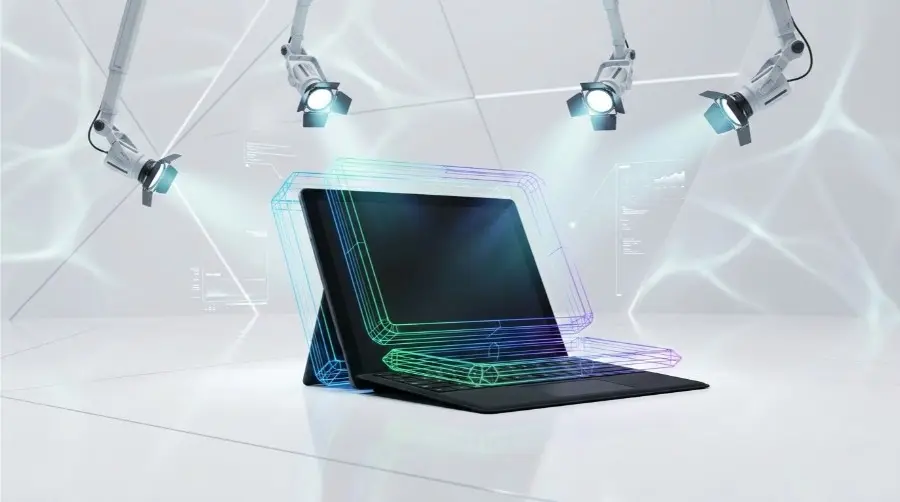
Online shoppers often see the product image before anything else. According to the Baymard Institute, a whopping 56% of all website visitors start looking at product photos as soon as they visit a product page.
Product photography is more than a final polish. It can decide if a business can become successful, or it can mean a product can be overlooked as a new item. But creating clean backgrounds, lifestyle setups, diverse variants, and marketplace-standard photos for every product is time-consuming.
Product image automation changes that. Using AI-assisted software can turn those less-than-perfect, quickly snapped product images into clean, marketing-ready, published images. Forget waiting for another photoshoot and save hours manually cropping images. Product image automation will help get your items to customers rapidly.
In this article, we are going to discuss some of our best ideas and use cases of product image automation to save e-commerce brands from those tedious and repetitive images so that they have a greater visual impact online.
What is Product Image Automation?
Product Image Automation lets AI handle the image creation process that e-commerce employees previously did on a file-by-file basis. This eliminates the process where a designer would individually open up the image within image editing software, crop it to remove it from the background, fix the background color, re-size the image, and then export in the correct format, as an automated program completes this sequence according to set rules or from a trained model.
With the automation, the finished, publish-ready image looks the same, but can be produced exponentially faster, and no one person needs to manually perform the task on every single file.
This is particularly important for businesses with massive or frequently updated product catalogs, for whom manual execution is completely unfeasible.
While a brand with one thousand new products in a month might need to edit its images manually, a store that lists one thousand new products on its website each week simply cannot afford the same method.
Where This Shows Up in Real Ecommerce Operations
Create Marketplace-Ready Product Images
An ordinary store can shoot its products using the camera on a plain background and have the photos cleaned at high quality with a white background automatically if, for example, a marketplace requires such quality of images for the listing to get approved.
Turn One Product Shoot Into Multiple Lifestyle Images
One shoot of the product in the studio would generate a couple of different lifestyle photographs showing the product at home, outdoors, or being used, without the need to have separate photo sessions for such shots and which definitely reduce the cost and the time of the production.
Update Promotional Graphics Across Your Entire Catalog
During a seasonal sale, a business can push updated pricing graphics or promotional banners across its entire product catalog at once, rather than manually recreating that visual for every individual listing.
11 Ways to Automate Product Images for Ecommerce
Here’s a breakdown of eleven ways ecommerce teams are automating their product images to launch faster.
Automate Background Removal
Manually cutting out a product from its background pixel by pixel in Photoshop is one of the slowest parts of listing prep. AI background removal tools detect the subject’s edges automatically and strip the background in seconds, even handling tricky details like hair, fabric texture, or transparent materials. This turns a task that once took a skilled editor several minutes per image into a near-instant, one-click process that scales across thousands of SKUs.
Generate Product Backgrounds
When a product is isolated, it needs context. Instead of arranging physical props or reserving studio space, AI image generators can create customized backgrounds on demand-a marble countertop, a minimalist studio backdrop, or an outdoor setting that matches the lighting and perspective. Brands can experiment with different background styles for various market segments or campaigns without incurring additional photo shoots.
Create AI Lifestyle Product Images
Lifestyle images (such as a coffee mug on a kitchen table or a backpack on a hiking trail) provide context and enable shoppers to visualize themselves using a product. This traditional process involves entire photo shoots with stylists and photographers, but AI technology can now composite products into realistic lifestyle scenes from a single studio photo to produce multiple contextual images at reduced cost while still evoking an emotional connection with the consumer. AI product photography tool can take a phone-shot product image and place it into template- or prompt-based scenes, giving a brand several usable lifestyle frames from one upload.
Generate AI Fashion Models
The use of a live model for every product, size, color, and pose often creates a bottleneck for apparel brands. Brands can produce a diverse range of realistic virtual models displaying their apparel in numerous poses and settings, thus greatly speeding up catalog production and providing a greater representation of all genders and types of individuals without additional shoot requirements. WearView has a guide on prompting these edits so the garment details stay intact.
Automate Image Resizing
Every market and ad platform comes with distinct specifications for images (Amazon, Shopify, Instagram, Google Shopping) that require different dimensions and aspect ratios. Image resizing and re-exporting a single image many different ways can be time-consuming and error-prone; automation tools streamline this process by applying resizing rules in batch to instantly provide a series of perfectly scaled images that meet each platform’s standards.
Create Multiple Product Variations
Different product finishes can often have multiple image requirements, but AI editing tools can generate accurate variations simply from a single image by altering the color, finish, or pattern without the need for a new camera shoot, making this particularly ideal for businesses that require a variety of SKUs based on a single core item. For brands looking to refresh or expand their product packaging, Packify uses AI to generate diverse packaging concepts while preserving logos, messaging, and core visual identity via its brand toolkit.
Enhance Low-Quality Product Photos
Poor-quality photos are not only a problem in catalog listings but also in various other business settings. AI tools can intelligently sharpen blurry images, fix lighting, correct colors and balance, and upscale image quality as needed, thus making previously unusable images viable candidates, saving businesses money that would otherwise be spent on expensive rescanning services.
Remove Unwanted Objects
Shadows that cast across the subject product, distracting background elements, dust, price stickers, and reflections can quickly make a product look unprofessional. AI object removal tools detect unwanted elements in any image and allow them to be efficiently erased and replaced by filling in the intervening area, giving the photos a finished, professional look without extensive editing.
Generate Product Images in Bulk
For large catalogs requiring the same edited image application on thousands of items, AI editing automation can create a consistent “recipe” for editing and apply it at one time to an entire folder of images. This minimizes errors and significantly accelerates production speed without requiring the marketer or merchandiser to manually edit each image individually.
Create Marketplace-Ready Images
In addition to size requirements, marketplaces like Amazon and Etsy often impose their own standards on things like watermarks and background images; automatically apply the appropriate templates with AI to save time spent adhering to platform requirements that may cause images to get rejected outright upon their first upload attempt.
Generate Product Images for Ads
Ad visuals typically do not need a pure white backdrop as with listings. Core product photography can be efficiently remade into a variety of advertising-ready images through such means as boldly colored backgrounds, included text, topical or Seasonal themes, or platform-specific Framing (square for Instagram or rectangle for display ads, etc.), enabling marketing departments to get their ad photography for campaign variations more quickly and without using additional photo shoots. The same source photo can also become a short ad video with an image to video generator, giving marketing teams a moving version of the same creative without a separate video shoot.
External market signals can also help brands decide which campaign variations to produce. By integrating NewsAPI.ai, ecommerce teams can monitor and analyze real-time coverage from more than 150,000 news sources worldwide, identifying emerging trends that can inspire timely advertising visuals.
What Should You Still Do Manually?
Automation can handle much of the repetitive work, but not everything should be left to AI. A quick human review can prevent small image errors from becoming expensive ecommerce mistakes.
Check Product Accuracy
Make sure AI has not changed important details such as the product’s shape, color, texture, size, or packaging.
Review AI-Generated Scenes
Lifestyle images can look convincing while still containing strange shadows, distorted objects, or unrealistic product placement. Check every important visual before publishing.
Confirm Brand Consistency
Review backgrounds, lighting, colors, and overall styling to ensure the images match your brand identity across the catalog.
Check Marketplace Requirements
AI can prepare images quickly, but you should still verify that each image follows the latest requirements of the marketplace where it will be published.
Approve Final Images
Treat AI output as a first draft rather than the finished product. A final human check helps catch details that automation may miss and keeps your product listings accurate and trustworthy.
Conclusion
Ecommerce teams rarely lose time because they can’t create a product image. They lose it because they have to create the same image in ten different ways. For the website, marketplace, ads, social media, product variations, and more.
Automation changes the entire process. Instead of treating every image as a separate design task, you can build a system where one product photo becomes multiple ready-to-use assets.
The real advantage is not just getting better-looking images. It’s being able to add 20, 50, or 100 products without turning image production into chaos that holds back the entire launch.
FAQs
1. What is product image automation?
Product image automation is automating the process of product image creation, editing, improvement, and management with low manual human effort.
2. How can product image automation speed up ecommerce launches?
It helps remove numerous manual tasks such as removing the background from a product, resizing and retouching product images, creating product image templates, among others.
3. Can AI create product images from a single photo?
Yes. Many AIs can transform a single existing image of a product and create a plurality of images with assorted backgrounds, scenes, or marketing visual displays.
4. Is product image automation suitable for small ecommerce businesses?
Yes. It can aid small ventures in creating amazing, professional product visuals without having to contract with any designer for every single product photo.
5. Should AI-generated product images be reviewed before publishing?
Yes. It is crucial to review the product particulars, aspect ratios, colors, lighting, shadows, and other small defects often rendered by an AI image creator.
