
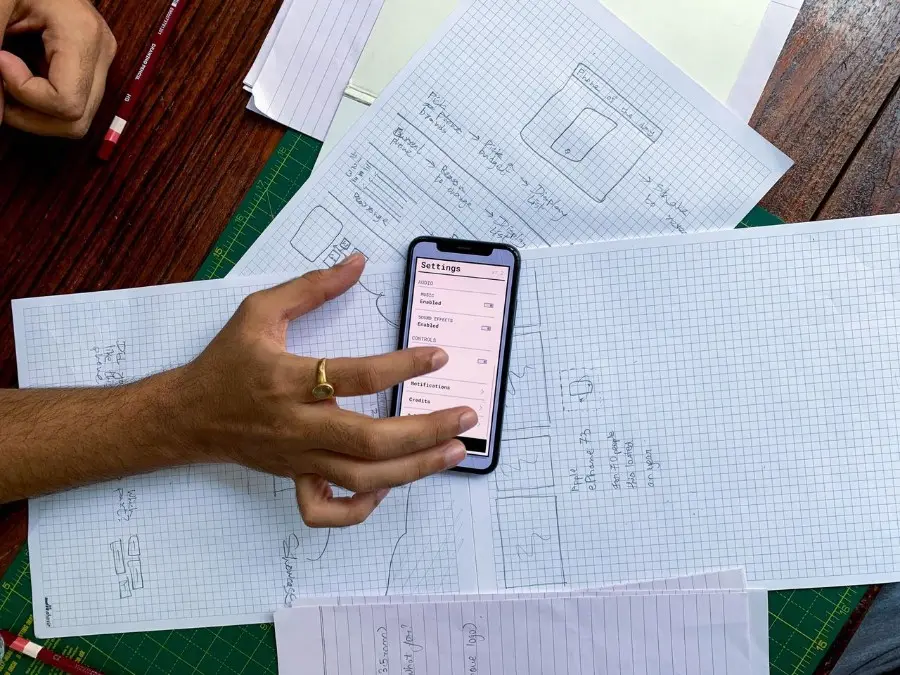
Every great software product starts with a plan before it looks good. When you do not make a drawing and start picking colors and animations right away teams waste time talking about button colors instead of fixing how users move through the software.
Making a basic drawing helps you focus on how the product’s organized and how all the parts fit together. It gets rid of distractions so you can plan the layout and user experience properly.
In 2026 the best wireframing tools have changed a lot. Today, tools to design wireframes range from platforms that turn what you write into full screen layouts to simple drawing pads, shared team whiteboards and tools that test logic.
Whether you are a product manager planning a feature, a UX designer mapping user journeys or a developer sketching interface components, this guide explains the 10 best wireframing tools available today based on the real use cases where different wireframing tools work best.
TL;DR – Quick Summary
- Flowstep: Best AI wireframe generator which turns text prompts into Figma-ready wireframes and UI.
- Figma & Sketch: The industry standards for moving smoothly from low-fidelity wireframes to final designs.
- Balsamiq & Excalidraw: Best for simple, hand-drawn sketches that keep the team focused on structure rather than visuals.
- Miro & Whimsical: Top choices for real-time team collaboration and quick brainstorming.
- Axure RP & Penpot: Choose Axure for complex, logic-heavy prototypes or Penpot for a free, self-hosted alternative.
- MockFlow: Ideal for distraction-free wireframing with a wide range of platform-specific components.
The following best wireframing tools cover different use cases for your team.
Comparison Table: The Top Wireframing Platforms at a Glance
| Tool | Primary Use Case | Free Tier | Starting Price | Key Platform |
|---|---|---|---|---|
| Flowstep | AI Wireframe Generator | Yes (Free Plan) | $15/month | Web / Cloud (Figma-Ready) |
| Figma | Most Widely Used Design Tool with Wireframing Built In | Yes (Starter Plan) | $12/editor/month | Web, macOS, Windows |
| Balsamiq | Classic Low-Fidelity, Sketch-Style Wireframing Tool | Free 30-Day Trial | $9/month (or $89 desktop) | Web, macOS, Windows |
| Miro | Real-Time Collaborative Wireframing & Whiteboarding | Yes (3 Boards) | $8/member/month | Web, Desktop, Tablets |
| Sketch | Wireframe-to-UI Workflows on Mac | Free 30-Day Trial | $10/editor/month | Native macOS App + Web |
| Axure RP | Complex Interactive Prototypes with Conditional Logic | Free 30-Day Trial | $25/user/month | macOS, Windows |
| Whimsical | Drag-and-Drop Components & Fast Team Diagramming | Yes (Free Plan) | $10/editor/month | Web / Cloud |
| Excalidraw | Hand-Drawn-Style, Quick Low-Fidelity Sketching | Yes (100% Free Core) | Free (Plus from $6/mo) | Web / Browser-Based |
| Penpot | Open-Source, Best for Self-Hosted Alternatives | Yes (100% Free) | Free (Open-Source) | Web / Self-Hosted Docker |
| MockFlow | Clean, Distraction-Free Dedicated Wireframing Tool | Yes (1 Project) | $14/editor/month | Web / Cloud |
How We Evaluated the Best Wireframing Tools
Finding the right wireframing tool is about choosing the platform that matches how fast your team needs to iterate.
If the wireframe platform is too simple it will not be very helpful when you need to show complex user flows within the wireframe platform. On the other hand if the wireframe platform is too complicated it will slow down simple planning sessions.
To rank the best wireframing tools, we evaluated each platform against five core criteria:
1. Speed of Ideation
A wireframe tool should let you assemble a screen in minutes. We checked how fast and comprehensive each platform is.
2. Fidelity Control and Editability
Great wireframes show how the layout is organized. We checked if each tool allows simple drawing of organized Auto Layout areas and if the wireframes can become detailed designs or code without starting over.
3. Real-Time Team Collaboration
Wireframing is rarely a solo activity. We tested how each platform supports live multi-user editing, shared cursors, comments, sticky notes, presentation modes, and permissions for external clients and stakeholders.
4. Ecosystem and Workflow Integration
We looked at how each platform works with tools that are used for managing products and developing things. This includes tools, like Figma and Jira and Confluence and Slack and GitHub and the code editors that people use to work on the frontend.
5. Value, Pricing, and Accessibility
We looked at each tool to see what you get for free and how much it costs if you need to use it with a big team.
Detailed Reviews: The 10 Best Wireframing Tools in 2026
1. Flowstep: Best AI Wireframe Generator
Flowstep changes the best wireframing tools by introducing prompt-to-wireframe generation powered by AI. Simply describe the user journey, and Flowstep generates complete, structured layouts in seconds with clean layers and Auto Layout structures that you can copy directly into Figma.
Key Features
- Text-to-UI & Wireframe Generation: Turn plain English prompts into complete multi-screen UI and wireframe layouts.
- Native Figma Copy-Paste: Move generated wireframe screens into Figma in one click with full Auto Layout hierarchy preserved.
- Infinite AI Canvas: Edit rearrange, and expand wireframes using both natural language prompts and direct visual canvas controls.
- Clean Code Export: Generate production-ready React, TypeScript, and Tailwind CSS.
- MCP Support: Connect your wireframes directly to developer tools like Cursor and Claude Code for fast frontend implementation.
Pricing
- Free Plan: Free access to test canvas features and AI generation.
- Pro Plan: Starts at $15/month for expanded generation limits, full exports, and team features.
Best for
Designers and product managers who need to quickly generate editable wireframe layouts from prompts. Copy & paste to Figma and code export are useful adds-on.
2. Figma: The Most Widely Used Design Tool with Wireframing Built In
Figma is one of the best wireframing tools for designing modern products. From simple sketches to finished interfaces. Its massive community library, intuitive drag-and-drop components, and powerful Auto Layout features make it the go-to choice for collaborative team workflows.
Key Features
- Massive Community Library: Access thousands of pre-made wireframe UI kits, mobile device frames, and web components for free.
- The Auto Layout Engine makes wireframes look good on every device. When we add or change text, the spacing and alignment change so everything looks neat.
- Interactive Prototyping to see how designs work.
- Real-Time Multiplayer Collaboration: When we work with our team we can all work on the design at the same time. We can see what everyone is doing, leave comments and even talk to each other while we work.
- The Figma AI Capabilities are also very useful. We can use them to clean up our design and make it look better.
Pricing
- Starter Plan: Free for up to 3 active Figma files.
- Professional Plan: $12 per editor/month (billed annually) for unlimited files, version history, and shared team libraries.
- Organization Plan: $45 per editor/month for company-wide design systems, advanced analytics, and workspace management.
Best for
Product design. Organizations looking for one complete platform to move ideas from basic sketch drawings all the way to final detailed design systems.
3. Balsamiq: The Classic Low-Fidelity, Sketch-Style Wireframing Tool
Balsamiq defines low-fidelity wireframing with a focus on simplicity, letting you think about organization and flow without worrying about colors or fonts. It functions like a powerful whiteboard, letting you build designs quickly using pre-made components.
Key Features
- Hand-Drawn Sketch Aesthetic: Rough visual style focusing feedback on structure and user flow rather than graphics.
- Quick Add Feature: Type component names using keyboard shortcuts to place elements onto the canvas in seconds.
- Rich UI Component Library: Icons and interface elements for desktop and mobile devices (iOS, Android) and web layouts.
- Click-Through Prototyping: Link wireframe screens to create demos for user testing.
- Flexible Deployment: Collaborative web application via Balsamiq Cloud or standalone desktop application for offline use.
Pricing
- Balsamiq Cloud Starts at $9/month.
- Desktop License $89 per user.
- Free Trial 30 days.
Best for
Best for product managers, business analysts, and non-designers needing to create simple wireframes quickly without design focus.
4. Miro: Best for Real-Time Collaborative Wireframing/Whiteboarding
Miro is a collaborative workspace for teams planning sprints, grouping research, and creating product plans. It features a Wireframe App with ready-made UI parts for various devices, allowing teams to collaborate on wireframes alongside research notes.
Key Features
- Infinite Collaborative Canvas: Placement of wireframe flows alongside sprint backlogs, user research notes, and product strategy boards.
- Built-in Wireframe Library: Drag-and-drop components for web and mobile screens, including search fields, dropdowns, tab bars, and device mockups.
- Interactive Workshop Tools: Built-in timers, voting tools, laser pointers, and video chat for engaging wireframing sessions.
- Miro Assist AI: Automatic clustering of notes, flowchart generation, and summarization of workshop feedback into layout ideas.
- Deep Ecosystem Integrations: Embedding of wireframe boards into Jira, Confluence, Figma, Notion, Slack, and Microsoft Teams.
Pricing
- Free Plan: Free
- Starter Plan: $8 per member/month
- Business Plan: $16 per member/month
Best for
Cross-functional product teams, UX researchers, and remote agile teams who want to build early wireframes directly inside collaborative strategy workshops.
5. Sketch: Wireframe-to-UI Workflows on Mac
Designed for macOS, Sketch is a fast, responsive program for wireframing and turning drawings into finished user interfaces. Its Symbols and Smart Layout tools make building wireframe libraries fast and efficient, allowing teams to update elements instantly.
Key Features
- Native macOS Performance: Fast, lightweight native Mac application with full offline editing capabilities.
- Smart Layout & Reusable Symbols: Components automatically expand and reflow when you change button labels or paragraph copy.
- Shared Team Libraries: Store low-fidelity wireframe kits and icon packs in shared cloud workspaces for consistent team-wide use.
- Web-Based Developer Handoff: Inspection of wireframe layers, measurement of distances, and asset downloads via web browser.
- Rich Plugin Ecosystem: Third-party plugins for data population, icon imports, and automated layout tasks.
Pricing
- Standard Subscription: $10 per editor/month
- Mac-Only Perpetual License: $120
- Free Trial: 30 days
Best for
Mac-first product designers and creative agencies looking for high-performance desktop wireframing software that transitions directly into high-fidelity UI design.
6. Axure RP: Complex Interactive Prototypes with Conditional Logic
Axure RP is the industry standard for functional wireframes when simple transitions are not enough. It allows you to build dynamic panels, manage conditional logic, and track variables to create prototypes that behave like real software.
Key Features
- Conditional Logic & Variables: Creation of data-driven user journeys, form validation, and dynamic content changes based on data.
- Dynamic Multi-state Panels: Construction of accordions, modal windows, and tabs within a single screen.
- Adaptive Views: Visualization of designs across desktop, tablet, and mobile breakpoints in one environment.
- Axure Cloud Publishing: Password-protected prototype sharing and on-screen stakeholder commenting.
- Automated Specification Documentation: Generation of detailed functional documentation for engineering handoff.
Pricing
- Axure RP Pro: $25 per user/month
- Axure RP Team: $42 per user/month
- Free Trial: 30 days
Best for
Enterprise UX architects, business analysts, and technical product managers who need advanced conditional logic, dynamic data validation, and complex interactive wireframes.
7. Whimsical: Drag-and-Drop Components & Fast Team Diagramming
Whimsical simplifies product planning for managers and developers. It offers ready-made components for page layouts and user flows without complicated menus, integrating wireframing, site mapping, and documentation in one place.
Key Features
- Responsive Formatting: Resizing of elements and updates to styling without deep menu navigation.
- Unified Workspace: Integration of wireframes, user flows, site maps, and documentation for team collaboration.
- Drag-and-Drop Library: Pre-made buttons and menus for rapid layout assembly.
- Real-time Teamwork: Simultaneous editing and one-click project sharing.
- Whimsical AI: Text-to-mindmap and flowchart generation for rapid project initiation.
Pricing
- Starter Plan: Free
- Pro Plan: $10 per editor/month
- Organization Plan: $20 per editor/month
Best for
Agile product managers, startup founders, and software engineers who want fast, intuitive drag-and-drop wireframing integrated with flowcharts and product specs.
8. Excalidraw: Hand-Drawn-Style, Best for Quick Low-Fidelity Sketching
Excalidraw is a digital whiteboard that lets you create sketches that look like they were drawn by hand. It is perfect for quick meetings with no account required, keeping feedback focused on structure with a community library of icons.
Key Features
- Browser-Based: 100% free marketing tool requiring no account signup.
- Hand-Drawn Aesthetic: Draft-like visual style to prioritize feedback on layout and flow.
- Community Libraries: Hundreds of free user interface components, icons, and shapes.
- Secure Real-Time Collaboration: Encrypted team rooms accessible via shared link.
- Flexible Export Options: Output to PNG, SVG, or image code.
Pricing
- Excalidraw Core Free.
- Excalidraw+ (Team Cloud) Starts at $6 per user/month.
Best for
Developers, engineers and UX designers who want an easy-to-use sketchpad, for quick low-fidelity wireframes and simple architectural diagrams.
9. Penpot: Open-Source, Best for Teams That Want a Self-Hosted Alternative
Penpot is a design and wireframing platform built on web standards like SVG, CSS Flexbox, and CSS Grid. It is a premier alternative for teams with strict privacy needs or those looking to avoid per-seat fees.
Key Features
- 100% Open Source Freedom: Open source code available for hosting on private servers via Docker.
- Native Web Standards: CSS Grid and Flexbox layout containers for streamlined frontend handoff.
- Reusable Component Libraries: Organization-wide wireframe kits, typography tokens, and color palettes.
- Interactive Prototyping Engine: Screen connections with transitions and click interactions for navigation flow testing.
- Zero License Lock-in: No file limits or per-seat costs for self-hosted instances.
Pricing
- Penpot Cloud Free
- Self-Hosted Free
- Enterprise Support: Custom pricing
Best for
Best for teams prioritizing open-source solutions, strict data privacy, and web standards like CSS Grid and Flexbox.
10. MockFlow: Clean, Distraction-Free Wireframing Tool
MockFlow helps product teams plan and sketch layouts without the complexity of full graphic design tools. Its WireframePro studio offers pre-made components for various devices, allowing you to drag and drop elements to visualize your product.
Key Features
- WireframePro Engine: Component library for iOS, Android, Bootstrap, watchOS, and web platforms.
- Sitemap Builder: Visual sitemap creation and information architecture mapping.
- Design Approval Workflows: Built-in review modes for stakeholder commenting and layout approval.
- Version History & Revision Tracking: Comparison of wireframe iterations and tracking of design decisions over time.
- Ecosystem Integration: Support for Slack, Microsoft Teams, Trello, Google Workspace, and Jira.
Pricing
- Free Plan: Free
- Wireframing Plan: $14 per editor/month
- Product Design Plan: $19 per editor/month
Best for
Best for digital agencies and product managers who need an organized, dedicated wireframing tool with extensive UI component packs.
Pick the Best Wireframe Generator for Your Team
Wireframing is a way to save time and make sure everyone is on the same page. It helps you find problems with how things work before you start building. By thinking about how things are organized and how people will move around early on, teams can make better products and avoid having to redo UI later.
- When you are trying to pick the tool for wireframing, think about what your team needs: wireframes from prompts, low-fidelity wireframes, or detailed wireframes with complex logic.
- If you want to create wireframes and multi-screen UI from 1 prompt, Flowstep is a good choice. It is fast. It exports wireframes and UIs to Figma and generates clean code.
- If you want one place to do everything: from wireframes to complex design, Figma is a great choice.
- If you want to show clients how a product will work, tools like Balsamiq or Excalidraw are good. They are simple.
- If you need to work with your team and plan designs together, Miro and Whimsical are good choices. They make it easy to work together.
Pick the tool that works best for your team. Wireframing is a part of making a good product so make sure you use a wireframing tool that works for you.
Frequently Asked Questions about Best Wireframing Tools
What are the best wireframing tools for people who are just starting out?
If you want to build wireframes using prompts, Flowstep is a good choice. It generates multi-screen wireframes and UI. For people who are just starting out Balsamiq, Whimsical and Excalidraw are the options because they are easy to learn. They have interfaces where you can drag and drop things and they do not have a lot of complicated menus.
What is the difference between a wireframe, a mockup, and a prototype?
A wireframe is a plan that shows how things are laid out, what is important and how you get from one place to another. It does not have colors, special fonts or pictures. A mockup is a detailed picture that shows what things will really look like with the final colors, fonts and images. A prototype is a model that you can interact with like a website or app. You can click on things, fill out forms and see how it all works.
What is the best wireframe generator?
Tools like Flowstep let you describe what you want, and they generate wireframes from your prompts. After this, you can edit them or paste them into Figma.
Is making wireframes still important when designing products?
Yes it is. Making wireframes is the way to figure out if your idea is good to make sure everything makes sense and to make sure everyone agrees before you spend a lot of time and money on the details. Wireframing helps you get the basics right.
