
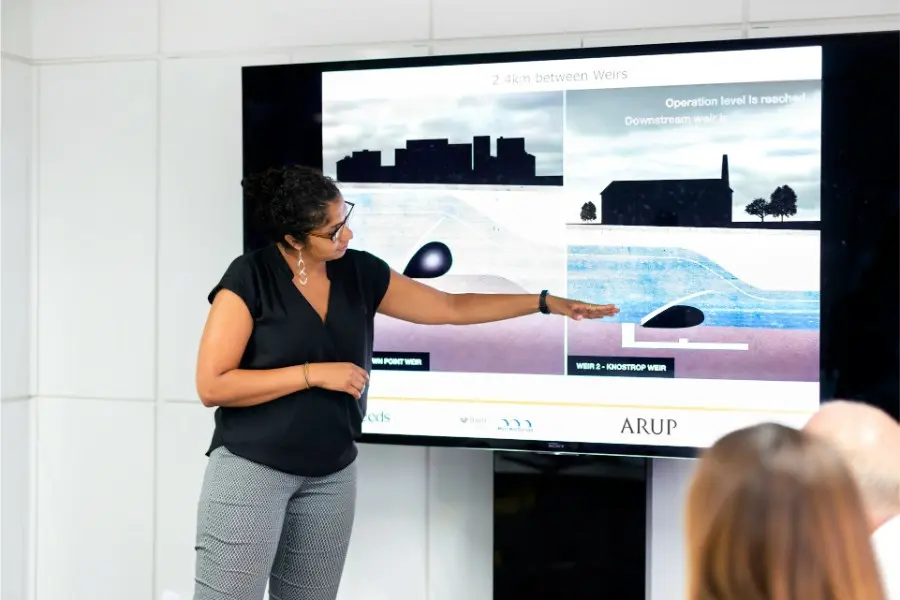
Research presentations can be powerful, but they can also become overwhelming very quickly. A presenter may have months of data, analysis, charts, findings, and recommendations to explain in only a few minutes.
Without clear design, the audience can feel lost, tired, or confused.
This is where visual hierarchy becomes essential.
Visual hierarchy is the way information is organized so viewers immediately understand what to look at first, second, and third. It uses size, color, spacing, contrast, alignment, typography, imagery, and layout to guide attention.
In research presentations, visual hierarchy is not just about making slides look polished. It helps people understand complex ideas faster, remember key findings longer, and follow the logic of the presentation with less effort.
For teams creating research decks, reports, webinars, investor updates, academic presentations, or marketing insights, strong visual hierarchy turns dense information into clear communication.
Visual Hierarchy Helps the Audience Understand Information Faster
Research often contains detailed information:
- statistics,
- technical terms,
- charts,
- models,
- references,
- comparisons,
- methodology notes,
- conclusions.
If everything on a slide looks equally important, the audience has to work too hard to understand the main point.
A strong visual hierarchy solves this problem by telling the audience: start here.
For example:
- a large headline can summarize the slide’s key message,
- a highlighted number can emphasize the most important result,
- a simplified chart can make a trend easier to see,
- a callout box can separate the insight from the supporting evidence.
Imagine walking into a city with no road signs. You might eventually reach your destination, but it would take longer and feel stressful.
A research slide without hierarchy works the same way. The audience may eventually understand the message, but only after unnecessary effort.
Good hierarchy makes the path clear.
Research slides usually come from a written study, so the structure of that source matters before design begins. A weak paper can make even a beautiful deck feel scattered. Clear sections, focused claims, and logical evidence give presenters a cleaner path from problem to result. For students who need an academic project with a clear question, research paper writing services can help create a stronger base for the presentation. That connection is important because slides are not separate from the research process. They are a compressed version of it. When the source material has a clear order, the slide hierarchy becomes easier to build. A presenter can turn the main claim into a title, group evidence into visual blocks, and highlight only the most useful data. Instead of forcing the audience through every detail, the deck shows the strongest route. In this way, good research structure and good visual structure work together like a map and a compass.
It Makes Complex Research Feel Less Intimidating
Many research topics are difficult by nature. Scientific studies, academic papers, market research, user research, technical reports, and business intelligence decks often include ideas that are not easy to explain quickly.
Strong visual hierarchy breaks these ideas into manageable pieces.
Instead of showing a crowded slide full of text, a presenter can divide information into clear visual zones:
- the main takeaway at the top,
- supporting evidence below,
- charts or diagrams in the center,
- notes or context in smaller text,
- conclusions in a clearly separated section.
This gives the audience a sense of order.
For organizations producing presentations at scale, template-based design is especially useful. Branded templates make it easier to keep headings, data blocks, charts, icons, and callouts consistent across every slide. For organizations producing presentations at scale, a best AI presentation maker can complement template-based design by helping teams structure slides while keeping headings, data blocks, charts, icons, and callouts consistent.
Platforms like Pixelixe help teams create branded visual assets and reusable layouts that support clear, consistent communication across presentations, reports, campaigns, and marketing materials.
Clear Headings Create Mental Signposts
Headings are one of the easiest ways to build visual hierarchy.
They act like signposts. They tell the audience where they are and what the slide is about.
For example, instead of using a vague heading like:
Results
A stronger heading would be:
Participants Preferred Visual Summaries by 42%
The second version immediately communicates the main takeaway. The chart, bullet points, or explanation below simply support that message.
This is especially important in research presentations because people rarely remember every detail. They are much more likely to remember clear, well-framed ideas.
Strong headings also help when presentations are reused as PDFs, reports, internal documentation, sales enablement assets, or downloadable content. Even without a presenter speaking, the hierarchy still guides the reader.
Strong Visual Hierarchy Improves Audience Focus
Attention is limited.
During a presentation, the audience is listening to the speaker, reading slides, interpreting visuals, and connecting new information with what they already know.
If the slide is messy, attention gets divided.
A strong visual hierarchy protects the audience’s focus. It reduces distraction and makes it obvious where to look.
A slide with ten equal-sized bullet points can feel exhausting. A slide with one key statement, three short supporting points, and one simple visual is much easier to follow.
The presenter remains in control of the story.
This matters because research presentations are not only about sharing information. They are about guiding people toward understanding.
It Makes Data More Meaningful and Persuasive
Data alone does not always speak for itself.
A table full of numbers may be accurate, but that does not mean it is easy to understand.
Visual hierarchy helps turn raw data into a clear message.
A chart can use contrast to highlight the most important result. A graph can use labels to point out a major change. A comparison can use size, spacing, or positioning to show which value matters most.
These design choices help the audience see the meaning behind the numbers.
For marketing, SaaS, e-commerce, and product teams, this is especially valuable. Research findings often need to become:
- executive presentations,
- sales decks,
- investor reports,
- product launch assets,
- social media visuals,
- email graphics,
- blog illustrations,
- localized campaign materials.
With creative automation and image generation APIs, teams can turn research insights into branded visual assets faster.
For example, the Pixelixe Image Generation API can help teams generate branded visuals from reusable templates, structured data, or campaign inputs. This is useful when research findings need to be transformed into multiple formats for ads, email, social media, reports, and lifecycle campaigns.
Highlighting Key Results Builds Stronger Arguments
In research, the main findings should not be hidden.
They should stand out.
If a study shows that one method improves performance more than another, that difference should be visually clear. The stronger result might be shown with a larger label, a separate callout, clearer spacing, or a highlighted chart element.
This does not mean manipulating the data.
It means presenting the truth in a way people can quickly understand.
A good visual hierarchy respects the audience’s time. It says:
Here is what matters most, and here is why.
Visual Hierarchy Supports Better Storytelling
Every strong research presentation has a story.
It usually begins with a problem, moves through context and methodology, presents findings, and ends with conclusions or recommendations.
Visual hierarchy helps this story flow naturally.
Each slide should have a clear role:
- one slide introduces the research question,
- one explains the method,
- one shows the most important finding,
- one compares alternatives,
- one summarizes the conclusion,
- one recommends the next step.
When the visual design supports this structure, the presentation feels smooth and logical.
Without hierarchy, the story can break apart. The audience may wonder:
- Why am I looking at this?
- What should I take away?
- Which number matters?
- How does this slide connect to the previous one?
Strong design prevents that confusion.
Visual hierarchy also helps presenters speak more confidently. When slides are organized, the presenter can explain ideas in a natural order. The slides become a helpful partner, not a burden.
Template-Based Design Makes Hierarchy Easier to Scale
One research presentation can be designed manually.
But when teams produce many decks, reports, webinars, campaign visuals, and data-driven assets, manual formatting becomes inefficient.
This is where template-based visual production becomes valuable.
A strong template system can define:
- title hierarchy,
- chart placement,
- spacing rules,
- brand colors,
- typography,
- icon styles,
- data callouts,
- source notes,
- conclusion blocks.
Once these rules are built into reusable layouts, teams can produce consistent research visuals faster.
This approach is useful for:
- agencies,
- SaaS companies,
- research teams,
- universities,
- consulting firms,
- e-commerce brands,
- marketing departments,
- media and publishing teams.
Instead of redesigning every slide or graphic from scratch, teams can use approved templates and focus on the quality of the insight.
For scalable workflows, Pixelixe Automated Image Generation supports repeatable visual production from templates, spreadsheets, APIs, and structured inputs. This can help teams turn research data into consistent branded visuals for multiple channels.
From Research Decks to Multi-Channel Visual Assets
A research presentation rarely lives in only one format.
A single study may need to become:
- a slide deck,
- a blog post,
- an infographic,
- a LinkedIn carousel,
- email visuals,
- social media graphics,
- paid ad creatives,
- sales enablement assets,
- localized campaign materials.
Strong hierarchy makes this transformation easier.
When the main idea, supporting points, and data highlights are clearly separated, the content can be repurposed into different formats without losing meaning.
This is where creative automation becomes especially useful.
A clear research insight can be converted into:
- a square social graphic,
- a webinar slide,
- an email header,
- a banner ad,
- a product marketing visual,
- a localized campaign asset.
Using template-based image generation and JSON-to-image workflows, teams can create many branded variations from the same core content while keeping the hierarchy intact.
Image Editing and Processing Support Better Presentation Workflows
Research visuals often need to be cleaned, resized, cropped, compressed, or adapted for different channels.
A chart created for a presentation may also need to appear in:
- a blog article,
- a PDF report,
- an email campaign,
- a landing page,
- a social post,
- a marketplace asset.
Image editing and processing APIs can help automate this work.
The Pixelixe Image Editing API supports transformations such as resizing, cropping, rotating, compressing, converting, blurring, and overlaying images through API calls.
For teams that publish research across multiple channels, this helps reduce manual production work while keeping visuals clean and consistent.
Conclusion: Strong Visual Hierarchy Turns Research Into Clear Communication
Research presentations should include strong visual hierarchies because they make information easier to understand, easier to follow, and easier to remember.
They help audiences focus on what matters most instead of getting lost in details.
They also make data more persuasive by showing the meaning behind the numbers.
In simple terms, visual hierarchy is the bridge between research and understanding.
Without it, even excellent research can feel confusing.
With it, complex ideas become clearer, stronger, and more engaging.
A research presentation should not feel like a wall of information. It should feel like a guided journey.
Strong visual hierarchy is the map that helps everyone arrive at the main message.
