As we navigate through 2026, the digital landscape has become increasingly saturated. With the relentless flood of information crossing our screens daily, presenting data clearly is no longer merely a strategic advantage; it is an absolute necessity. Whether you are a marketing professional breaking down a complex user funnel, a teacher illustrating historical timelines, or a project manager outlining quarterly strategies, walls of text simply fail to capture attention. Modern audiences demand digestible visual content.
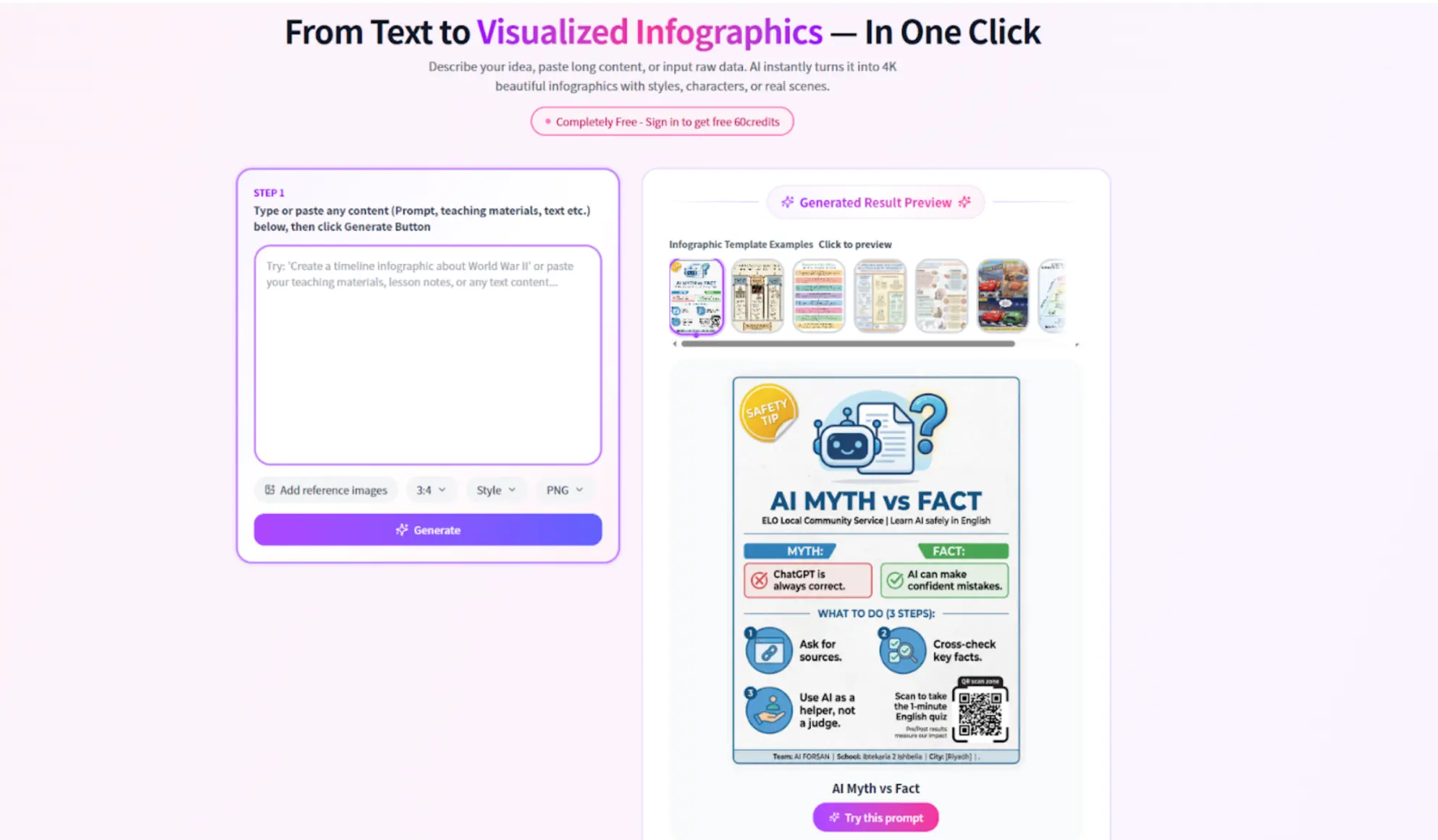
Over the past few weeks, I spent considerable time testing various online design utilities to see which ones actually streamline the creation process without requiring a university degree in graphic design. During this exploration, I tested a web-based platform known as Infograph.app. Instead of delivering a heavy-handed sales pitch, I want to break down my objective experience with this tool, exploring what it does well, where its boundaries lie, and how it handles highly specialized tasks like mental framing and data visualization.
Core Capabilities and the Digital Toolkit: Embracing Creative Automation
At its foundation, the platform serves as a highly intuitive Infographic Generator. For a very long time, creating compelling data visuals meant either wrestling with complicated vector software or settling for overly rigid, clunky online templates that made every project look exactly the same. This platform attempts to bridge that gap by offering a flexible, browser-based workspace that balances freedom with structure.
When you first open a new project, the immediate standout feature is the uncluttered user interface. It avoids overwhelming the user with hundreds of floating toolbars and hidden menus. Instead, the workspace is context-sensitive, meaning you only see the tools you need for the specific element you are clicking on. The asset library is robust, featuring thousands of customizable icons, geometric shapes, and modern typography options that reflect current 2026 design trends. Users can easily apply brand fonts across templates to maintain brand consistency. The platform’s automation features help streamline repetitive design tasks and ensure consistency across projects.
Furthermore, the data integration feels incredibly smooth. Users can input data manually or paste it directly from their daily spreadsheets, and the system automatically translates those raw numbers into visually appealing charts—be it bar graphs, pie charts, or complex line series. It handles the heavy lifting of proportion and mathematical scale, allowing the user to focus purely on the narrative behind the data rather than the math. When customizing visuals and templates, users can control the style of their designs, ensuring alignment with brand guidelines and a consistent visual identity.
The Creative Journey: From Draft to Final Polish in the Design Process
Understanding the actual day-to-day operation of a tool is much more important than reading a list of specifications. The creative workflow here is refreshingly straightforward, naturally guiding users from a rough idea to a finished, professional-looking product.
Selecting a Starting Point: You are rarely forced to stare at an intimidating blank white canvas. The platform provides a highly diverse gallery of pre-designed layouts categorized by industry and purpose. You simply pick one that roughly matches the flow of your information and use it as a foundational blueprint.
Structuring the Narrative: Once inside the main editor, swapping out placeholder text is as easy as typing. You can adjust entire color palettes with a single click to match specific corporate brand guidelines, and replace generic imagery with highly specific, searchable vector icons. The alignment is handled by invisible smart grids that snap elements into perfect symmetry. The platform enables users to craft personalized, high-quality designs for various media types, ensuring each project reflects both skill and brand identity.
When moving from draft to final product, the platform streamlines the creation of visual content, including images and design assets, making the entire process efficient and productive.
Output and Distribution: After tweaking the final details, you can export the finished design in multiple high-resolution formats suitable for both seamless web publishing and physical, large-format printing. The platform also supports exporting professional presentations, making it easy to create impactful visual slides for meetings and events.
Untangling Complex Thoughts: Beyond Standard Charts with AI Powered Tools
While the platform excels at traditional, vertical data layouts, I found its secondary capabilities to be where it truly differentiates itself from the competition. About halfway through my testing period, I decided to step away from statistical charts and focus on abstract brainstorming. This is where the platform reveals itself as a highly effective Concept Map Generator.
Often, the most challenging part of any major project is visualizing how different, fragmented ideas connect to one another. Standard text outlines and bullet points fall incredibly short when dealing with non-linear information. Using this tool to build concept maps proved to be a frictionless experience.
You can start with a central node—perhaps a core business problem, a software architecture plan, or a broad academic topic—and easily branch out. The system features intelligent connectors; when you draw a line between two idea bubbles, that line stays securely anchored even if you drag the bubbles across the canvas to reorganize your thoughts. This dynamic restructuring is crucial for brainstorming sessions where ideas are constantly shifting and evolving. During these sessions, you can use prompts to generate new visual concepts or directions, helping to spark creativity and expand your brainstorming possibilities.
By utilizing different shapes, color-coding various cognitive branches, and attaching brief text descriptions to the connecting lines, convoluted relationships become instantly understandable. The concept mapping functionalities provide a structured yet entirely flexible environment to get messy thoughts out of your head and onto the screen in a logical format.
To accelerate your ideation and improve your creative workflows, explore the platform’s guides and resources for tips on making the most of its creative automation features.
Collaboration and Sharing: Working Together in Real Time
In today’s fast-paced digital world, collaboration is at the heart of every successful design project. Whether you’re a graphic designer, marketer, or business leader, the ability to work together seamlessly is essential for creating high-quality marketing materials that reflect true brand consistency, especially when you rely on essential tools for visual content creation as part of your workflow. The platform’s AI-powered tools are designed to make this process effortless, enabling real-time collaboration, smooth system integration, and ongoing support for every member of your team.
With advanced AI-generated designs, team members can provide feedback directly on projects, ensuring that everyone—from designers to non-designers—can contribute ideas and suggestions. The intuitive interface allows users to create designs, edit layouts, and customize visuals without needing extensive design experience. This democratizes the design process, empowering anyone in your organization to participate and bring fresh perspectives to the table.
Maintaining brand consistency is simple with built-in brand guidelines and customizable templates, which is crucial when you’re creating cohesive branding across social platforms. Teams can start from scratch or use pre-made templates, adapting them to fit specific business needs while ensuring every element—from typography to color palettes—remains on-brand. The platform’s tools make it easy to remove backgrounds, generate images, and automate repetitive tasks, allowing designers to focus on crafting unique, high-quality visuals in less time.
System integration is another major advantage. Engineers and manufacturers can incorporate the platform into their existing workflows, using AI-powered features to automate processes and enhance the overall design process, similar to broader ways to automate AI image generation in modern content pipelines. This not only streamlines production but also fosters innovation by freeing up creative resources for more complex projects.
The platform is committed to supporting users at every stage, offering detailed tutorials, guides, and resources on everything from text prompts and background removal to advanced image generation and typography, much like other top branding tools to make your business visible. Whether you’re creating logos, brochures, or social media posts, you’ll find full details and step-by-step instructions to help you get the most out of every feature.
For example, a marketing team can quickly create a series of branded visuals for a new campaign, using AI to automate background removal and image generation, while non-designers contribute copy and layout ideas. The result is a cohesive set of marketing materials that maintain brand quality and consistency, produced in a fraction of the time traditional methods require.
As the design industry continues to evolve, collaboration, innovation, and efficiency will define the future. By leveraging AI-powered tools and technologies, companies can enhance their design processes, reduce costs, and deliver higher-quality results, while graphic designers stay relevant in the age of AI by focusing on uniquely human skills and strategic thinking. The platform stands as a major player in this transformation, providing robust features, ongoing support, and a user-friendly experience for designers, marketers, and businesses worldwide.
Whether you’re building a brand from scratch or refining your existing marketing materials, the platform offers everything you need to create, customize, and share stunning visuals. With its commitment to quality, innovation, and user support, it’s the ideal solution for anyone looking to elevate their design workflow and achieve consistent, professional results.
Strengths and Current Limitations
No digital utility is perfect, and a fair assessment requires looking at both sides of the coin.
Where it Excels:
Zero Learning Curve: The drag-and-drop mechanics and smart alignments mean absolute beginners can produce something highly presentable in under twenty minutes.
Cloud Convenience: Because everything lives securely on web servers, there is no heavy software to download or update, similar to how Pixelixe’s online graphic design studio runs entirely in the browser. You can start a design on a desktop at the office and finish it on a tablet at a coffee shop.
Adaptability: The ability to pivot seamlessly from acting as an infographic creator to a dynamic brainstorming canvas makes it a versatile daily workhorse, much like a flexible online web-to-print customization tool that serves both digital and print needs. Users can adapt their automated design workflows to meet evolving project requirements, ensuring ongoing flexibility as needs change.
Efficient Design Processes: The platform streamlines workflows and reduces manual effort, enabling efficient project completion and boosting overall productivity.
Areas for Growth:
Advanced Micro-editing: Professional illustrators who want to manipulate individual bezier curves or anchor points on a custom vector graphic will find the tool lacking. It heavily prioritizes speed and ease of use over microscopic pixel control.
Dependency on Connectivity: As a web-hosted application, a stable internet connection is mandatory. If you are traveling through a dead zone, your creative process will be put on pause.
Who Benefits the Most? Graphic Designers and More
So, who actually needs this specific platform in their digital arsenal?
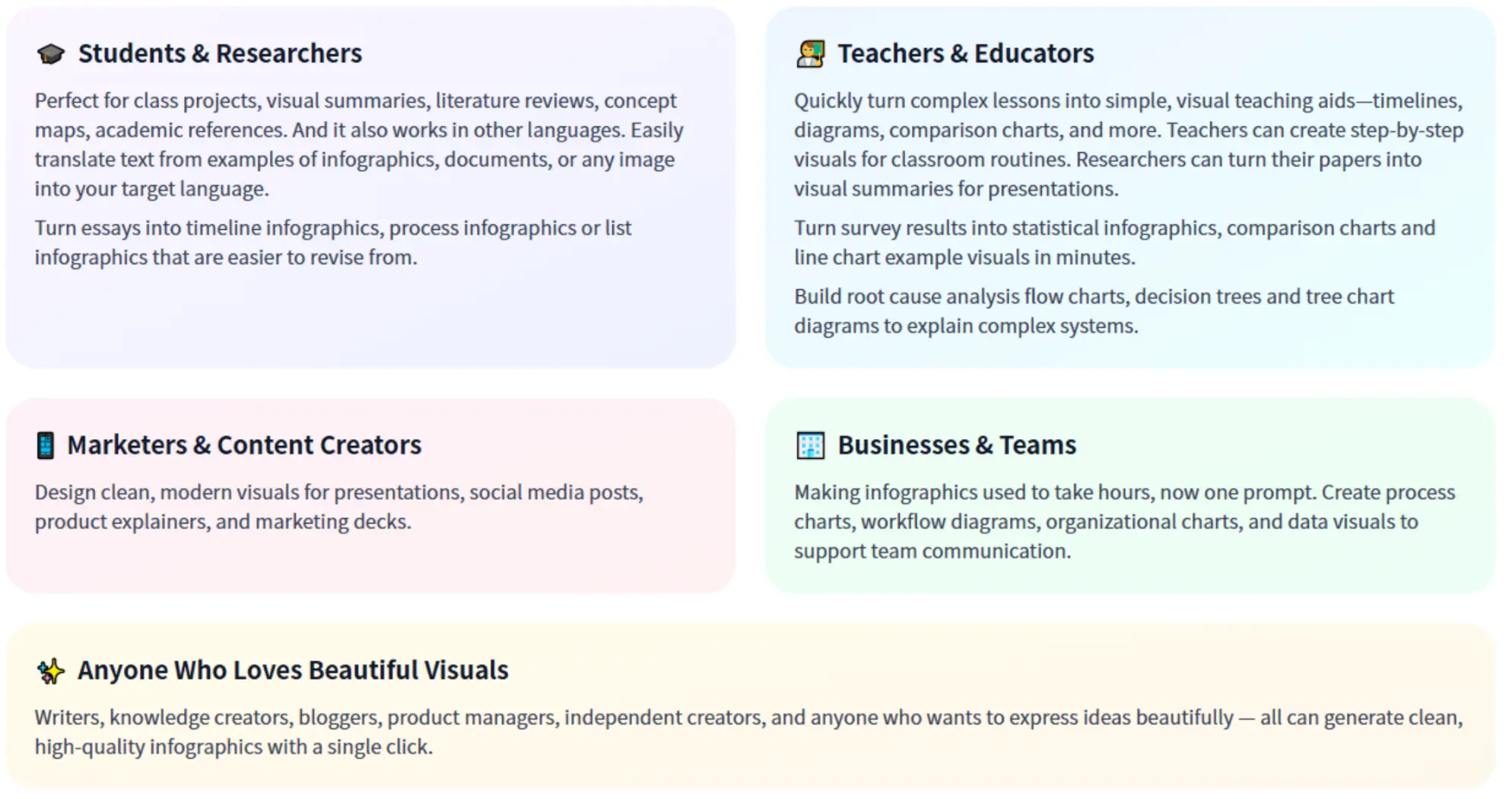
Educators and students will find the interface incredibly accommodating for creating engaging study guides or presenting research data without spending hours on formatting. Content marketers and social media managers who need to produce high-quality visual content regularly—without waiting on a bottlenecked in-house design team—can leverage this to maintain a consistent posting schedule. The platform also enables users to easily create engaging video content for social media and promotional campaigns, including formats like reels and banners. Graphic designers can use the platform’s creative automation features to streamline repetitive design tasks, allowing them to focus more on creative work and innovation. Lastly, for corporate strategists who need to outline workflows, departmental hierarchies, or strategic planning, the tool completely strips away the friction found in older, legacy flow-charting software. Engineers and strategists can also utilize the platform in manufacturing to generate production instructions and improve workflow efficiency.
Final Thoughts on Streamlining Visual Communication for Brand Consistency
We are long past the days when throwing a few bullet points onto a stark white slide was considered “good enough” for an audience. Effective communication in 2026 requires engaging, meticulously structured visual aids.
In my evaluation, this platform proves to be a highly competent companion for everyday visual communication. Machines, such as AI-powered tools, now enhance the creative process by automating repetitive tasks, allowing users to focus more on ideation and design. The platform successfully avoids the trap of being overly complex, focusing instead on user experience, rapid deployment, and clean aesthetics. While it is not designed to replace the heavy-duty software utilized by full-time graphic artists, it never claims to.
Whether you need to turn a boring spreadsheet into a compelling visual story, or you need a reliable Concept Map Generator to untangle a chaotic brainstorming session, it offers a streamlined, stress-free environment to get the job done efficiently. Importantly, automation here is meant to support and assist designers, not serve as a replacement for human creativity and expertise. It is certainly worth exploring the next time you need to turn complex concepts into clear, actionable imagery.
