
If you’ve ever wished your website or social media could talk to your customers for you, chatbot platforms make that possible. These tools now combine AI, automation, and easy-to-use interfaces to handle everything from simple FAQs to advanced sales funnels all without coding.
For small business owners and marketers, the best part is that most of these platforms include generous free plans or trials, making it easy to start experimenting. Modern chatbot platforms are also crucial for data driven decision making, as they automate complex data analysis to uncover actionable insights and optimize marketing campaigns.
AI marketing is now a strategic, transformative technology that leverages automation tools, machine learning models, and predictive analytics to enhance marketing processes. In 2026, staying competitive means adopting AI marketing to enable autonomous decision-making, real-time data analysis, and optimization across campaigns and teams. The chatbot landscape in 2026 is defined by ‘Agentic AI’ and ‘action-oriented’ agents, which can autonomously perform tasks like processing refunds, updating CRMs, booking meetings, or checking order status—moving well beyond simple Q&A.
In this list, we’ve analyzed six popular chatbot builders based on real data: their pricing transparency, ease of use, integrations, automation features, and how well they serve beginners. Each entry highlights strengths and limitations.
Introduction to Chatbot Platforms
Chatbot platforms have become an essential part of modern marketing automation, empowering businesses to automate customer interactions across multiple channels like social media, email, and websites. By leveraging advanced AI tools, these platforms enable chatbots to simulate real conversations, offering personalized support and guidance at any time of day. Integrating chatbot platforms with marketing automation software allows companies to streamline their marketing processes, ensuring that every customer touchpoint is optimized for engagement and conversion. For example, a SaaS company can use a chatbot platform to automatically qualify leads, allowing sales reps to focus their efforts on high value customers who are more likely to convert. This not only increases efficiency but also helps businesses deliver a more consistent and responsive customer experience across all digital channels.
Benefits of Chatbot Platforms
The advantages of using chatbot platforms extend far beyond simple automation. With the right solution, businesses can significantly enhance their marketing automation capabilities and deliver superior customer support. Chatbot platforms can automate routine tasks—like answering frequently asked questions or providing order updates—reducing manual effort and freeing up marketing teams to focus on strategic initiatives such as analyzing data and optimizing marketing campaigns. By integrating with other tools, including CRM systems and email marketing tools, chatbots help create a seamless customer journey, ensuring that every interaction is personalized and relevant. For instance, businesses can use chatbot platforms to trigger automated email marketing campaigns based on user behavior, sending targeted messages that nurture leads and drive conversions. Ultimately, chatbot platforms empower marketing teams to deliver 24/7 support, improve campaign performance, and streamline the entire marketing process.
Choosing the Right Chatbot Platform
Selecting the right chatbot platform is a crucial step for businesses aiming to maximize their marketing automation and boost customer engagement. When evaluating options, it’s important to consider factors like ease of use, customization capabilities, and how well the platform integrates with your existing marketing stack. Look for a user interface that makes it easy to build and deploy chatbots, even if you don’t have a technical background. Advanced features such as AI powered chatbots, natural language processing, and machine learning algorithms can take your automation capabilities to the next level, enabling more intelligent and personalized interactions. Many leading platforms—like ManyChat, Chatfuel, and Dialogflow—offer a range of automation features, from free plans for small businesses to custom pricing for enterprises. By choosing a chatbot platform that aligns with your marketing efforts and offers the right mix of automation capabilities and advanced features, you’ll be well-positioned to drive conversions, improve customer satisfaction, and stay ahead in today’s competitive digital landscape.
SendPulse Marketing Automation
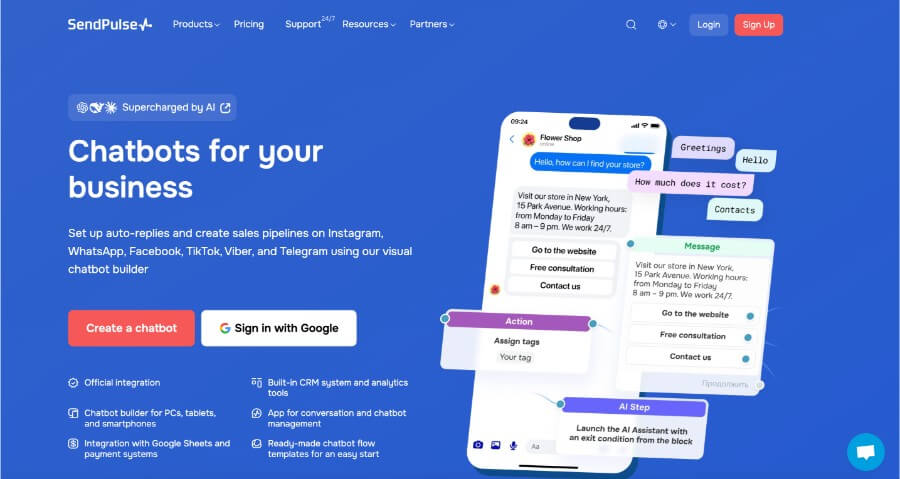
SendPulse is an all-in-one marketing automation platform designed to simplify communication across multiple channels. Beyond chatbot creation, it integrates tools for email, SMS, web push, and CRM, giving beginners everything they need to nurture leads and automate engagement in one dashboard. Unlike many other services, SendPulse even supports TikTok chatbots, making it a uniquely future-ready choice.
Key Features
Pricing: The free plan includes three chatbots, up to 500 subscribers, and 10,000 messages per month. This makes it easy to explore automation before scaling to a paid plan. Paid tiers start from $8/month for unlimited chatbots, messages, and advanced features.
Primary focus: SendPulse centers on automating customer engagement and sales while maintaining human-like conversations across multiple touchpoints.
Marketing features: Comprehensive marketing features cover email marketing, CRM, web forms, social media, and more, providing a holistic solution for marketers.
Automation tools: Robust automation tools enable the creation of automated customer experiences across channels like SMS, email, web push, and social media.
Website chat widget: You can embed a chatbot widget directly into your site, helping capture leads and guide visitors through personalized conversations.
Instagram DM + comment automation: Automates replies to both direct messages and post comments, ensuring no customer query goes unanswered.
WhatsApp Business API support: SendPulse is an official WhatsApp Business Solution Provider, which means businesses that use WhatsApp for sales get verified, policy-compliant messaging and template management.
Facebook Messenger integration: Works seamlessly across Facebook, allowing a unified approach to customer support and lead generation.
Rich UI elements: Offers quick replies, carousels, and product cards for visually appealing chat experiences.
Broadcast messaging: Supports compliant broadcast campaigns with segmentation, allowing you to message specific groups based on user attributes or behavior.
Segmentation & triggers: Automate messages triggered by key events like cart abandonment, purchases, or website visits.
Visual flow builder: The workflow builder provides a true drag-and-drop experience, allowing users to design complex automation workflows with loops, conditions, and subflows, intuitive enough for complete beginners.
CRM integration: Easily connects with CRM systems to enhance customer data management and streamline marketing automation.
Customer data: Collects and utilizes customer data to enable personalized marketing, segmentation, and actionable insights.
Creative assets: Manage creative assets such as images, videos, and multimedia content within SendPulse for use in campaigns.
Push notifications: Supports push notifications as part of a multi-channel engagement strategy, reaching users on mobile apps, websites, and social media.
Third party apps: Integrates with third party apps like Shopify, Facebook Ads, Google Analytics, and Zapier to extend platform functionality and streamline workflows.
Marketing analytics: Provides marketing analytics for campaign optimization, data-driven insights, and performance measurement.
Lead management: Automates lead management, nurturing, and qualification through integrated workflows and contact organization.
AI features: Includes AI features such as content generation and AI-powered workflows to enhance automation and analytics.
Template library: Includes prebuilt chatbot templates for various industries and channels to help you get started quickly.
Unified inbox: A single inbox for both human and bot conversations ensures smooth handovers and better customer experiences.
Why It’s Great for Beginners
SendPulse combines approachability with advanced capability. Its clean interface, visual builder, and broad channel support (including TikTok, WhatsApp, and Messenger) make it suitable for anyone building their first chatbot. Beginners benefit from automation that feels simple yet scalable, a rare balance among chatbot platforms. For comparison, Brevo is another affordable all-in-one solution that automates multiple marketing channels including email and SMS.
Botsify Chatbot Builder
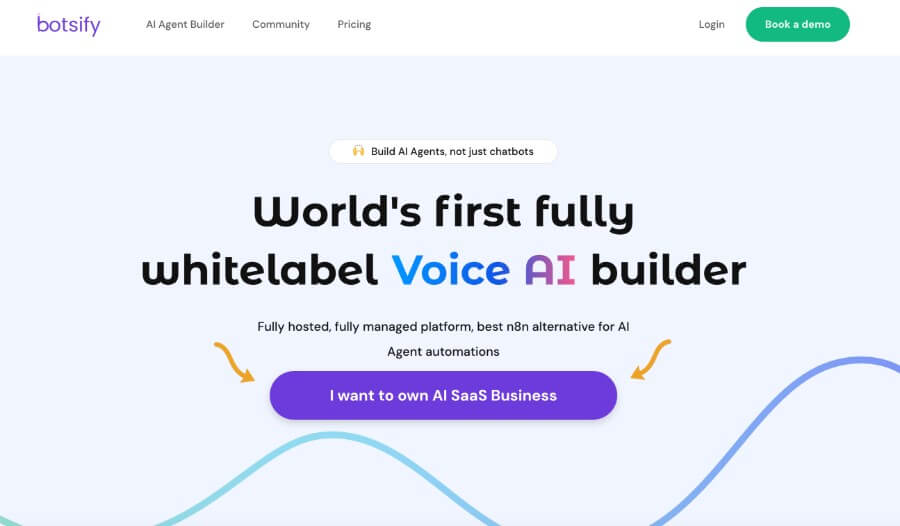
Botsify has carved out a niche as a reliable platform for automating customer support and lead generation without needing any coding skills. It’s designed for small businesses and agencies that want to deploy chatbots quickly on their websites or messaging channels. The interface emphasizes clarity and collaboration, with options for live human handover when necessary.
Key Features
Pricing: Botsify offers a 14-day free trial that gives users access to essential chatbot-building features and integrations. Paid plans start from $16/month for 1 AI agent and 1,000 credits.
Primary focus: The platform focuses on customer support automation, lead qualification, and basic marketing flows.
Automated system: Botsify features an automated system that triggers actions based on user behavior or external events, streamlining customer communications and marketing operations.
Lead scoring: Botsify evaluates and prioritizes leads using lead scoring based on user activity and engagement, helping sales teams focus on the most promising prospects.
Eliminate manual tasks: Botsify helps eliminate manual tasks by automating workflows, saving time and increasing efficiency for support and marketing teams.
AI agents: The platform leverages AI agents to automate complex support and marketing tasks, such as campaign management and workflow orchestration, acting independently to interpret natural language commands and integrate with various tools.
Analyze data: Botsify can analyze data from user interactions to optimize customer support and lead generation workflows, making intelligent decisions to improve performance.
Website chat widget: A customizable chat widget can be easily embedded into your website to engage visitors and collect information.
Instagram DM + comments: Botsify integrates with Instagram to handle DMs and respond to post comments, helping maintain brand interaction around the clock.
WhatsApp support: While not an official BSP, it integrates via partners to support WhatsApp Business messaging and automation.
Facebook Messenger integration: Botsify began as a Messenger bot tool and continues to support advanced automation on that platform.
Rich UI support: Provides buttons, cards, and quick reply options for more interactive experiences.
Broadcast messaging: Allows broadcast campaigns within compliance guidelines, ideal for announcements and re-engagement.
Segmentation & triggers: Users can segment audiences and create conditional triggers, for example, sending a message after a user downloads a guide.
Visual flow builder: The drag-and-drop interface simplifies logic building.
Template library: Includes prebuilt templates for customer support, booking, and lead generation use cases.
Unified inbox: Agents can monitor multiple conversations in one dashboard and seamlessly take over from bots when needed.
Why It’s Great for Beginners
Botsify strikes a balance between affordability and function. Its templates help users build chatbots without complex setup, and its visual builder keeps workflows straightforward. Botsify also supports human handoff, ensuring a seamless transition to live agents when queries become too complex. While some integrations (like WhatsApp) require partner connections, the learning curve remains gentle enough for those new to automation.
TARS
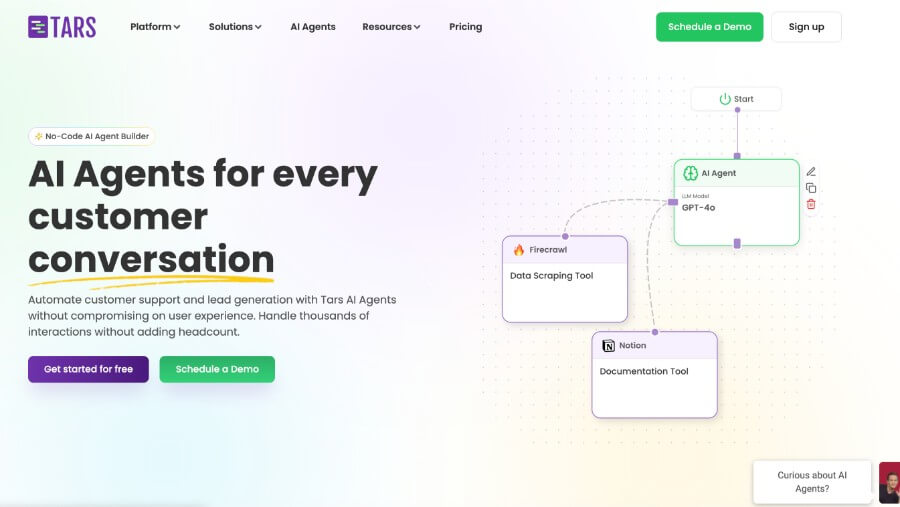
TARS is known for transforming traditional landing pages into interactive, conversational experiences. Its strength lies in lead generation, helping marketers replace forms with engaging chat-based workflows that improve conversion rates. Rather than focusing heavily on messaging apps, TARS shines as a “conversational landing page” builder, ideal for businesses looking to improve website performance through personalization. TARS also serves as a comprehensive marketing tool for online businesses, supporting automation and campaign management across multiple marketing channels.
Key Features
Pricing: A freemium option allows up to 50 conversations per month, which is suitable for testing basic functionality before upgrading. Paid plans start from $499/month for 500 conversations.
Primary focus: Designed for conversion optimization, especially for businesses running paid ad campaigns and looking to increase lead capture.
Sales funnel support: TARS guides users through every stage of the sales funnel, from lead acquisition to conversion, using automated chat workflows.
Integration with ad platforms: TARS integrates with major ad platforms, enabling you to optimize paid campaigns and track conversions directly from your chatbot platform.
Multi-channel automation: Automate customer engagement across various marketing channels, including web chat, WhatsApp, and Facebook Messenger, to create seamless customer journeys.
Marketing tool for online business: TARS acts as a robust marketing tool, providing automation, integrations, and analytics essential for online business growth.
Website chat widget: Yes, TARS allows you to embed fully customizable chat widgets directly on your site.
Instagram DM + comments: Not supported; TARS focuses on web-based and Messenger chatbots rather than social automation.
WhatsApp support: Offers a WhatsApp Engagement Suite for automation, enabling businesses to use official WhatsApp API capabilities for chat-driven campaigns.
Facebook Messenger integration: Supported; you can deploy chatbots to Messenger for lead nurturing or FAQs.
Rich UI elements: Uses buttons, input fields, and conditional branching to guide users through conversations.
Broadcast messaging: Not its main strength, but supports follow-up messages within compliant boundaries.
Segmentation & triggers: Includes event triggers such as form completion or page visits, useful for dynamic lead workflows.
Visual flow builder: Highly intuitive and praised for its visual logic. Beginners can create conversation paths using drag-and-drop tools with minimal effort.
Template library: Contains industry-specific templates, particularly for marketing, education, and finance.
Unified inbox: Integrates a live chat view for real-time conversations, letting agents take over if needed.
Why It’s Great for Beginners
TARS is particularly beginner-friendly for marketers who prioritize lead generation. It helps users move beyond static forms into engaging chat funnels, offering tangible conversion benefits without steep learning curves. By automating 70–80% of routine inquiries, TARS can reduce customer service costs by up to 30%. If your main focus is optimizing a website’s lead capture, TARS provides a specialized but powerful solution.
Botsonic
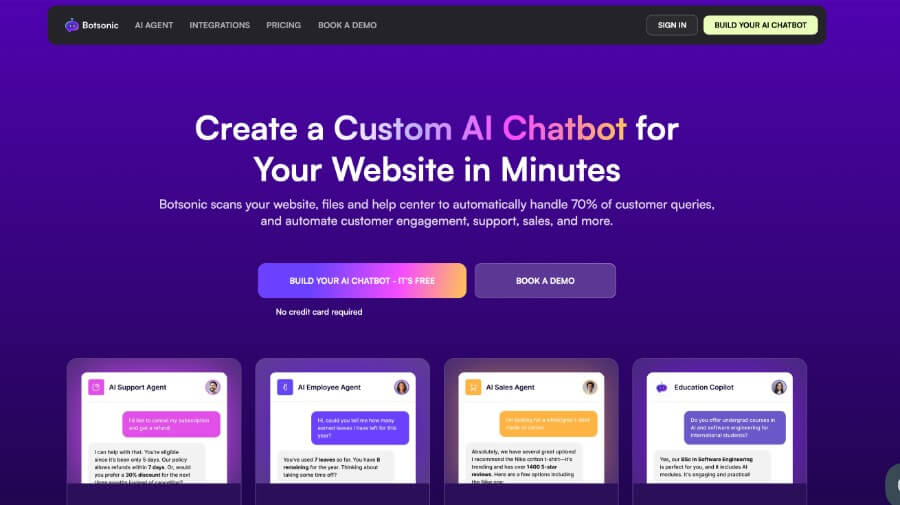
Botsonic is an AI-driven chatbot builder powered by natural language understanding and designed for companies wanting to provide personalized, knowledge-based customer support. Unlike template-based tools, Botsonic leans on large language models to create conversational assistants that learn from your own content or FAQ database, a modern approach appealing to those looking to integrate AI without coding.
Key Features
Artificial intelligence: Botsonic leverages advanced artificial intelligence to enhance customer support, predict customer behavior, and automate decision-making for improved customer experience and campaign efficiency.
Customer behavior analysis: Botsonic analyzes customer behavior to personalize responses and optimize support interactions in real time.
AI algorithms: Utilizes powerful AI algorithms for data analysis, segmentation, and hyper-personalization, creating a dynamic, 360-degree view of each customer.
AI-driven insights: Surfaces AI-driven insights to optimize support and marketing outcomes, enabling more strategic decision-making and resource allocation.
Model context protocol: Supports Model Context Protocol (MCP) to improve workflow efficiency and integration with large language models.
Generating reports: Botsonic’s AI tools can generate reports on demand, providing instant insights and streamlining decision-making.
Pricing: A 7-day free trial allows users to experiment with AI-driven bot creation before subscribing. Paid tiers start from $19/month and include 1 chatbot and 1,000 messages.
Primary focus: Customer engagement and support automation powered by AI and retrieval-based understanding.
Website chat widget: Yes, you can embed AI chat widgets that draw answers from your uploaded documents or website content.
Instagram & social automation: Limited; Botsonic’s focus remains on web and AI-powered customer assistance rather than marketing automation.
WhatsApp integration: Not native; can be connected via third-party integrations.
Facebook Messenger integration: Minimal, primarily supports website deployment.
Rich UI elements: Provides a modern interface, though customization focuses more on tone and content than visual elements like carousels.
Broadcast messaging: Not available; Botsonic is designed more for reactive, intelligent responses than outbound campaigns.
Segmentation & triggers: Basic event triggers exist, but they are less marketing-oriented than SendPulse or Botsify.
Visual flow builder: Instead of traditional blocks, Botsonic uses AI-driven configuration, letting you define behavior through examples and prompts rather than drag-and-drop tools.
Template library: Smaller template selection, focused on AI customer support scenarios.
Unified inbox: Offers a dashboard for reviewing customer interactions, though human handover options are limited.
AI marketing automation with Botsonic enables automated delivery of tailored content, predicts customer churn, orchestrates customer journeys by predicting the next best action, analyzes vast datasets in real time, enhances productivity by automating repetitive tasks, generates reports instantly, speeds up campaign launches, executes predefined actions based on data findings, enables hyper-personalization at scale, and autonomously adjusts ad bids and audience segments.
Why It’s Great for Beginners
Botsonic appeals to beginners who prefer AI simplicity over manual setup. Rather than designing detailed flows, you teach your bot by uploading resources or typing example answers. This hands-off approach makes it great for startups that want a smart assistant quickly, even if it sacrifices some marketing automation depth. Userbot.ai is another example of a chatbot that learns from customer interactions to improve its responses over time, demonstrating the power of AI-driven learning for beginners.
ChatBot: AI Chatbot
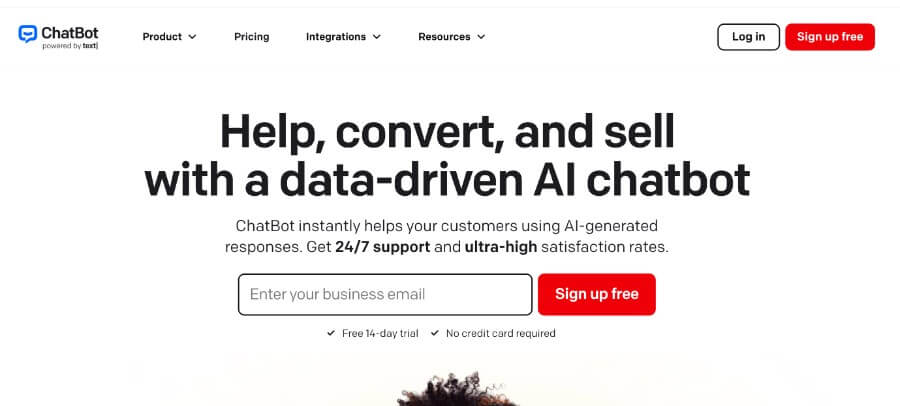
ChatBot (by LiveChat) is a well-established platform designed for businesses that want to automate conversations while maintaining a professional, customer-centric approach. It integrates closely with LiveChat’s ecosystem, making it ideal for companies that already rely on LiveChat for customer service but want to add automation on top. Its polished design and structured tools make it approachable for both teams and individual marketers.
Key Features
Pricing: Offers a 14-day free trial, letting users explore the builder and integrations before committing to a paid plan. Paid tiers start from $52/month and unlock 12,000 chats per year.
Primary Focus: Streamlining customer interactions through automation and smart handovers to human agents.
Marketing automation tool: ChatBot acts as a marketing automation tool, helping businesses automate and streamline customer interactions, lead management, and workflow processes.
Marketing analytics: Provides marketing analytics features for campaign optimization, allowing users to track performance and gain actionable insights.
Multiple platforms: Operates across multiple platforms and channels, including web, Messenger, and LiveChat, ensuring consistent engagement wherever your customers are.
Customer data: Collects and utilizes customer data to personalize interactions, build customer profiles, and enhance engagement across channels.
Website chat widget: Fully supported, allowing you to embed ChatBot on your website with branding and lead-capture forms.
Instagram DM + comment automation: Not natively supported; focus remains on web, Messenger, and LiveChat channels.
WhatsApp Business API support: Indirect, available through integrations with partner tools.
Facebook Messenger integration: Yes, supports Messenger bots for marketing, FAQs, and order-related interactions.
Rich UI elements: Offers buttons, cards, and custom forms to make conversations more interactive.
Broadcast messaging: Limited; primarily designed for reactive conversations rather than mass campaigns.
Segmentation & triggers: Users can define logic based on user inputs, attributes, or triggered events for more personalized chats.
Visual flow builder: A clean drag-and-drop builder makes it easy to design conversations visually, with the ability to test scenarios instantly.
Template library: Includes industry-specific templates for customer support, recruitment, and sales.
Unified inbox: Integrates seamlessly with LiveChat, allowing teams to handle bot and human conversations in a single view.
Why It’s Great for Beginners
ChatBot is a strong fit for small businesses and teams that prioritize customer support automation with human backup. Its deep integration with LiveChat and professional UI make it feel reliable and structured, perfect for users who prefer guided design over experimentation. For those seeking more advanced AI support and CRM integration, Intercom is known for its high-end AI support chatbots. Enterprise-grade platforms can detect and respond in over 50–95 languages, helping businesses scale globally. Many platforms also maintain a unified memory across channels, remembering previous context if a customer switches platforms, ensuring a seamless customer experience.
ManyChat for Multiple Channels
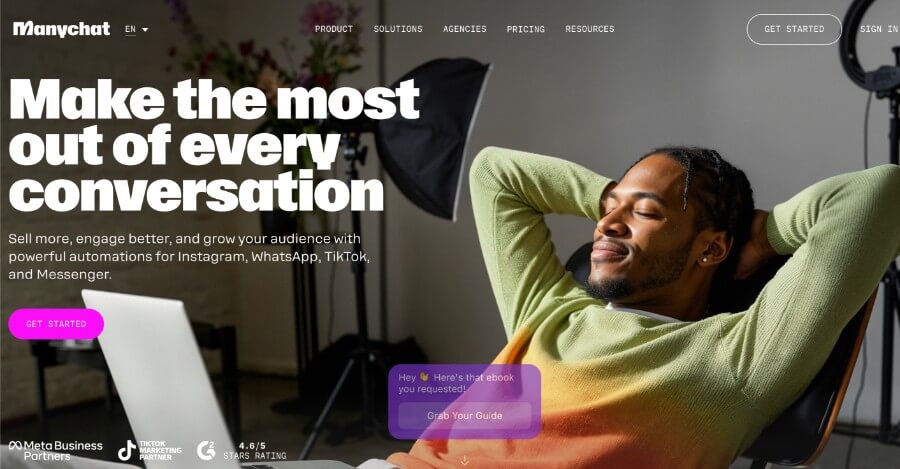
ManyChat is one of the most popular chatbot builders for social media marketing. It’s widely used for automating conversations on Instagram, Facebook Messenger, and WhatsApp, making it a favorite among eCommerce brands and influencers. ManyChat’s visual flow builder and campaign tools allow beginners to create interactive experiences that drive sales, collect leads, deliver updates automatically, and automate email campaigns. The platform also supports automation across multiple marketing channels, including email, SMS, WhatsApp, and more, using robust automation tools to create seamless customer experiences. ManyChat integrates with Google Ads for campaign optimization and offers lead management features to nurture and qualify leads throughout the customer journey.
Key Features
Pricing: Its free plan supports up to 1,000 contacts with basic features, making it an accessible starting point for small campaigns. Paid tiers start from $15/month and include unlimited contacts, advanced audience segmentation, keyword triggers, and more automation rules.
Primary focus: Marketing and sales automation, especially across social media platforms.
Website chat widget: Basic web integration is available but not its core strength, ManyChat thrives on social channels.
Instagram DM + comments: Fully supported and officially recognized by Meta; you can automate DMs, replies, and comment triggers.
WhatsApp Business API support: Available through official BSP integration, enabling message templates and campaign automation.
Facebook Messenger integration: One of the best in the market; ManyChat built its foundation around Messenger automation.
Rich UI elements: Supports galleries, product cards, and quick reply buttons for visually engaging flows.
Broadcast messaging: Supports platform-compliant broadcasts and recurring notifications.
Segmentation & triggers: Sophisticated audience segmentation and event-based triggers (cart recovery, purchases, and visits).
Visual flow builder & workflow builder: Beginner-friendly drag-and-drop interface with conditional logic, real-time testing, and the ability to design complex automation sequences across multiple channels.
Template library: Includes dozens of prebuilt flows for eCommerce, events, and customer support.
Unified inbox: Combines all conversations from Messenger, Instagram, and WhatsApp in one convenient dashboard.
Email campaigns: Supports automated email campaigns and personalized messaging as part of multi-channel marketing strategies.
Marketing channels: Automates and manages outreach across email, SMS, WhatsApp, Facebook Messenger, and more.
Automation tools: Provides a suite of automation tools for creating and managing automated customer experiences, integrating with AI and data-driven actions.
Google Ads integration: Enables campaign optimization and personalized ad experiences.
Lead management: Features for nurturing, qualifying, and organizing leads through automation workflows and integrations with sales tools.
Why It’s Great for Beginners
ManyChat is a natural choice for social-media-first businesses. Its step-by-step visual builder and strong Meta integration make it one of the easiest tools for automating Instagram and Facebook conversations. Beginners looking to boost engagement and sales through DMs will find ManyChat intuitive and rewarding. As one of the best marketing automation tools, ManyChat also offers free courses to help users evaluate and select the right automation platform for their needs.
For those comparing options, Mailchimp automates email marketing and integrates with third-party customer acquisition channels. Omnisend is focused on eCommerce and automates email, push notifications, and SMS. Customer.io automates a wide variety of marketing channels and allows for customizable messaging. Klaviyo is user-friendly and offers a large library of customizable templates for marketing campaigns. ActiveCampaign provides a large library of multilingual workflow automations and AI functionality for email content generation.
Wrapping Up
Choosing the best chatbot builder ultimately depends on what you want to achieve. In 2026, top chatbot platforms for businesses include Botpress, Lindy, Tidio, Manychat, Intercom, and Dialogflow. If you’re focused on lead generation and website engagement, platforms like TARS offer a visual, form-based approach that’s ideal for creating interactive conversations without coding.
Selecting the right marketing tool and automation tools is crucial for SaaS companies and online businesses, as these platforms enable automation, customer engagement, and campaign management. Automation tools can streamline marketing processes across channels like SMS, voice messages, and social media, and their integration with AI and data-driven actions optimizes workflows. Zapier, for example, connects to over 8,000 apps and helps automate workflows without coding, making it a valuable resource for expanding your automation stack.
If your main goal is to automate social media engagement, ManyChat and SendPulse remain the best tools for Instagram and Messenger marketing. Both are excellent for small businesses and creators who prioritize visibility on Facebook, WhatsApp, and Instagram but want automation to save time. If Instagram is your business’s priority, it’s a good idea to explore other tools for Instagram sales and marketing, like CRMs for Instagram.
For companies that value AI-driven responses or intelligent chat assistance, Botsonic brings cutting-edge AI capabilities to customer service. But when you are looking for a multipurpose solution that provides you with all the necessary tools to support customers on Instagram, Facebook Messenger, WhatsApp, Telegram, and TikTok, then SendPulse is the best decision.
